You’re staring at a blank presentation, knowing you need to create something that doesn’t just present information but actually holds your audience’s attention. You spend hours hunting for the right images, tweaking slide layouts, and trying to make your content look as good as it sounds, only to end up with something that feels; just okay.
I’ve been in that exact spot more times than I can count. I kept wondering if there was a better way to get my ideas across without getting bogged down in the design weeds.
That’s when I started exploring AI presentation makers, and honestly, they’ve been a game-changer. These tools use artificial intelligence to take a simple prompt or an existing document and generate a polished, systematic presentation in minutes. It’s like having a design-savvy assistant who lets you focus on what truly matters: your content and your story.
In this blog, I’ll walk you through a researched list of the top AI tools that solve this exact problem. If you’re ready to create presentations smarter, not harder, let’s get started.
📝 Key Notes on our Research Process (for Transparency)
- Covered presentation tools with free and paid plans.
- Focused on features that address common user frustrations.
- Spent 40+ hours testing each app’s core functions.
- Reviewed user interface, onboarding, and overall ease of use.
- Tested how well each tool works with other popular apps.
Most Popular AI Presentation Makers
- Beautiful AI : Fast slide generation, best for business teams
- Gamma AI : Quick AI slide creation, designed for teams
- Plus AI : Native AI slide creation, best for professionals
- Prezi AI : AI-powered dynamic presentations, best for storytelling
- Decktopus AI : AI-driven branded presentations, best for business use
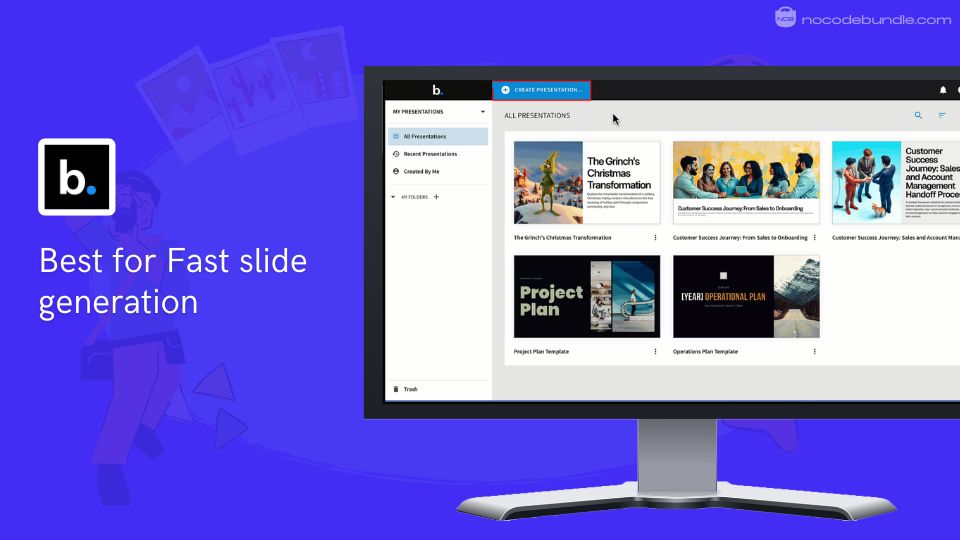
1. Beautiful.ai : Fast slide generation, best for business teams

Beautiful.ai is an online presentation tool that uses artificial intelligence to speed up and simplify slide creation. When I signed up and started adding content, the tool automatically adjusted layouts, icons, colors, and font sizes for me, which made the experience quite smooth.
Teams can collaborate, leave comments, assign tasks, and share feedback on slides directly. The cloud-based editor provides hundreds of smart templates sorted by use case, so choosing a polished design was straightforward in my tests.
The built-in library of images, icons, and videos means you don’t have to hunt down visuals elsewhere. Brand kits keep presentations consistent. Exporting files as PDFs or PowerPoints worked well, and sharing a presentation link was fast and easy.
✅ Pros
❌Cons
- Simple AI layout and design
- Large template selection
- Library of media and icons
- Controls for brand styling
- Live team editing support
- Limited deep customization options
- Template styles may repeat
- Some billing and cancellation issues reported
✅ Pros
- Simple AI layout and design
- Large template selection
- Library of media and icons
- Controls for brand styling
- Live team editing support
❌Cons
- Limited deep customization options
- Template styles may repeat
- Some billing and cancellation issues reported
How Much Does Beautiful.ai Cost?
Pro plan costs $12 per user per month (billed yearly), for individual users. Team plan costs $40 per user per month (billed yearly), for 2–20 users. Enterprise pricing is custom for larger groups. Single projects cost $45 each.
All paid plans include unlimited AI content generation, templates, and multiple export formats. A 14-day free trial is available. When I signed up for the trial, it was quick but required payment details upfront.
Best Subscription Plan Recommended for Beautiful.ai
For solo users needing full AI and design options, the Pro plan gave me everything I required. Teams that collaborate often will find the Team plan helpful for sharing and editing together.
Stand Out Feature of Beautiful.ai:
When testing the new properties panel, I used it to style a multi-element chart with my brand colors. Having all editing tools grouped in one place made it easier to find settings and saved time. This update helps reduce unnecessary clicks. You can see more details on their product news page.
Should You Use Beautiful.ai ?
Consider if you need full creative freedom. I found it simple to quickly build slides, though sometimes I wished for more design control. Be sure to review billing terms carefully.
Some users reported issues after free trials ended, so checking subscription details will help avoid surprises.
Beautiful.ai is recommended for 👍
Not recommended for 👎
- Users without design skills
- Quick business or sales decks
- Teams requiring easy collaboration
- Users needing full custom designs
- Presentations needing complex animations
- People cautious about billing policies
Beautiful.ai is recommended for 👍
- Users without design skills
- Quick business or sales decks
- Teams requiring easy collaboration
not recommended for 👎
- Users needing full custom designs
- Presentations needing complex animations
- People cautious about billing policies
2. Gamma AI : Quick AI slide creation, designed for teams

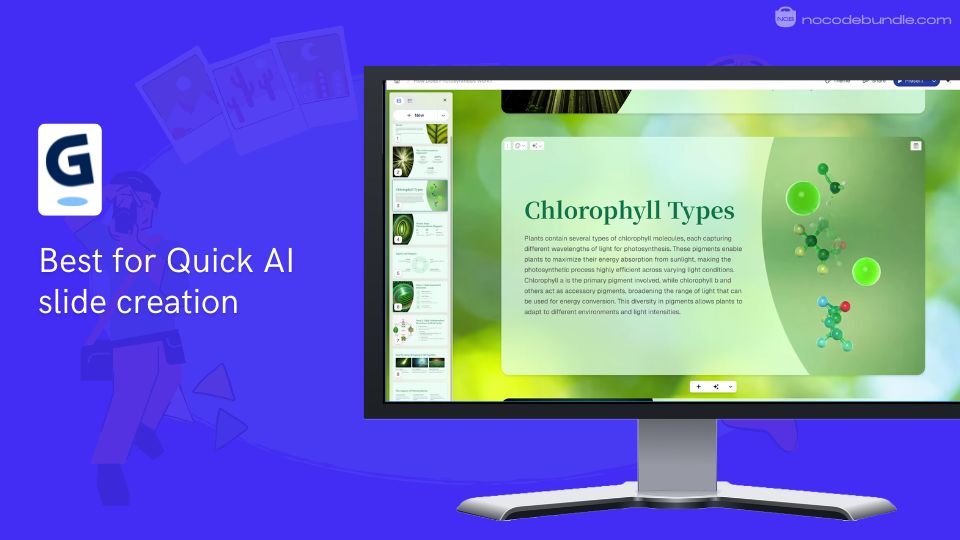
Gamma AI is a cloud-based presentation tool made to build slide decks quickly using artificial intelligence. When I tested it, I typed in a topic and the AI produced a full presentation in minutes. It arranges content into scrollable cards instead of classic slides, which helped me review my material more easily.
Uploading files was simple; the AI formatted them neatly into a deck. One feature I liked was how it allowed instant template switching without disrupting the layout. Team collaboration worked well, letting others comment and edit live.
Exporting to PDF was smooth, though PowerPoint exports needed a bit of manual adjustment. Gamma fits those who want clean, fast presentations without spending time on design details.
✅ Pros
❌Cons
- Fast AI-driven slide creation
- Supports live collaboration
- Instant template switching
- Imports and exports various formats
- Scrollable cards for clear content
- Limited animation options
- PowerPoint export requires fixes
- AI credit use can raise costs
✅ Pros
- Fast AI-driven slide creation
- Supports live collaboration
- Instant template switching
- Imports and exports various formats
- Scrollable cards for clear content
❌Cons
- Limited animation options
- PowerPoint export requires fixes
- AI credit use can raise costs
How Much Does Gamma AI Cost?
Gamma offers multiple plans:
- $29.99/month plan with 30 AI slide generations and limited AI writing, summarizer, and PDF use
- $49.99/month Unlimited plan with unlimited AI creations and access to all features
- $24.99/month billed annually for unlimited features (best value)
- Lifetime plan under $0.01/day with unlimited access
All paid plans include free upgrades, chart generation, template replacements, and exports.
Best Subscription Plan Recommended for Gamma AI
For most individuals and small teams, the $24.99/month annual plan is best, offering unlimited access to all AI tools. Monthly plans suit light users, but heavy users should avoid limits. The lifetime plan works if you prefer a single payment. From my experience, this strikes the best balance.
Stand Out Feature of Gamma AI:
I found the one-click template switching very helpful. While testing, I changed the style of my entire deck instantly, without losing any content or layout. This feature made trying different looks easy and saved me time.
Should You Use Gamma AI ?
Gamma AI is good if you want to make modern, card-style presentations fast with team collaboration. PowerPoint exports may need some fixing. Keep track of AI credit use, as heavy features can increase your cost.
Gamma AI is recommended for 👍
Not recommended for 👎
- Startups and marketing teams
- Remote teams collaborating
- Users needing fast, neat decks
- Users relying heavily on PowerPoint
- Presentations requiring detailed animations
- Those wanting fixed subscription fees
Gamma AI is recommended for 👍
- Startups and marketing teams
- Remote teams collaborating
- Users needing fast, neat decks
not recommended for 👎
- Users relying heavily on PowerPoint
- Presentations requiring detailed animations
- Those wanting fixed subscription fees
3. Plus AI : Native AI slide creation, best for professionals

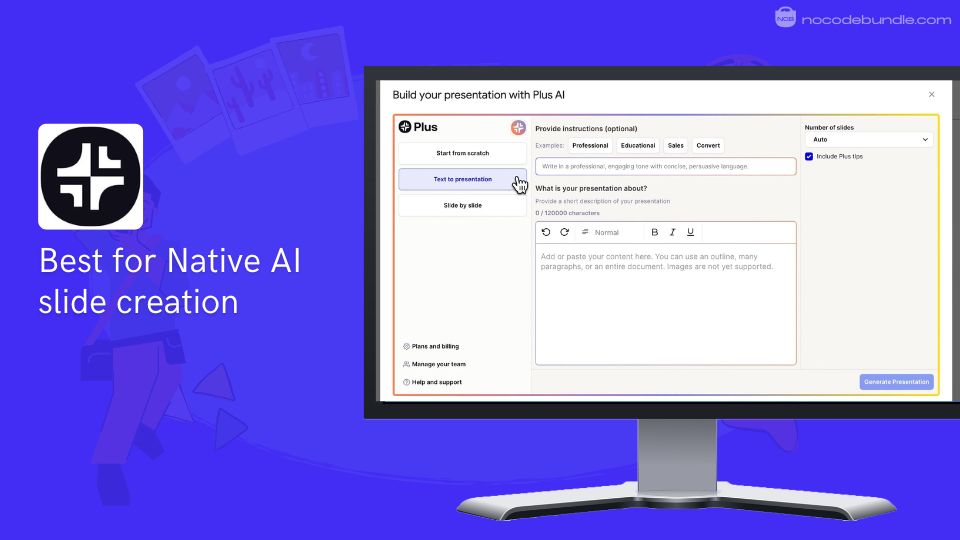
Plus AI is an AI-powered presentation tool designed to work directly inside PowerPoint and Google Slides. When I tried out Plus AI, I liked that I could make fully editable, native PPTX or Google Slides files that fit right into my existing templates and workflow. I uploaded PDFs and Word documents, and the tool turned them into clean slide decks in a few clicks.
In my experience, it was easy to generate new slides or edit old ones without needing to leave PowerPoint. For teams, Plus AI supports branded templates on Google Slides and follows strong security standards, including SOC2 Type II compliance. This made it a good choice for my client work where I needed strong privacy and control.
✅ Pros
❌Cons
- Native PowerPoint and Google Slides integration
- Converts PDFs, Word, text files into decks
- Supports custom enterprise templates on Google Slides
- Enterprise-grade security and compliance (SOC2 Type II)
- Creates slides one-by-one or full decks
- No standalone app; requires PowerPoint or Google Slides
- Short free trial of 7 days with credit card payment
- Some AI features need learning curve
✅ Pros
- Native PowerPoint and Google Slides integration
- Converts PDFs, Word, text files into decks
- Supports custom enterprise templates on Google Slides
- Enterprise-grade security and compliance (SOC2 Type II)
- Creates slides one-by-one or full decks
❌Cons
- No standalone app; requires PowerPoint or Google Slides
- Short free trial of 7 days with credit card payment
- Some AI features need learning curve
How Much Does Plus AI Cost?
Plus AI offers a 7-day free trial with full access, requiring a credit card. Paid plans include Basic at $15/month and Pro at $25/month. The Team plan adds support for custom Google Slides templates and collaboration.
Enterprise plans with advanced features and more control have custom pricing. Snapshots have limits based on plan. More details are available on their pricing page.
Best Subscription Plan Recommended for Plus AI
The Pro plan at $25/month is the best fit for most professionals as it provides unlimited AI-generated presentations, all features, and supports team workflows. The Basic plan limits credits, and Enterprise works for large groups needing custom solutions.
Stand Out Feature of Plus AI:
The “Remix” feature impressed me during testing. I used it to reformat old presentations quickly while staying inside PowerPoint, which saved time on manual edits. This AI-powered slide redesign tool supports brand consistency and speeds up updates. Check Plus AI’s official Twitter for feature news.
Should You Use Plus AI ?
Plus AI is ideal if you rely on PowerPoint or Google Slides and want to speed up slide creation without switching apps. Installation is simple but required. The short trial lets you explore features but monitor usage. Some features may take time to master.
Plus AI is recommended for 👍
Not recommended for 👎
- Professionals using PowerPoint regularly
- Teams needing enterprise-level security
- Users wanting quick document-to-slide conversion
- Those needing a standalone presentation app
- Users wanting long free trial periods
- Beginners reluctant to install add-ons
Plus AI is recommended for 👍
- Professionals using PowerPoint regularly
- Teams needing enterprise-level security
- Users wanting quick document-to-slide conversion
not recommended for 👎
- Those needing a standalone presentation app
- Users wanting long free trial periods
- Beginners reluctant to install add-ons
4. Prezi AI : AI-powered dynamic presentations, best for storytelling

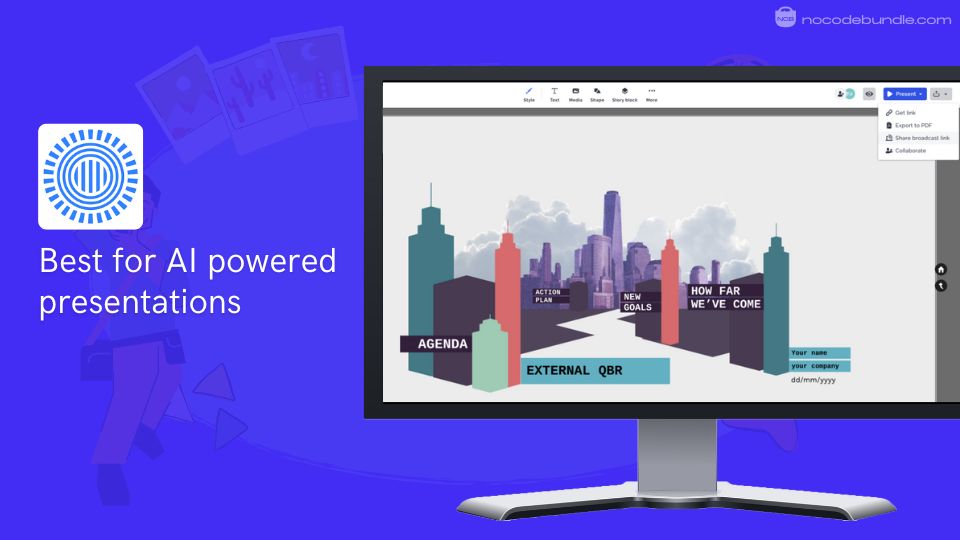
Prezi AI is a web-based presentation tool known for its unique zooming canvas and dynamic visuals. When I tested Prezi AI, I saw how quickly it could turn my outline into a full presentation with text, images, and smooth animations.
The AI also gave helpful suggestions to improve my content and layout as I worked. Having access to over 1 million images and GIFs made it easy to include visuals without searching elsewhere.
Prezi’s open canvas lets you present your story in a more engaging, nonlinear way, unlike regular slides.
✅ Pros
❌Cons
- AI generates full presentations quickly
- Large library of images and GIFs
- Unique zooming and movement effects
- Helpful AI content suggestions
- Easy sharing through QR codes
- Limited advanced AI capabilities
- Free plan has minimal editing tools
- Does not support real-time collaboration
✅ Pros
- AI generates full presentations quickly
- Large library of images and GIFs
- Unique zooming and movement effects
- Helpful AI content suggestions
- Easy sharing through QR codes
❌Cons
- Limited advanced AI capabilities
- Free plan has minimal editing tools
- Does not support real-time collaboration
How Much Does Prezi AICost?
Prezi offers Standard at $5/month, Plus at $15/month, and Premium at $25/month (all billed annually). Plans differ by features like offline access, video recording, and analytics. The free Basic plan lets you create 5 projects with limited tools.
Best Subscription Plan Recommended for Prezi AI
From my experience, the Plus plan at $15/month balances features and price well. It offers offline editing, video recording, and better support than the Standard plan. If you need detailed analytics and priority support, the Premium plan is worth considering.
Stand Out Feature of Prezi AI:
When testing Prezi, I really liked the QR code generator. One click created a code linking directly to my live presentation, making it easier to share at meetings or events. This handy feature adds a modern way to distribute your work. You can check Prezi’s latest features on their official Twitter.
Should You Use Prezi AI ?
Prezi AI is a good choice if you want interactive, visually interesting presentations rather than static slides. Its AI helps speed up content creation but does not have deep automation seen in some newer tools. Keep in mind the free plan’s limits, lack of real-time collaboration, and short trial.
Prezi AI is recommended for 👍
Not recommended for 👎
- Storytellers seeking dynamic visuals
- Educators and trainers
- People wanting easy sharing options
- Users needing real-time collaborative editing
- Those wanting extensive AI automation
- Users preferring traditional slide layouts
Prezi AI is recommended for 👍
- Storytellers seeking dynamic visuals
- Educators and trainers
- People wanting easy sharing options
not recommended for 👎
- Users needing real-time collaborative editing
- Those wanting extensive AI automation
- Users preferring traditional slide layouts
5. Decktopus AI : AI-driven branded presentations, best for business use

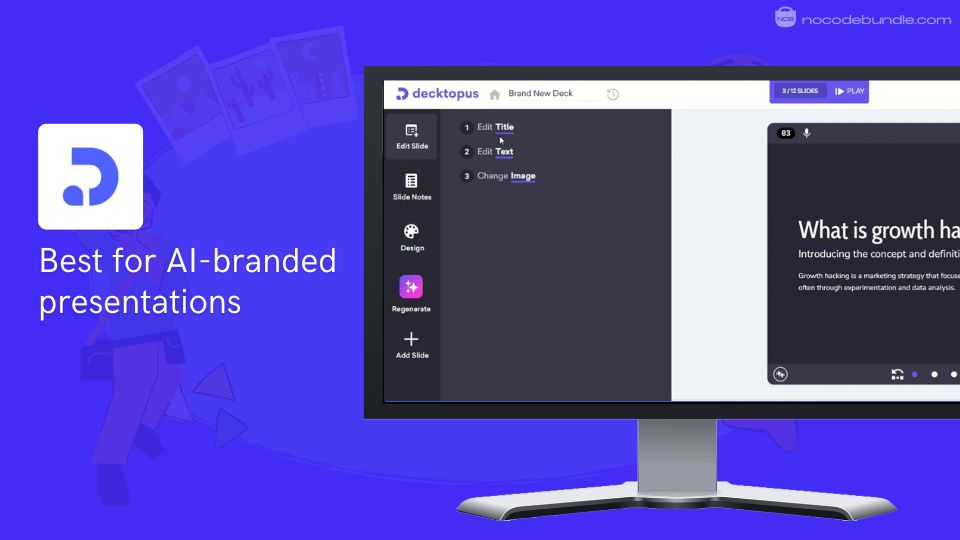
Decktopus is an AI-powered presentation platform aimed at helping business teams create polished, consistent decks quickly. When I tested Decktopus, I was able to produce a full presentation just by entering a title or uploading a few files.
The AI automatically adjusted the layout, content, and images, making sure everything matched my company’s colors, logos, and fonts.
It also allows embedding forms and videos easily. The AI-based speaker notes and the practice coach helped me prepare better for my presentation. Sharing and working with my team was simple thanks to real-time collaboration features.

✅ Pros
❌Cons
- Quick AI slide creation
- Automatic branding across slides
- Easy to add interactive elements
- Includes AI speaker coaching
- Good for teamwork and sharing
- Paid yearly, no monthly options
- Some advanced features cost more
- Support response can be slow
✅ Pros
- Quick AI slide creation
- Automatic branding across slides
- Easy to add interactive elements
- Includes AI speaker coaching
- Good for teamwork and sharing
❌Cons
- Paid yearly, no monthly options
- Some advanced features cost more
- Support response can be slow
How Much Does Decktopus AI Cost?
Decktopus charges $179.99 per year for the Pro plan, which includes 9,000 AI credits. The Business plan costs $419.99 per year per user, with optional extra features like slide analytics and custom branding.
Student discounts are available. Credits refresh yearly, but some features need higher tiers.
Best Subscription Plan Recommended for Decktopus AI
Based on what I used, the Pro plan at $179.99/year offers a good balance of features and value for most users. It includes enough AI credits and tools for regular work. The Business plan is better if you need full branding control and analytics, but it costs more.
Stand Out Feature of Decktopus AI:
The “Auto Branded Slide Library” was especially helpful for me. As I worked, the slides automatically matched my company’s branding colors, logos, and fonts without extra effort. This saved a lot of time and kept the deck looking professional.
Should You Use Decktopus AI ?
Decktopus is a good choice if you need to make business presentations often and want to do it quickly with AI help. Keep in mind it charges annually, and some advanced features cost extra. The interactive tools and coaching make your presentations more engaging.
Decktopus AI is recommended for 👍
Not recommended for 👎
- Business and sales teams
- Teams needing consistent branding
- Users wanting interactive slides
- People needing monthly billing
- Casual users with light needs
- Those who require quick customer support
Decktopus AI is recommended for 👍
- Business and sales teams
- Teams needing consistent branding
- Users wanting interactive slides
not recommended for 👎
- People needing monthly billing
- Casual users with light needs
- Those who require quick customer support
Which is the Best AI Presentation Maker? Our Top Pick 👑
After working with all five tools on your list, Beautiful AI stood out for its professional visual and easy-to-use smart templates. The platform automatically keeps slides consistent and neat, helping presentations look client-ready with less effort.
I found the collaboration tools reliable, and editing felt natural. While it could use more options for brand guidelines and unique slide types, it makes presentation building straightforward and saves plenty of time.
Compared to Gamma AI and Decktopus, it doesn’t force a web-style deck structure or annual billing, and Prezi’s canvas and PlusAI’s PowerPoint focus didn’t fit my needs for business proposals or quick updates.
Beautiful AI delivers the best mix of automation and design control, making it my top choice for regular presentation work
Beyond the Slides: Building a Full Presentation Workflow with Beautiful.ai
As a business strategist or marketing professional, here’s my recommended bundle of best tools to use with Beautiful AI for building client-ready presentations. I have tried these together myself, and the process worked without extra steps slowing me down.
01 ChatGPT or Jasper AI to create outlines and write your main ideas and talking points.
02 Midjourney or Leonardo.ai to produce impressive images that suit the style of your slides.
03 Beautiful AI to organize slides clearly and handle layouts and brand details for you.
04 Descript to record and adjust any audio or narration you need for presentations.
05 Loom to share your slides in video format, explain points, and send them to your team.
This approach makes it easier to go from ideas to a finished presentation that looks complete and matches expectations. From my own tests, using these together took less time and cut down the number of edits needed before sharing.
Ashna Antony
Ashna Antony is a Hubspot Certified Content Marketer interested in the AI and SaaS landscape. A former Software Developer turned writer, she breaks down how tech actually works and why it matters. She writes about Generative AI, AI Tools, Website Builders, and SaaS. When she’s AFK, she’s probably adding songs to a Spotify playlist or halfway through a podcast episode.