Posted On September 22, 2025

Best Website Builder for Influencers to Grow Online

Jeanne G 0 comments
>> For Online Store , For Portfolio , Website Builders >> Best Website Builder for Influencers to Grow Online
Best Website Builder for Influencers

If you’re an influencer trying to set up your own website, chances are you’ve scrolled through endless templates, testing out half-finished free trials, and still not ending up with something that feels right.

The problem isn’t that there aren’t enough website builders, it’s that most of them aren’t designed with creators in mind. Many feel too technical, too limited, or just too time-consuming to manage on top of everything else you already juggle.

The best website builders now come with tools specifically built for influencers like social media integrations, Link in Bio templates, Built in Instagram feed Integration, merch stores, scheduling features, and even AI support to cut down on repetitive tasks.

In this blog, I’ll walk you through some of the best website builders for influencers, highlight my personal recommendation, and share a few no-code tools that can help simplify your workflow.

Here is Our list of Best Website Builders for Influencers

  1. Wix – Best AI-Powered Websites for Influencers
  2. WordPress – Best for influencer blogs and portfolios.
  3. Squarespace – Best for Stylish visual content creators.
  4. Shopify – Best for influencer e-commerce stores.
  5. Jimdo – Best for quick and easy website creation.

📝 Key Notes on our Research Process (for Transparency)

  • Covered website builders priced from $0 to $2,300 for influencers.
  • Surveyed creators’ pain points: monetization, templates, social integrations, analytics.
  • Spent 100+ hours testing speed, SEO, mobile editors, ecommerce.
  • Evaluated onboarding, dashboard UX, support, and influencer-focused templates.
  • Tested compatibility with email tools, link-in-bio, and no-code stacks.

1. Wix: Fast, AI-Powered Websites for Influencers

Wix Website Builder for Influencers

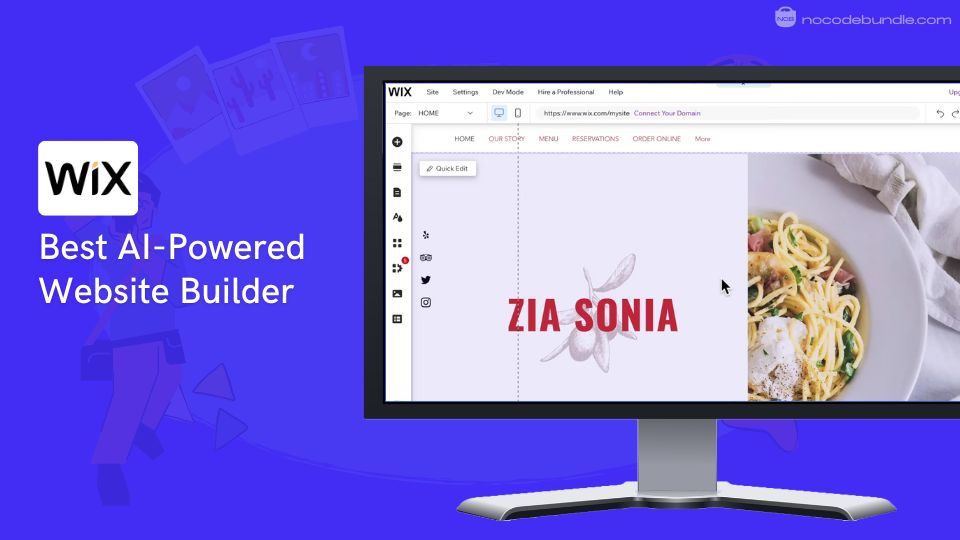
Wix is one of the most popular site builders because it’s easy to use and quick to set up, giving you all the tools you need if you’re starting out as an influencer. For me, the drag-and-drop editor and AI site generator made it super easy to build a professional-looking site, without fussing over complex settings.

If you’re like me and want plenty of templates, rapid deployment, and minimal hassle, you’ll appreciate how much you get upfront – though I did notice some users on wix forum complained about the limitations compared to more advanced platforms like WordPress or Webflow. Mostly about the migration process and tweaking the backend code.

But it’s solid for most creator needs. Most probably you don’t have to deal with any said limitations because with Wix studio – customization works great for design, ecommerce, and marketing, Wix also offers built-in SEO, payments, and email marketing, and updates roll out frequently with new helpful features.
✅ Pros

❌Cons

  1. Simple AI-powered site setup
  2. Hundreds of customizable templates
  3. Fast, drag-and-drop editor
  4. Integrated SEO and marketing tools
  5. Free plan with basic features
  1. Limited backend customization
  2. Manual site migration required
  3. Generic templates for some niches

✅ Pros

  • Simple AI-powered site setup
  • Hundreds of customizable templates
  • Fast, drag-and-drop editor
  • Integrated SEO and marketing tools
  • Free plan with basic features

❌Cons

  • Limited backend customization
  • Manual site migration required
  • Generic templates for some niches

How Much Does Wix Cost?

Wix offers a free plan (with ads and Wix subdomain) and paid subscriptions: Light at $17/month (custom domain, basic tools), Core at $29/month (50GB storage, ecommerce), Business at $39/month (full ecommerce, 10 collaborators), and Elite at $159/month (enterprise features, unlimited storage).

Best Subscription Plan Recommended for Wix

Based on my experience, the Core plan at $29/month makes the most sense for influencers – it gives you just the right mix of ecommerce, analytics, and marketing tools, so you don’t pay for extras you won’t use. You’ll get an even better deal if you pay annually.

Stand Out Feature of Wix:

While doing the review I tested Wix’s AI Section Creator, which generates fully formatted sections like About, Contact, or Pricing with matching layout, text, and images from a short prompt, then lets you fine-tune everything in the editor. For influencer sites, it helps spin up sponsor pages or link‑in‑bio landing blocks fast, and pairs well with AI text and image tools for quick polish.

Should You Use Wix to Build your Influencer Website

If you want a website that’s ready fast and packed with real-world tools for SEO, marketing, and payments, Wix is a good choice. Before you pick a plan, ask yourself how much backend control or site export flexibility you’ll need down the road. I’d recommend carefully checking storage, collaboration, and branding limitations before going all in.

Wix is recommended for 👍

Not recommended for 👎

  • Beginners wanting instant websites
  • Influencers with small to medium needs
  • Users needing built-in marketing tools
  • Advanced backend customization
  • Large-scale ecommerce businesses
  • Projects needing site export or migration

Wix is recommended for 👍

  • Beginners wanting instant websites
  • Influencers with small to medium needs
  • Users needing built-in marketing tools

not recommended for 👎

  • Advanced backend customization
  • Large-scale ecommerce businesses
  • Projects needing site export or migration

2. WordPress – Best for influencer blogs and portfolios

Wordpress Website Builder for Influencers

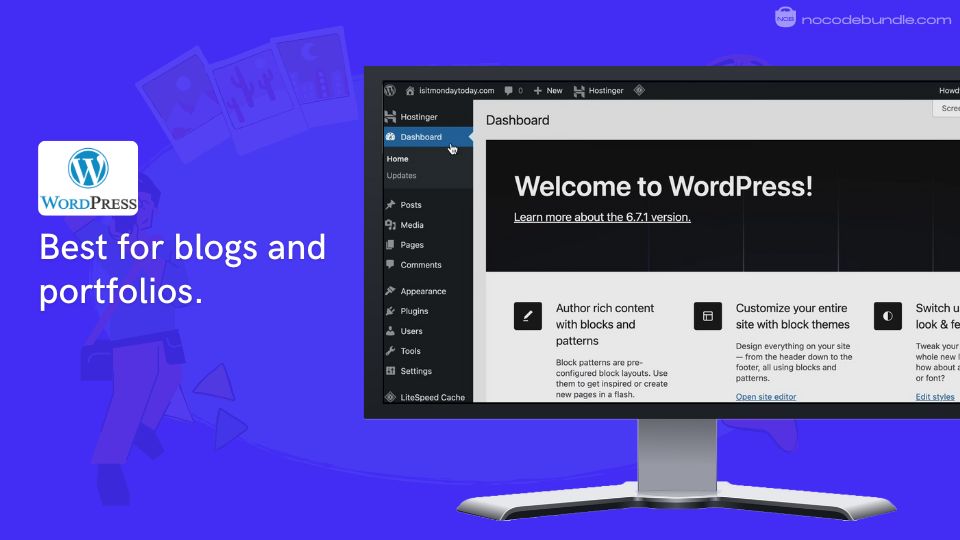
Based on what I’ve seen and tested, WordPress is a solid platform for influencers who want control over their content and audience growth. Yes it’s a bit more complex than simpler builders, but the flexibility and power make this worth it if you are ready to invest time in learning. The platform supports key tools like Elementor for easy drag-and-drop page building and WooCommerce if you want to add ecommerce features like selling products directly through your site.
✅ Pros

❌Cons

  1. Extensive theme and plugin customization options
  2. Built-in SEO optimization and performance tools
  3. Unlimited bandwidth on all paid plans
  4. Managed hosting with automatic updates included
  5. Global CDN for fast worldwide loading
  1. Limited backend customization
  2. Manual site migration required
  3. Generic templates for some niches

✅ Pros

  • Extensive theme and plugin customization options
  • Built-in SEO optimization and performance tools
  • Unlimited bandwidth on all paid plans
  • Managed hosting with automatic updates included
  • Global CDN for fast worldwide loading

❌Cons

  • Limited plugin access on lower plans
  • Steeper learning curve than competitors
  • Higher cost for full functionality

How Much Does WordPress Cost?

WordPress.com has a free plan with basic features and four paid plans: 

  • Personal at $4/month includes custom domain and basic customization.
  • Premium at $8/month adds monetization and advanced design tools.
  • Business at $25/month unlocks access to over 50,000 plugins including Elementor and WooCommerce, advanced SEO, and Google Analytics integration.
  • Commerce at $45/month offers full ecommerce capabilities and priority support. All paid plans come with managed hosting, security, and global CDN.

Best Subscription Plan Recommended for WordPress

I needed plugin and theme access during testing, so I’d pick Business; you’ll likely want it too if you plan to use creators’ tools, analytics, custom templates, or integrate Elementor and WooCommerce. This plan is the best balance of cost and features for influencers who want serious customization and growth options.

Stand Out Feature of WordPress:

I used the new Style Book to tweak headings and buttons in one place, and you’ll see changes update across your site in seconds. WordPress 6.8, released in April 2025, also added speculative loading, which preloads pages when you hover over links to make navigation faster. These improvements help you keep your site looking sharp and loading quickly, which is important for retaining visitors.

Should You Use WordPress to Build your Influencer Website

From testing, I’d choose WordPress if you want flexibility and plan to grow; if you only need a simple one-page site, you might feel it’s more than you need. If you want to create custom layouts easily, Elementor is a strong tool that integrates well here. For selling products, WooCommerce is available on the Business plan or higher. Keep in mind, while the Business plan provides access to plugins, many premium plugins require additional payment, so check for extra costs when budgeting. On Business hosting, pages loaded quickly for me thanks to the built-in global network, so your audience won’t wait on image-heavy posts.

WordPress is recommended for 👍

Not recommended for 👎

  • Content creators needing advanced customization
  • Influencers wanting Elementor and WooCommerce integration
  • Brands requiring robust SEO capabilities
  • Complete beginners wanting simple setup
  • Budget-conscious users needing basic features
  • Those preferring drag-and-drop visual builders only without complexity

WordPress is recommended for 👍

  • Content creators needing advanced customization
  • Influencers wanting Elementor and WooCommerce integration
  • Brands requiring robust SEO capabilities

not recommended for 👎

  • Complete beginners wanting simple setup
  • Budget-conscious users needing basic features
  • Those preferring drag-and-drop visual builders only without complexity

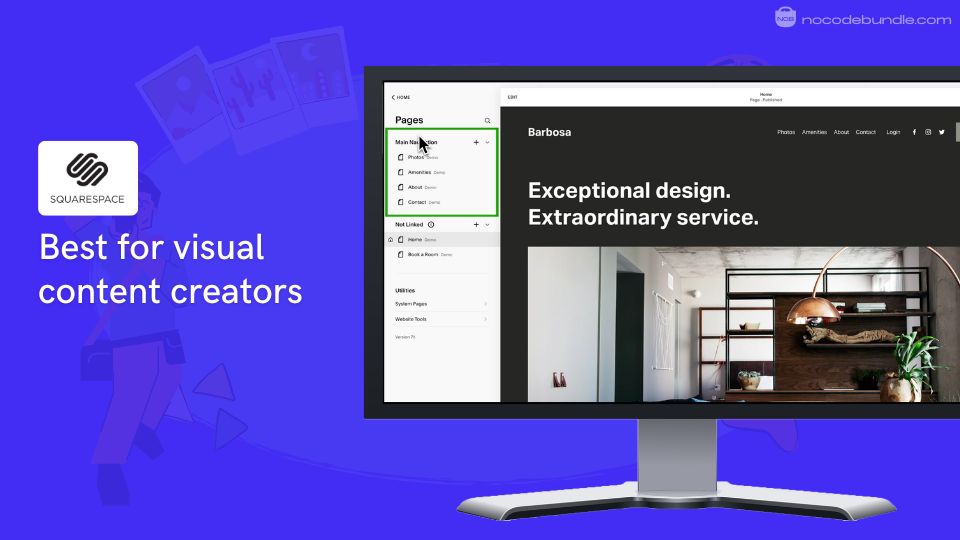
3. Squarespace: Best for Stylish visual content creators

Squarespace Website Builder for Influencers

When I first tried Squarespace, I was impressed by how quickly you can get a professional-looking site up and running – I have picked Squarespace as the best website builder in many niches (Checkout my other reviews under website builder category).

The drag-and-drop editor feels intuitive; you don’t need any coding skills to create something that looks polished.

I’ve noticed many users share this sentiment, appreciating how easy the initial setup is for influencers and creatives who want a sleek online presence without hassle.

While testing, I encountered some mobile preview mismatches and raised a ticket with customer support. I had to wait 1 day whole to get a response – so that’s that. Still, if you want beautiful design templates combined with ecommerce, booking, and AI tools, Squarespace delivers well. The Blueprint AI builder especially saved me hours by guiding the setup in minutes.
✅ Pros

❌Cons

  1. Easy drag-and-drop editor
  2. AI-powered Blueprint builder
  3. 180+ stylish templates
  4. Ecommerce on commerce plans
  5. 24/7 customer support
  1. No free plan available
  2. Limited third-party integrations
  3. Some design preview inconsistencies

✅ Pros

  • Easy drag-and-drop editor
  • AI-powered Blueprint builder
  • 180+ stylish templates
  • Ecommerce on commerce plans
  • 24/7 customer support

❌Cons

  • No free plan available
  • Limited third-party integrations
  • Some design preview inconsistencies

How Much Does Squarespace Cost?

Squarespace offers four main plans billed annually: Personal ($16), Business ($23), Basic Commerce ($28), and Advanced Commerce ($52) per month.

Personal suits portfolios, Business adds marketing tools but charges 3% transaction fees, Basic Commerce removes transaction fees and adds essential store features, while Advanced Commerce includes advanced shipping, subscriptions, and other pro tools.

Transaction fees appear only on Business plan; Commerce plans handle payments with no extra fees.

Best Subscription Plan Recommended for Squarespace

I recommend the Basic Commerce plan at $28/month. It removes transaction fees and includes the ecommerce features most influencers need without the high cost of the Advanced plan.

Stand Out Feature of Squarespace:

Squarespace’s Blueprint AI is an impressive feature I tested. It builds a custom website layout in minutes by asking simple questions about your brand style, fonts, and colors. This AI feature offers fast setup while leaving design control with you ideal for influencers needing a quick, polished launch.

Should You Use Squarespace to Build your Influencer Website

From my experience, keep in mind there’s no free plan to test. Customer support can be slow, and mobile previews are sometimes inaccurate. If you want a beautifully designed, simple site with some ecommerce and AI tools, Squarespace is a solid choice, especially for creatives who value style and convenience.

Squarespace is recommended for 👍

Not recommended for 👎

  • Influencers seeking stylish templates
  • Beginners wanting easy setup
  • Small businesses with light ecommerce
  • Users needing free plans
  • Those requiring deep app integrations
  • Businesses needing fast customer support

Squarespace is recommended for 👍

  • Influencers seeking stylish templates
  • Beginners wanting easy setup
  • Small businesses with light ecommerce

not recommended for 👎

  • Users needing free plans
  • Those requiring deep app integrations
  • Businesses needing fast customer support

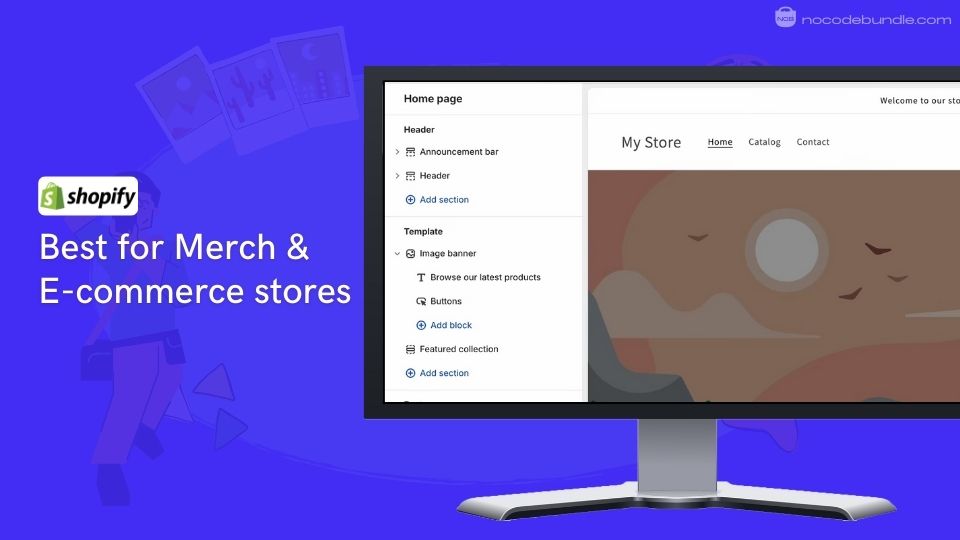
4. Shopify – Best for influencer e-commerce stores

Shopify Website Builder for Influencers

Shopify is a popular website builder focused on e-commerce, making it ideal for influencers who want to sell products & Merch online. It offers an easy-to-use interface, quick store setup, and strong tools to manage sales online and in-person.

From my experience, setting up the store is kinda like the next → next → create process, easy to learn and you can start selling fast if you follow the basic steps.

I would also give a plus to Shopify’s app store with a good load of plugins that help with ecommerce, but just keep in mind that adding too many apps can increase costs and slow down your store.
✅ Pros

❌Cons

  1. Easy to set up and use
  2. Supports multi-channel selling
  3. Extensive app marketplace
  4. Fast global content delivery
  5. Powerful marketing tools
  1. Additional app costs add up
  2. Some apps slow down store speed
  3. Support quality varies

✅ Pros

  • Easy to set up and use
  • Supports multi-channel selling
  • Extensive app marketplace
  • Fast global content delivery
  • Powerful marketing tools

❌Cons

  • Additional app costs add up
  • Some apps slow down store speed
  • Support quality varies

How Much Does Shopify Cost?

Shopify pricing starts with the Starter plan at $5/month, Basic at $39/month, Grow at $105/month, Advanced at $399/month, and Plus for large businesses at $2,300/month (3-year term). Plans include different features like staff accounts, inventory locations, improved support, and local storefronts. Payment provider fees vary too, with Basic at 2% and Advanced at 0.6%. Consider these when choosing a plan.

Best Subscription Plan Recommended for Shopify

The Basic plan strikes a good balance of features and price for most influencers starting out. It offers full online store capabilities and 24/7 support without high fees. From my testing, it suits sellers who haven’t yet outgrown beginner needs or require complex management.

Stand Out Feature of Shopify:

Shopify’s new Summer ’25 Edition introduces the Horizon theme foundation allowing you to design a custom storefront with drag-and-drop blocks or AI-generated content blocks. I also tried the theme editors AI Block Generation feature. It quickly created a seasonal discount banner from my description, simplifying design without coding.

Should You Use Shopify to Build your Influencer Website

If you want an online store easily integrated with social and in-person sales, Shopify is a reliable choice. Be aware that costs increase as you add apps and scale. Support quality varies, so prepare for some DIY. If you want a simple, fast setup and scalable selling tools, it fits well.

Shopify is recommended for 👍

Not recommended for 👎

  • Influencers selling products online
  • Users needing multi-channel sales
  • Those wanting scalable e-commerce tools
  • Small budgets without app spending
  • Users wanting fully free store build
  • Those needing fast personalized support

Shopify is recommended for 👍

  • Influencers selling products online
  • Users needing multi-channel sales
  • Those wanting scalable e-commerce tools

not recommended for 👎

  • Small budgets without app spending
  • Users wanting fully free store build
  • Those needing fast personalized support

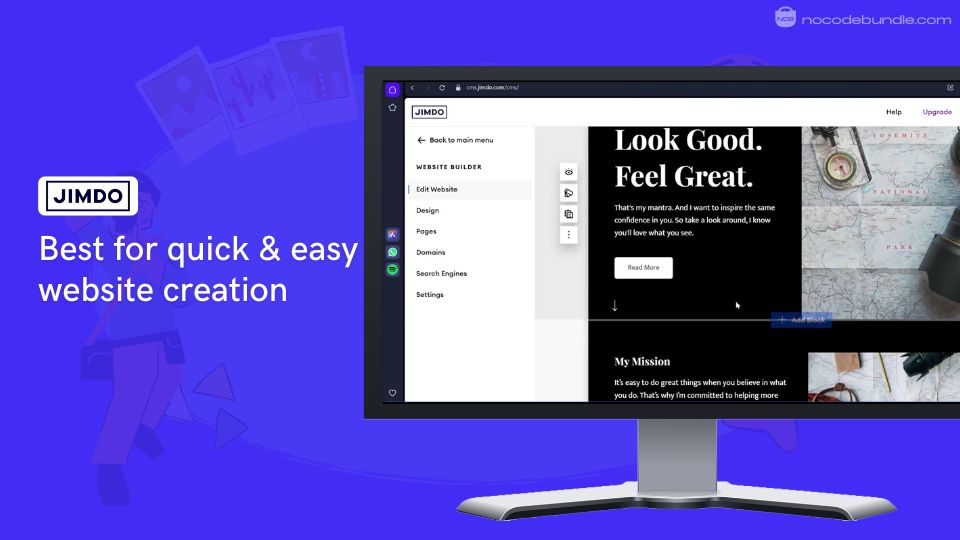
5. Jimdo – Best for quick and easy website creation

Jimdo Website Builder for Influencers

Jimdo offers an easy website builder using its AI-powered Dolphin assistant, which creates a personalized site by asking a few questions about your brand and pulling content from your social profiles. The Dolphin editor sped up the website setup for me, This is especially helpful for those not familiar with site building.

You just answer some basic questions, and it puts most of the site together automatically. If you want more control, you can switch to the Creator editor, but I liked how quick and straightforward Dolphin was. I do wish Jimdo could provide some more control over backgrounds and navigation on Dolphin.


✅ Pros

❌Cons

  1. AI assistant speeds up site creation
  2. Includes ecommerce and booking tools
  3. Mobile-friendly responsive design templates
  4. No sales fees on transactions
  5. Includes professional logo maker
  1. Limited customization options
  2. Small selection of templates
  3. Domain pricing seen as expensive

✅ Pros

  • AI assistant speeds up site creation
  • Includes ecommerce and booking tools
  • Mobile-friendly responsive design templates
    No sales fees on transactions
    Includes professional logo maker

❌Cons

  • Limited customization options
  • Small selection of templates
  • Domain pricing seen as expensive

How Much Does Jimdo Cost?

Jimdo has a free plan plus paid options billed monthly or yearly. The Start plan is about €9/month (~$10-$11) with a custom domain, up to 5 pages, and no ads. The Grow plan costs about €15/month (~$16), adding 15 pages, SEO tools, and priority support. Ecommerce plans begin at €15/month with no sales commissions and up to 100 products. All paid plans include access to the Creator editor features. You can also connect or transfer your own domain.

Best Subscription Plan Recommended for Jimdo

For most influencers, the Starter plan near $10-$11 per month has the right features for the cost. You get enough pages, a custom domain, and no ads without paying for extras you might not use. You can upgrade later if needed.

Stand Out Feature of Jimdo:

The AI Dolphin assistant stood out by pulling info from your Google and Facebook profiles to fill in site content automatically. This saved a lot of time since I didn’t have to write detailed content myself. The AI also suggests images and a fitting design based on your answers, so your site looks professional with minimal effort.

Should You Use Jimdo Build your Influencer Website

If you’re new to building sites or want to get one online without hassle, Jimdo is worth considering. It doesn’t offer full design control, which might frustrate users who want to tweak every detail. Template choices are basic, so creative freedom is limited. But if you want something simple and fast, it works well.

Jimdo is recommended for 👍

Not recommended for 👎

  • New content creators wanting simplicity
  • Small business owners needing ecommerce
  • People preferring AI help to build websites
  • Users needing deep customization
  • Creators wanting complex page layouts
  • Those wanting many background choices

Jimdo is recommended for 👍

  • New content creators wanting simplicity
  • Small business owners needing ecommerce
  • People preferring AI help to build websites

not recommended for 👎

  • Users needing deep customization
  • Creators wanting complex page layouts
  • Those wanting many background choices

Which is the Best Website Builder for Influencers? Our Top Pick 👑

After testing all five platforms extensively, Wix emerged as my top choice for influencers starting their website journey. There are some limitations particularly the inability to migrate your site elsewhere and occasional customer support frustrations though I found these concerns less critical for most creators just getting online.

Wix’s has native Instagram feed embedding – something that’s surprisingly clunky on WordPress and requires paid plugins on Squarespace. As a creator your most sorted feature like setting up affiliate link tracking, sponsor post galleries, and even a merch store took minutes, not the hours of plugin hunting I experienced with WordPress.

Since 80% of your audience browses on phones, Wix’s automatic mobile optimization and lightning-fast mobile editor could update content on-the-go between shoots. While Shopify excels at e-commerce and WordPress offers unlimited customization, Wix delivers the exact feature set influencers actually use daily: social integration, content scheduling, client booking, and seamless monetization – all without touching a single line of code.

The No-Code Tool Bundle I Rely On with Wix

From managing collaborations to automating marketing and feedback, these third-party no-code integrations fit perfectly into an influencer’s daily routine for maximum impact.

Here is my personally tested and recommended bundle of Wix third-party integrations:

1. GRIN (via Zapier)
Automate and manage influencer collaborations seamlessly within your Wix workflow.

2. Polldaddy (SurveyMonkey) (Wix App Market)
Embed real-time audience surveys to collect valuable campaign feedback effortlessly.

3. Mailchimp
Automate email marketing campaigns synced with your Wix site for better audience reach.

4. Social Media Stream by POWR (Wix App Market)
Showcase your latest social posts dynamically to boost engagement without leaving your site.

5. rankingCoach SEO (Wix App Market)
Optimize your content with guided SEO tools to increase organic traffic easily.

6. Wix Groups
Create exclusive online communities to deepen follower engagement and monetize your niche.

This curated integration toolkit automates everyday influencer tasks, best for audience interaction, and good for your marketing efforts – all without coding. From personal experience and official Wix source validation, this set makes Wix the best platform for influencers seeking a powerful, no-code website solution.

Jeanne G

Jeanne G is a Sydney-based digital creator with strong expertise in website builders, Micro SaaS, and WordPress. She previously worked as a Web Solutions Consultant, helping entrepreneurs build efficient, user-friendly online platforms. Outside of her work, Jeanne loves organizing her workspace and keeping things minimalist.

Related Post

5 Best Website Builder for DJs & Musicians Reviewed

DJs and Musicians usually start with social media or streaming platforms, which can get you…