Posted On December 8, 2025

What Is Vibe Coding? My Best Recommendations for No Code Development

Aaron L 0 comments
>> AI Tools >> What Is Vibe Coding? My Best Recommendations for No Code Development
What is Vibe Coding?

Vibe Coding is best described as the idea of a development system where a programmer, or even a non-programmer, won’t have to write most of the code themselves. This heavy lifting is instead performed by powerful Large Language Models (LLMs), acting as highly capable, instantaneous coding assistants.

The “vibe” refers to the creative flow and intentional design process that remains squarely with the human.

Just so you know, Vibe Coding is not about mindlessly accepting AI output; it is a good implementation of intentional design. While the LLM handles the mechanical execution, the resulting creation remains intimately your own.

The developer retains the full pride of ownership because they are the architect: they designed the system, specified all the intricate details, and were fully present for every step of the creation process.
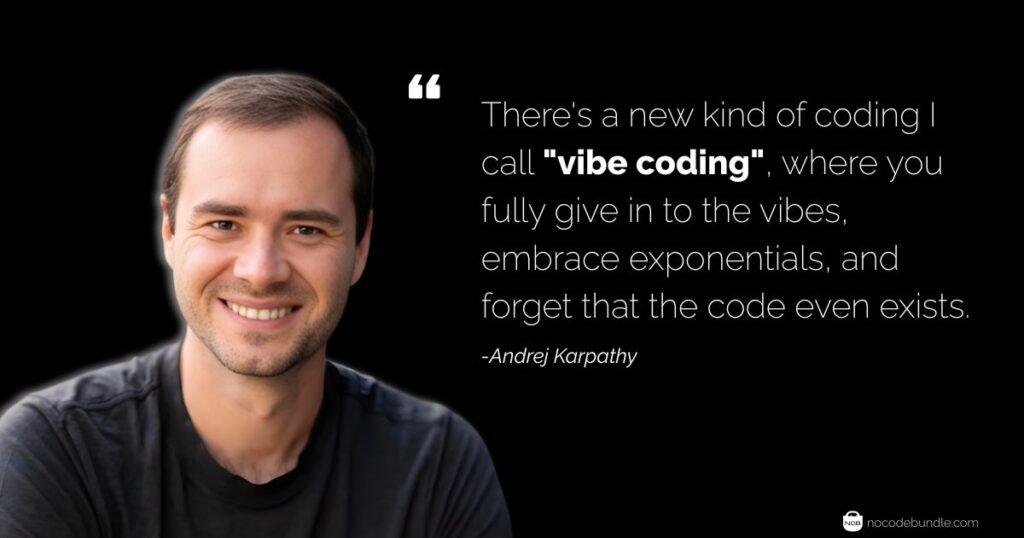
Vibe Coding Quote by andrej karpathy

Still, this approach demands a highly disciplined and methodical process. Even with an AI generating the code, the human developer must still spend a lot of time building tests and automation, proceeding in incremental steps, and ensuring they don’t cut any corners.

So What Made You Interested in the Term Vibe Coding?

Planning for a slide project? Need a quick dashboard or a basic web scraper? This is precisely where Vibe Coding shines.

The W (Wins) of Vibe Coding

Vibe Coding offers several compelling advantages, largely centered around maximizing the developer’s creative momentum:

1. It’s Fun for Prototyping:

This approach is the ultimate tool for rapid experimentation, hackathons, and Minimum Viable Products (MVPs).

You can turn an idea, like “a dashboard with three charts and a filter” into working code in minutes simply by describing it in natural language.

Many no-code platforms take this further, for example, Bubble uses a prompt-to-app approach that lets you create an app without even the need for coding, simply by describing what you want in plain language.

2. Saves Mental Load (The Flow State):

While it doesn’t always guarantee faster completion for every task, Vibe Coding undeniably saves a lot of mental load.

Often, developers face huge amounts of boilerplate or routine code they could write, but they simply don’t have the mental energy or patience for it. The AI handles this, eliminating the need for deep, hard concentration on syntax, function naming, or basic error handling.

Developers already use AI Productivity Tools alongside their coding stack to streamline their workflow, and Vibe Coding fits right into that mindset.

3. Democratization and Accessibility:

Vibe Coding significantly lowers the barrier to entry for non-technical professionals (like CTO’s or Product Managers).

Using LLM’s they can build simple automation scripts or functional applications by translating their domain expertise directly into prompts.

The L (Losses) of Vibe Coding

1. False Sense of Security & Skill Degradation

You’re Not Learning: You get the code, but you don’t get the code. Your brain turns to mush, and your coding muscle memory is IRL degrading.

Prompt Hell: You spend just as much time refining the prompt to speak the AI’s language as you would have just coding it yourself. It’s a time sink.

The Bug Life: It promises a fix, then it’s one step forward, two steps back. You debug one thing, and the AI serves up a whole new bug because it’s always something. Big yikes.

2. The Code is Low-Effort and Cheugy

While code generation is fast, the quality is often subpar, leading to more work in the long run.

Code Mess: The generated code is frequently “sloppy, poorly architected,” and fails to meet industry standards.

Reinventing the Wheel: The AI may repeatedly create custom, convoluted solutions instead of utilizing established, battle-tested functions or libraries.

Worse Than Nothing: You have to fight the AI to get a decent solution. At that point, you could have built a cleaner, more correct solution yourself faster. It’s actively making things harder.

Clumsy Workflow: Necessary practices like discrete focused tasks, live review, and context management become cumbersome and difficult when “vibe coding.”

3. Never Use It For Your Real Job (It's a Red Flag at Work)

The nature of AI-generated code makes it a poor fit for professional, production-level environments.

Throwaway Only: This AI coding thing is only good for weekend projects, simple apps, or proof-of-concepts. Anything meant to be real needs actual human eyes.
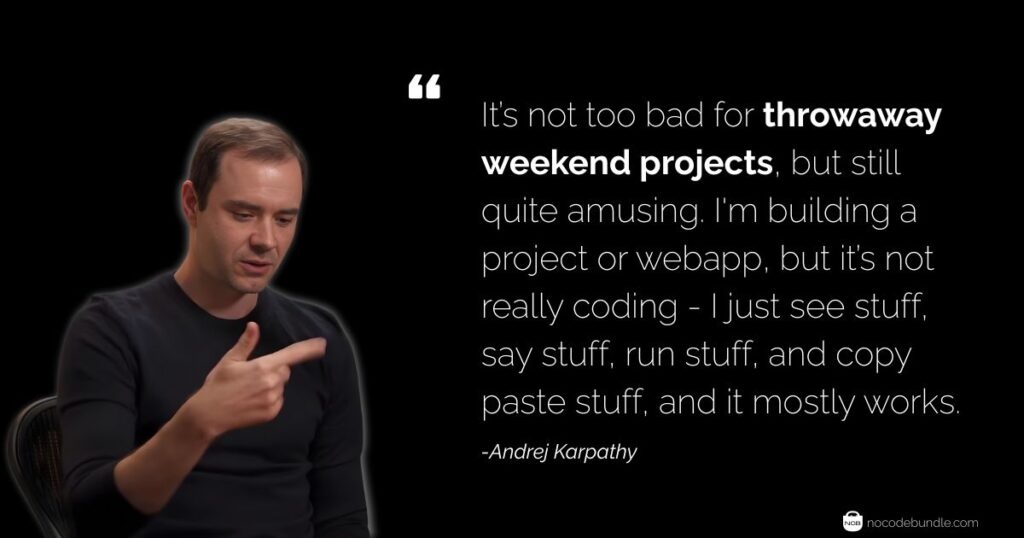
Vibe Coding For Projects Quote by Andrej Karpathy

Hallucination Mode: When you give the AI too much context (aka a big project), it starts to freak out and hallucinate code that doesn’t exist or makes zero sense.

How to Use Vibe Coding the Smart Way

The term “vibe coding” carries the negative connotation of being reserved for inexperienced people who attempt to develop software in one massive step and then spend their time fighting with the LLM (Large Language Model) to fix the resulting problems.

However, this workflow can be transformed into a highly productive one by adopting a structured, deliberate approach.

Here is the breakdown of how to adopt a successful workflow:

1. Targeted Prompts with Context

The key is detailed, targeted prompts. Give the LLM as much direction as you can.

  • Isolate Your Task: Stick to one topic at a time (UI or database or functionality), don’t mix them. But you can ask for multiple changes at a time within that single topic.
  • Direct & Simple: Each prompt must be direct, a simple use-case and be in an architecture that makes the prompt isolated from many dependencies.
  • Sanity Check: Do a sanity check and skim the code before you use it, for obvious errors, but most of the LLM’s have been spot on correct almost every time (I have used Gemini), with Gemini having rarely generated code that has bugs.
  • Context is Crucial: Give importance to task-type focus. Also the context you provide! The more you work with the tools, the more used to them you get. (The more you can “vibe” with them.)

So the Do’s & Dont’s of Who Should Use Vibe Coding

Success with AI-assisted coding depends heavily on the user’s role and goal.


A) The Smart Use Case (Experienced Pros): Experienced programmers that know exactly what they are doing use vibe code to create small, isolated code chunks, boilerplate code, documentation and other stuff that is more diligence work and repetitive than thinking or architectural design.

B) The Risky Use Case (Product Managers): (Product) managers that might be highly intelligent yet have no clue about coding use vibe code to generate entire applications.

Best recommendations for vibe coding in no-code development

Here are some tools that let you “vibe code” without needing to write actual code:
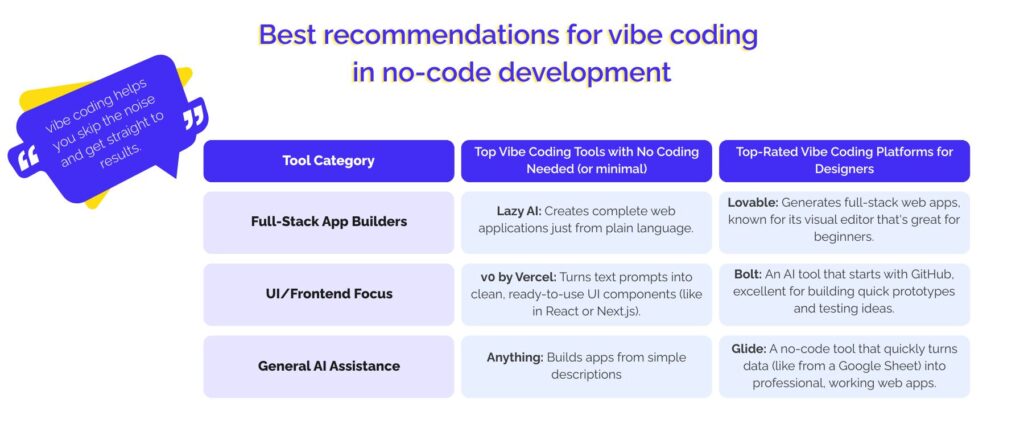
Best recommendations for vibe coding in no-code development


Conclusion

Vibe coding still requires you to think. You must clarify the objectives and remind the AI of the rules and key features that are important, as you are still the manager and will know more about the overall architecture than the AI. For easier debugging, break down the tasks into small processes and scripts that can be loaded and removed from memory as needed, allowing you to quickly identify roughly what is broken and where. There isn’t a cool typing flow state with AI tools; instead, you have to stay conscious and on top of things to maintain control and quality.


Aaron L

Aaron L is a Texas-based tech specialist with deep expertise in cloud hosting, server-side technologies, and networking. He has spent years working as a Systems Engineer, helping businesses build secure, scalable, and high-performance infrastructures. When he’s not optimizing servers or troubleshooting networks, Aaron enjoys a good cup of coffee and quiet evenings reading.

Related Post

Best AI Tools for Language Translation: My Top Picks

You’ve probably tried more than one translation tool by now, maybe Google Translate, maybe a…

Best AI Presentation Maker: Top Tools to Create Slides

You're staring at a blank presentation, knowing you need to create something that doesn't just…

What is a No-Code AI App Builder? Simple Guide

A No-Code AI App Builders are simple platforms that lets anyone make and launch smart,…