Posted On February 15, 2026

Best AI Outfit Generators 2026

Ashna A 0 comments
>> AI Tools , Image Generators >> Best AI Outfit Generators 2026
AI Outfit Generators

AI outfit generators are changing how fashion visuals are created. What once required models, photoshoots, and long production timelines can now be done in minutes using AI. These tools help brands, creators, and designers generate outfit visuals for marketing, lookbooks, and content without heavy costs or complex workflows.

That said, not all AI outfit generators are built for the same purpose. Some focus on fast content creation, others on experimental fashion design, and a few aim for realistic model or video outputs. In this guide, we break down the best AI outfit generators available today, what each tool does well, where they fall short, and who they are best suited for, so you can choose the right one based on your needs.


📝 Key Notes on our Research Process (for Transparency)

  • Evaluated free and paid AI outfit generators
  • Tested outputs across images, videos, and scenes
  • Compared realism, speed, and creative control
  • Reviewed pricing, credits, and usage limitations
  • Assessed suitability for brands and creators

Most Popular AI Headshot Generators

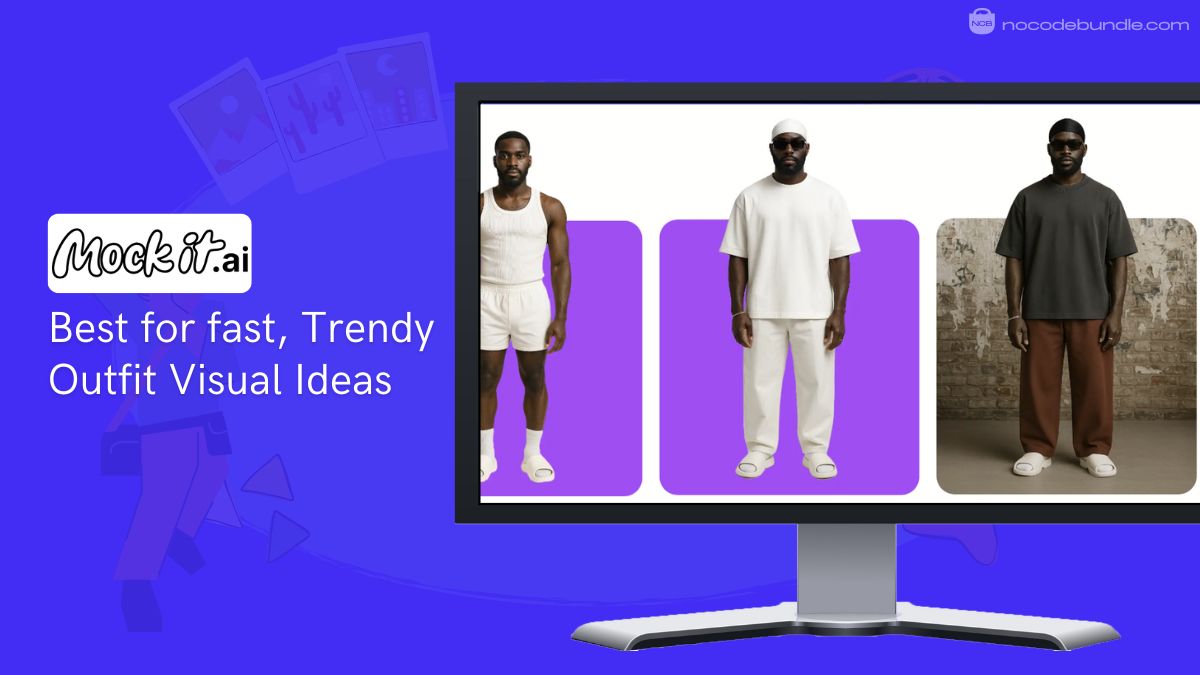
  1. Mockit – Best for fast, Trendy Outfit Visual Ideas
  2. The New Black AI – Best for Experimental Fashion and Lookbooks
  3. Kapwing – Best try-on editor for image and video
  4. Pixelcut – Best for Polished Outfit Visuals and Content
  5. Tryfits AI – Best for Realistic Outfit Videos on Models

1. Mockit: AI Outfit Generator

Mockit -Best for fast, Trendy Outfit Visual Ideas

Mockit’s standout feature is its easy AI outfit and fashion visual generation and it is best for creating trend-focused outfit visuals fast.

Mockit is an online AI tool that turns your outfit and fashion concepts into visual mockups in a few simple steps. You choose or build a digital model, pick clothing and accessories, set the background and scene, then apply your design.

In my testing I was able to generate complete outfit visuals in about 30 seconds without writing complex prompts. The results help you explore styles, test ideas, and produce high quality images for presentations or ecommerce without any design software skills.
✅ Pros

❌Cons

  • Fast outfit image creation
  • Simple step by step controls
  • Realistic visual output
  • Works for designers and brands
  • Lets you customize models
  • Results can feel editorial
  • Not ideal for practical outfits
  • Credits needed for heavy use

✅ Pros

  • Fast outfit image creation
  • Simple step by step controls
  • Realistic visual output
  • Works for designers and brands
  • Lets you customize models

❌Cons

  • Results can feel editorial
  • Not ideal for practical outfits
  • Credits needed for heavy use

Which Plan Do We Recommend

I recommend the Growth plan because it provides good credits per month and lets you generate multiple looks without paying too much. The Starter plan feels limited if you plan to test a lot of outfits regularly.

Stand Out Feature of Mockit:

Mockit’s AI prompt builder and outfit control panel lets you choose camera style, lens, clothing options, and background settings before generation. This makes the final images more polished and tailored to your brand style.

Mockit is recommended for 👍

Not recommended for 👎

  • Fashion creators testing ideas
  • Ecommerce visuals and ads
  • Designers exploring concepts
  • Daily outfit planning
  • Users without credits
  • Offline fashion advice

Mockit is recommended for 👍

  • Fashion creators testing ideas
  • Ecommerce visuals and ads
  • Designers exploring concepts

not recommended for 👎

  • Users wanting real-time instant results
  • People needing heavy facial control edits
  • Those prioritizing hyper-real identity match

2. The New Black AI – Best for Experimental Fashion and Lookbooks

The New Black AI - Best for Experimental Fashion and Lookbooks

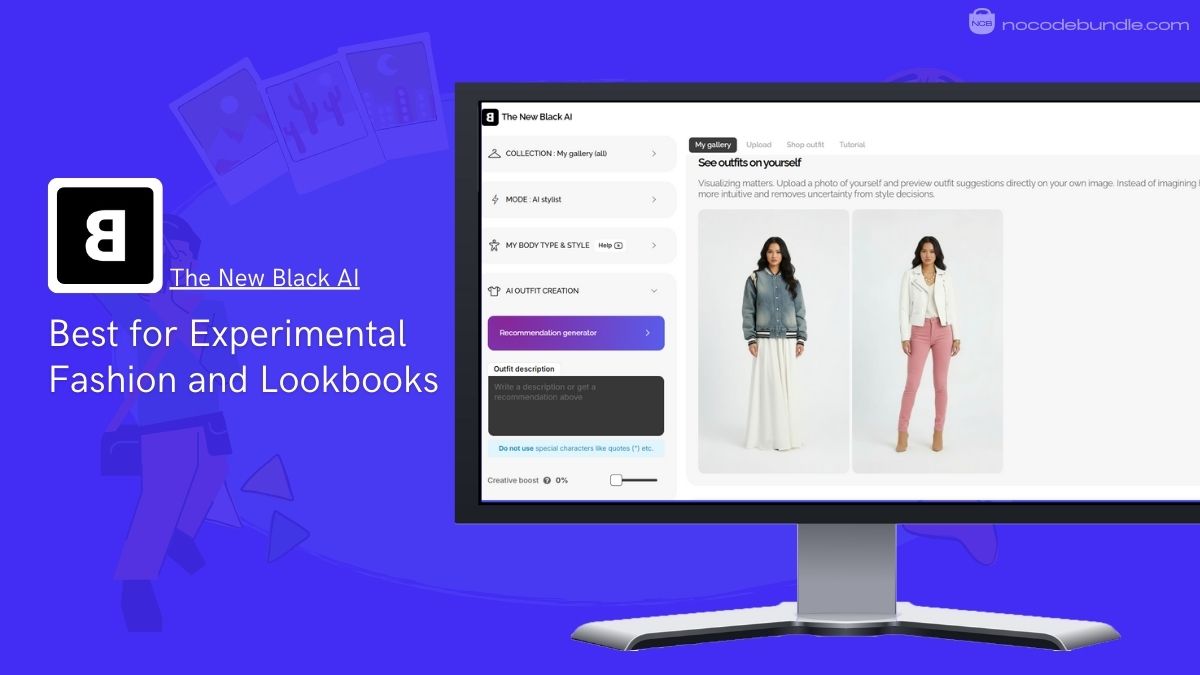
The New Black’s standout feature is AI-powered fashion design and outfit visual generation and it works best for creating unique, brand-ready lookbook visuals.

The New Black AI is a web-based fashion design tool that helps designers and brands quickly turn ideas into visual clothing concepts. In my testing I used simple text descriptions and uploaded sketches to generate detailed outfit designs and fashion visuals in seconds, which helped me build clean, consistent visuals for a lookbook.

The platform focuses on creative exploration and experimental fashion, not everyday styling. It also includes features like virtual try-on, sketch-to-design conversion, can produce AI-generated outfit videos and tools for accessories and branding.
✅ Pros

❌Cons

  • Generates unique fashion designs
  • Virtual try-on for outfits
  • Works with text and images
  • Good for brand lookbooks
  • Helps inspire design ideas
  • Not ideal everyday wear visuals
  • Credits required for outputs
  • Takes time to master

✅ Pros

  • Generates unique fashion designs
  • Virtual try-on for outfits
  • Works with text and images
  • Good for brand lookbooks
  • Helps inspire design ideas

❌Cons

  • Not ideal everyday wear visuals
  • Credits required for outputs
  • Takes time to master

Which Plan Do We Recommend

I recommend the mid-tier credit pack because it gives enough credits for multiple design tests and lookbook builds without overspending. Starter packs run out too fast for consistent use.

Stand Out Feature of New Black AI:

The New Black AI includes AI color analysis that helps identify colors that suit different skin tones, hair, and eye colors. When I tested it, the palette suggestions made outfit visuals look more balanced and consistent. This helps avoid color combinations that feel off and keeps designs visually cohesive across a lookbook.

New Black AI is recommended for 👍

Not recommended for 👎

  • Fashion brands creating lookbooks
  • Designers exploring creative styles
  • Visual concept generation
  • Everyday outfit planning
  • Users without design goals
  • Quick simple outfit ideas

New Black AI is recommended for 👍

  • Fashion brands creating lookbooks
  • Designers exploring creative styles
  • Visual concept generation

not recommended for 👎

  • Everyday outfit planning
  • Users without design goals
  • Quick simple outfit ideas

3. Kapwing : Best Try-on Editor for Image and Video

Kapwing : Best try-on editor for image and video

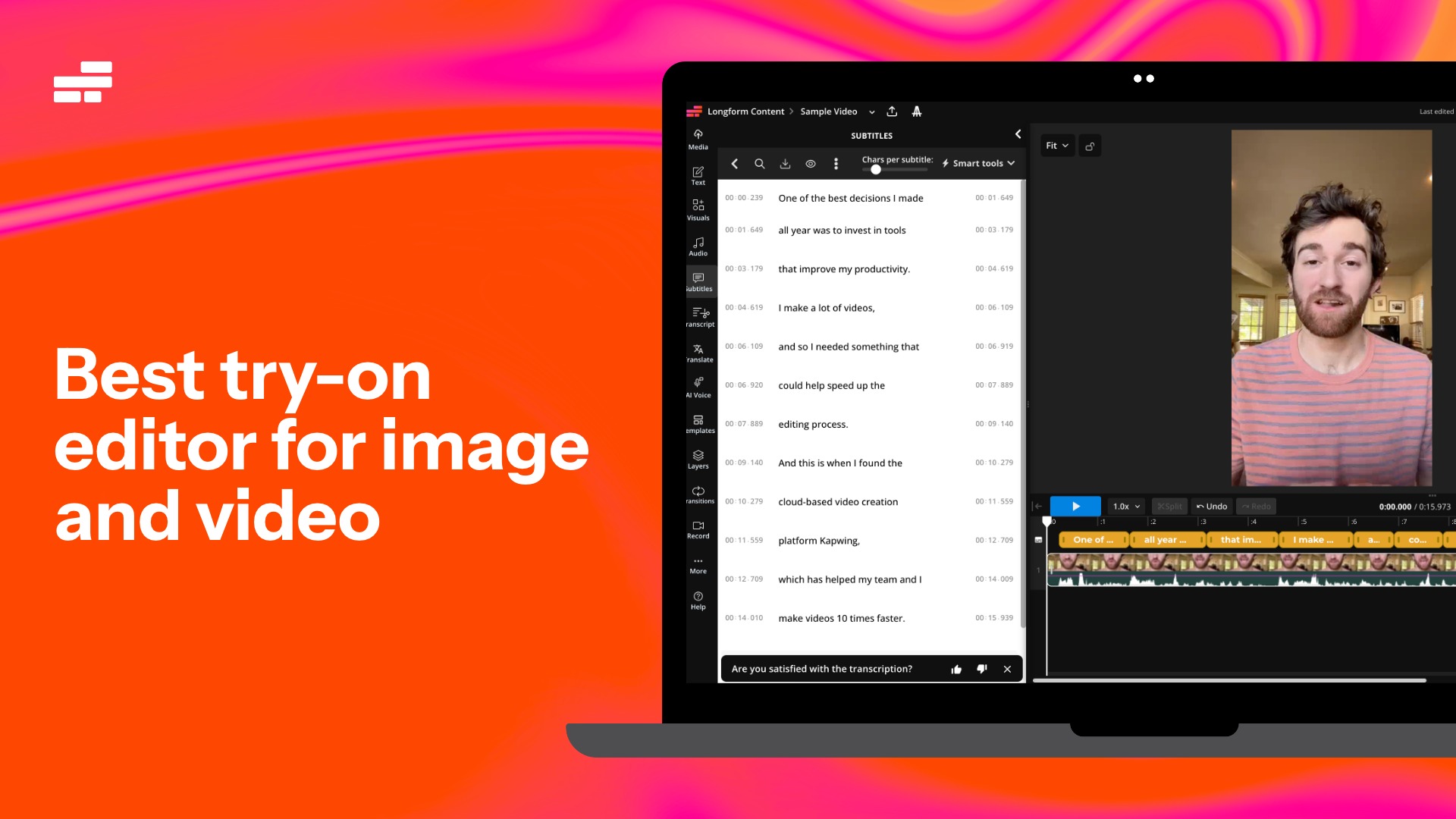
Kapwing offers AI outfit try-ons and outfit generation features, but what makes it stand out is what happens after the try-on.

Unlike most AI virtual try-on platforms that stop at a single output image, Kapwing allows you to edit your generation inside a full online editing studio.

During my testing, I was able to generate a virtual outfit try-on, then immediately edit the result adding text overlays, resizing for TikTok and Instagram, layering music, and exporting a publish-ready video, image, or GIF without switching tools.

Kapwing is especially useful for creators, fashion brands, and marketers who want to create outfit try-on content that’s social-ready. Instead of just producing a try-on preview, you can build full posts, ads, before-and-after clips, and branded content in one workflow.
✅ Pros

❌Cons

  • AI outfit try-ons plus a full editing studio in one platform
  • Easy resizing for TikTok, Instagram, and YouTube formats
  • Add text, subtitles, music, and branding instantly
  • Fully online (no downloads required)
  • Some AI features may require credits, depending on plan
  • Not as specialized as “try-on-only” tools for niche fashion workflows

✅ Pros

  • AI outfit try-ons plus a full editing studio in one platform
  • Easy resizing for TikTok, Instagram, and YouTube formats
  • Add text, subtitles, music, and branding instantly
  • Fully online (no downloads required)

❌Cons

  • Some AI features may require credits, depending on plan
  • Not as specialized as “try-on-only” tools for niche fashion workflows

Which Plan Do We Recommend

Kapwing’s Pro plan is the best fit for creators who want to generate outfit try-ons regularly and publish content across multiple platforms. Teams and brands may benefit from higher-tier plans that include collaboration and brand controls.

Stand Out Feature of Kapwing:

Kapwing’s standout feature is its end-to-end workflow: you can generate an AI outfit try-on, then immediately turn it into a finished social post or ad using a full editing suite. This eliminates the “download → re-upload → edit somewhere else” loop that most try-on platforms require.

Kapwing is recommended for 👍

Not recommended for 👎

  • TikTok and Instagram creators
  • Fashion brands creating social content and ads
  • Marketing teams producing outfit try-on campaigns
  • Users who only want a single try-on image and nothing else
  • People looking for a niche fashion-only tool with deep apparel catalog features

Kapwing is recommended for 👍

  • TikTok and Instagram creators
  • Fashion brands creating social content and ads
  • Marketing teams producing outfit try-on campaigns

not recommended for 👎

  • Users who only want a single try-on image and nothing else
  • People looking for a niche fashion-only tool with deep apparel catalog features

4. Pixelcut – Best for Polished Outfit Visuals and Content

Pixelcut - Best for Polished Outfit Visuals and Content

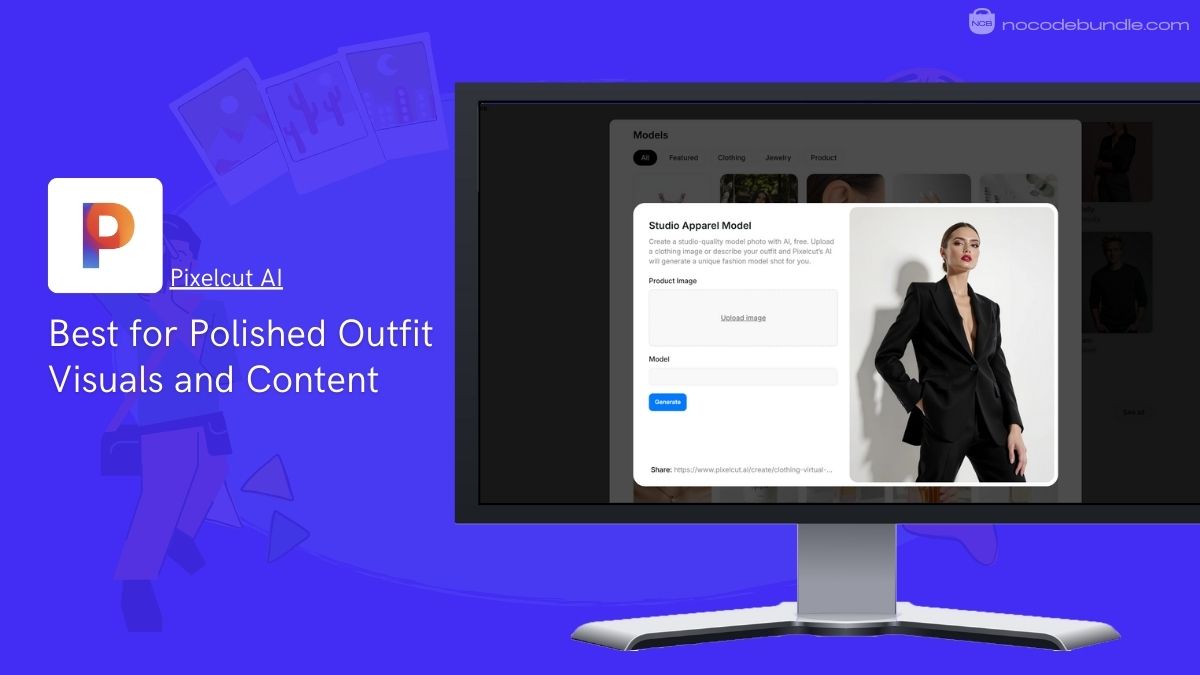
Pixelcut’s standout feature is Quick AI outfit visuals for content and it is best for social media, ads, and ecommerce images.

Pixelcut is an AI-powered design tool focused on creating clean, polished visuals rather than helping you decide what to wear in real life. When I tested the outfit generator, I found it very useful for producing styled outfit images for product pages, ads, and social posts within minutes.

You can upload a photo or an AI model created using headshot generators, remove or replace backgrounds, adjust outfits, and generate new looks using AI prompts. The tool works well for visual storytelling and branding, but it does not offer outfit logic like weather, comfort, or daily styling advice. It is more about how outfits look on screen than real-world use.
✅ Pros

❌Cons

  • Fast visual generation
  • Clean, polished outputs
  • Easy to use interface
  • Strong background removal
  • Good for ecommerce visuals
  • Not for outfit decisions
  • Limited fashion experimentation
  • Focused on visuals only

✅ Pros

  • Fast visual generation
  • Clean, polished outputs
  • Easy to use interface
  • Strong background removal
  • Good for ecommerce visuals

❌Cons

  • Not for outfit decisions
  • Limited fashion experimentation
  • Focused on visuals only

Which Plan Do We Recommend

I recommend the Pro plan because free usage feels restrictive and limits exports. Pro unlocks higher-quality images and faster workflows, which matters if you create visuals regularly. Casual users may find it costly.

Stand Out Feature of Pixelcut:

Pixelcut’s Background Remover and AI Replace feature stands out for outfit visuals. I found it especially helpful to swap backgrounds and refine clothing images quickly for ads and lookbooks without manual editing. Recent updates continue improving edge accuracy and image clarity.

Pixelcut is recommended for 👍

Not recommended for 👎

  • Social media content creators
  • Ecommerce product visuals
  • Marketing and ad creatives
  • Daily outfit planning
  • Styling based on lifestyle
  • Fashion trend exploration

Pixelcut is recommended for 👍

  • Social media content creators
  • Ecommerce product visuals
  • Marketing and ad creatives

not recommended for 👎

  • Daily outfit planning
  • Styling based on lifestyle
  • Fashion trend exploration

5. Tryfits AI – Best for Realistic Outfit Videos on Models

Tryfits - Best for Realistic Outfit Videos on Models

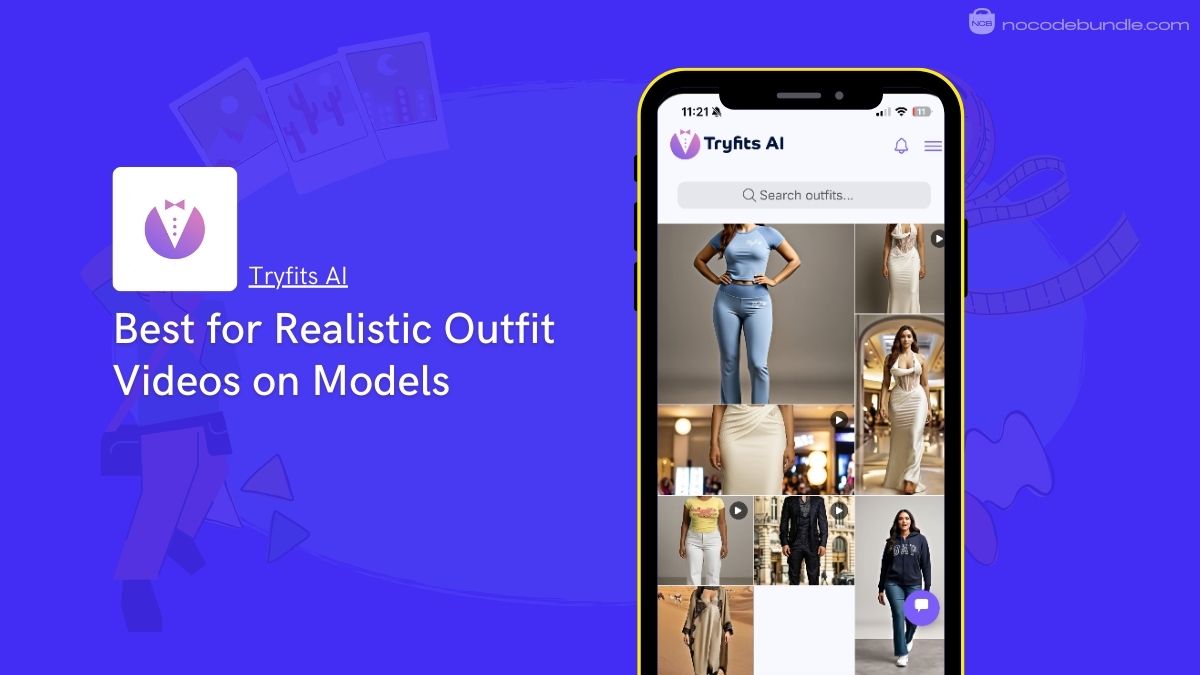
Tryfits AI  is an AI-powered fashion visualization tool that generates realistic videos of outfits worn by lifelike models in different scenes. It’s  standout feature is AI outfit videos on realistic models, and it is best for showcasing clothing in motion for marketing and brand presentations.

When I tested the platform, I was able to select garments, choose models, and place them in custom environments like studios or outdoor locations.

The output feels closer to a real photoshoot video than a static mockup. This makes it useful for brands that want to show fabric flow, fit, and movement without organizing an actual shoot. It focuses on visual realism and presentation rather than helping users decide what to wear daily.

✅ Pros

❌Cons

  • Realistic outfit video output
  • Shows fabric movement clearly
  • Scene and model customization
  • Strong for brand marketing
  • No physical shoot needed
  • Not for casual users
  • Higher cost than images
  • Limited everyday styling use

✅ Pros

  • Realistic outfit video output
  • Shows fabric movement clearly
  • Scene and model customization
  • Strong for brand marketing
  • No physical shoot needed

❌Cons

  • Not for casual users
  • Higher cost than images
  • Limited everyday styling use

Which Plan Do We Recommend

I recommend the standard creator plan because it balances video quality and output limits. Lower plans feel restrictive, while higher tiers make sense only for brands producing frequent campaigns.

Stand Out Feature of Tryfits AI :

Tryfits AI’s AI video generation with scene control is its strongest feature. You can place models in different settings and generate short outfit videos that feel production-ready. This is especially helpful for ads and product launches where motion matters. Recent updates highlight improved realism and smoother garment movement.

Tryfits AI is recommended for 👍

Not recommended for 👎

  • Fashion brands and marketers
  • Video based product launches
  • Ecommerce visual storytelling
  • Everyday outfit planning
  • Budget conscious creators
  • Static image only needs

Tryfits AI is recommended for 👍

  • Fashion brands and marketers
  • Video based product launches
  • Ecommerce visual storytelling

not recommended for 👎

  • Everyday outfit planning
  • Budget conscious creators
  • Static image only needs

What are the Pros and Cons of AI Outfit Generators?

Pros

AI outfit generators can significantly reduce the cost and effort involved in traditional photoshoots. Hiring models, booking studios, coordinating schedules, and managing logistics take time and money. With AI tools, brands can create outfit visuals without going through that process.

Another big advantage is speed and flexibility. You can instantly test different designs, colors, styles, and scenes without waiting days or weeks. If you want a different outfit for your model to be included in your product photographs – this makes it easier to experiment and adjust ideas quickly, which is especially useful for fast-moving brands and small teams.

Cons

AI outfit generators still struggle with accuracy. They do not always replicate how real fabrics hang, fold, or move on the body. Small details like fit, weight, and texture can look slightly off.

This can be a problem if you are working with carefully made garments and want them represented exactly as they are in real life. While AI visuals can work well for concept testing or print-on-demand products, they may not fully replace real photos or videos when precise garment representation is critical.

Ashna Antony

Ashna Antony is a Hubspot Certified Content Marketer interested in the AI and SaaS landscape. A former Software Developer turned writer, she breaks down how tech actually works and why it matters. She writes about Generative AI, AI Tools, Website Builders, and SaaS. When she’s AFK, she’s probably adding songs to a Spotify playlist or halfway through a podcast episode.

DP

Related Post

Top Google Gemini Prompts for Realistic and Romantic Couple Photoshoots

Whether you want cute candid couple pictures, or elegant dinner-date style shots, Gemini AI can…

Best AI Headshot Generators in 2026

Chances are you or your organization need a professional headshot, but booking a photographer feels…

What Are The Best No Code App Builders?

Nowadays building an app no longer needs coding skills, big budgets, or long development time.…