Posted On January 7, 2026

Best AI Headshot Generators in 2026

Aaron L 0 comments
>> AI Tools , Image Generators >> Best AI Headshot Generators in 2026
Best AI Headshot Generators

Chances are you or your organization need a professional headshot, but booking a photographer feels expensive, time consuming, or unnecessary for what you are trying to achieve right now.

I’ve been testing and reviewing AI headshot generators to see which ones actually work in real life. Some tools look impressive on landing pages but fail when it comes to realistic results. Others quietly deliver clean, usable headshots that fit LinkedIn, resumes, and team profiles.

In this guide, I’ll break down the best AI headshot generators in 2026, based on hands-on testing, output quality, pricing, and real-world use cases, so you can pick the right tool without wasting money or time.

📝 Key Notes on our Research Process (for Transparency)

  • Shortlisted tools across free to premium pricing
  • Tested outputs using real professional selfie sets
  • Compared realism, consistency, and usability quality
  • Reviewed onboarding, delivery speed, and refund policies
  • Evaluated results for LinkedIn and team profiles

Most Popular AI Headshot Generators

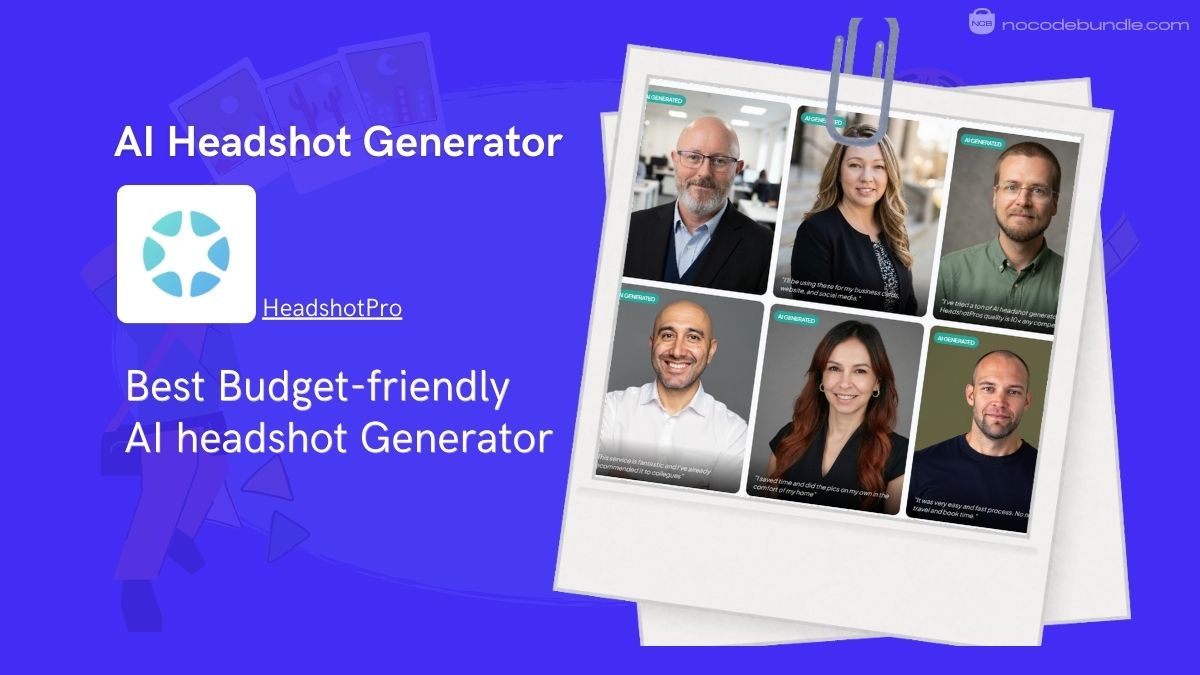
  1. HeadshotPro – Best Budget-friendly AI headshot Generator
  2. Headshot kiwi – Best for adding outfit and background variations
  3. Aragon.AIBest for Keeping Consistent Styles on Headshots
  4. PhotoPacks.AI – Best for Wide Variety of Custom Headshots

1. HeadshotPro – Best Budget-friendly AI headshot Generator

HeadshotPro

HeadshotPro is an AI-powered tool that turns your selfies into studio-style headshots suitable for LinkedIn, resumes, business profiles, and websites. It focuses strictly on professional quality, no casual or “dating photo” outputs.

You can upload several good selfies, choose styles (backdrop and outfit combos), and the AI generates a batch of polished portrait-ready images in a few hours. The service is significantly cheaper than hiring a photographer and includes a 100% “profile-worthy” money-back guarantee if you don’t get at least one usable headshot you like (applause to that).

In my testing for this review, uploading about a dozen simple selfies produced multiple usable options, and I had full ownership of all the generated headshots.
✅ Pros

❌Cons

  • Professional quality output
  • Affordable vs traditional photos
  • Profile-worthy money-back guarantee
  • Works with simple selfies
  • Ownership of final headshots
  • Some results may vary
  • Limited deep editing controls
  • Delivery takes hours not minutes

✅ Pros

  • Professional quality output
  • Affordable vs traditional photos
  • Profile-worthy money-back guarantee
  • Works with simple selfies
  • Ownership of final headshots

❌Cons

  • Some results may vary
  • Limited deep editing controls
  • Delivery takes hours not minutes

Best Subscription Plan Recommended for HeadshotPro

Choose the Professional plan (~$39) because it gives 100 headshots with good variety, faster turnaround, and a solid balance of cost, styles, and usable final photos

Stand Out Feature of HeadshotPro:

HeadshotPro offers a Free AI Headshot Generator that lets you upload one photo and quickly preview a professional headshot before committing to a paid plan. You will get an instant quality check without payment.

HeadshotPro is recommended for 👍

Not recommended for 👎

  • Professionals needing polished LinkedIn photos
  • Remote teams needing consistent headshots
  • Budget-minded users replacing photography
  • Musicians requiring extensive design customization control
  • Artists needing complex third-party tool integrations
  • Users wanting advanced e-commerce features

HeadshotPro is recommended for 👍

  • Professionals needing polished LinkedIn photos
  • Remote teams needing consistent headshots
  • Budget-minded users replacing photography

not recommended for 👎

  • Users wanting real-time instant results
  • People needing heavy facial control edits
  • Those prioritizing hyper-real identity match

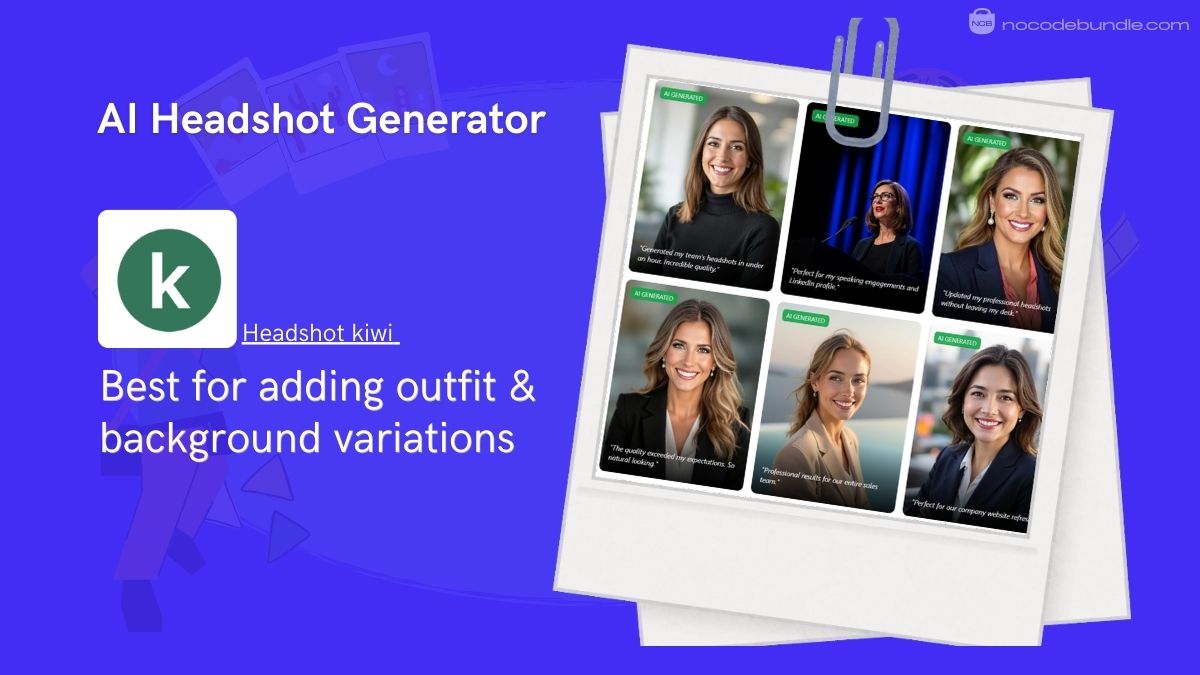
2. Headshot kiwi – Best for adding outfit and background variations

Headshot-Kiwi

Headshot Kiwi is an online AI tool that turns your selfies into professional-looking headshots for LinkedIn, resumes, and business profiles. You upload at least a dozen good selfies, and the system generates a large set of polished headshots with different outfits and backgrounds.

When I used the service, it took about 45–60 minutes to deliver results, and I could choose from many images. If you don’t download any photos you like, the platform honors a full refund.
✅ Pros

❌Cons

  • Large headshot batches included
  • Competitive pricing with discounts
  • Simple upload and selection process
  • Full ownership and commercial rights
  • Must upload many selfies
  • No deep editing control

✅ Pros

  • Large headshot batches included
  • Competitive pricing with discounts
  • Simple upload and selection process
  • Full ownership and commercial rights

❌Cons

  • Must upload many selfies
  • No deep editing control

Best Subscription Plan Recommended for Headshot kiwi

Pick the Professional plan ($39) because it gives 120 headshots, enough variety to find usable pics without paying for the maximum (Executive) level you might not need.

Stand Out Feature of Headshot kiwi:

Headshot Kiwi supports multiple outfit and background variations automatically generated from your selfies, giving you options that look different but professional. When I tested the tool, the variety helped me pick distinct headshots suited for LinkedIn versus social profiles, right from a single batch.

Headshot kiwi is recommended for 👍

Not recommended for 👎

  • Users needing many professional headshots
  • People updating profiles on a budget
  • Quick same-day photo generation
  • Users wanting detailed edits
  • Those needing instant results
  • People wanting heavily stylized looks

Headshot kiwi is recommended for 👍

  • Users needing many professional headshots
  • People updating profiles on a budget
  • Quick same-day photo generation

not recommended for 👎

  • Users wanting detailed edits
  • Those needing instant results
  • People wanting heavily stylized looks

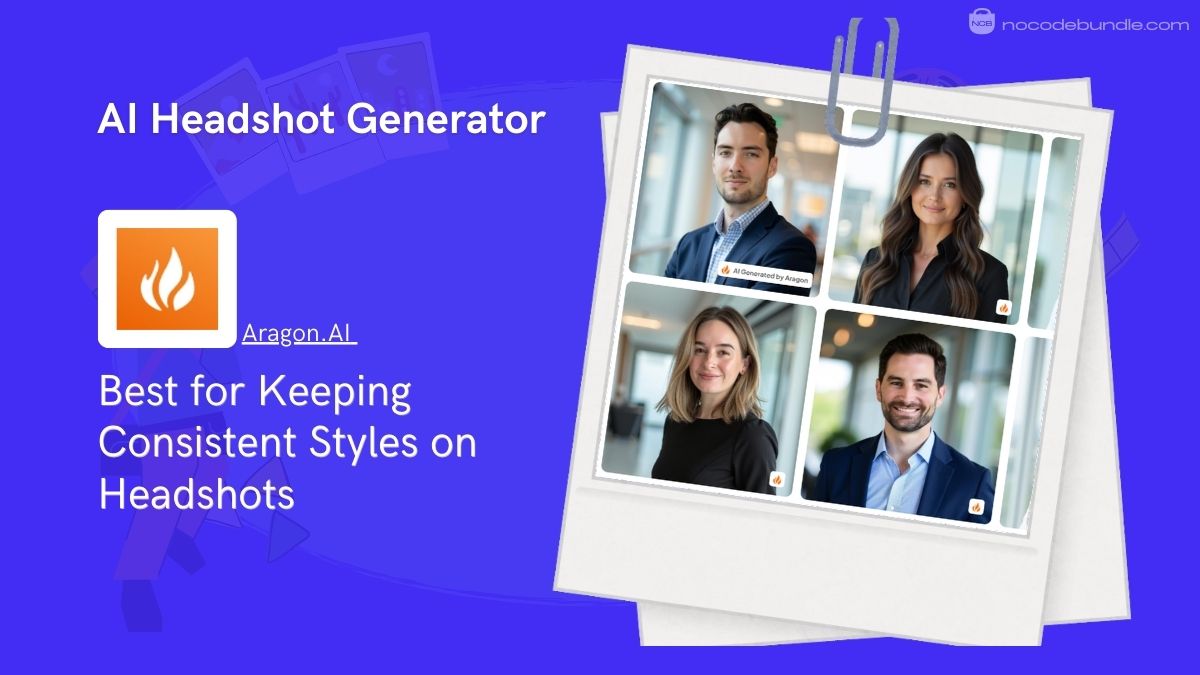
3. Aragon.AI – Best for Keeping Consistent Styles on Headshots

Aragon-AI

Aragon AI is an AI headshot generator focused on producing realistic, studio-style portraits for professional use. The process is simple: you upload a set of clear selfies, select your gender and style preferences, and wait for the AI to generate headshots that closely resemble real photography.

In my testing, the results leaned more natural than stylized, especially for corporate and executive looks. Turnaround usually takes a few hours depending on the plan. Pricing is higher than some alternatives, but the output quality reflects that.

Aragon AI also clearly states image ownership, allowing users to use headshots commercially without restrictions.
✅ Pros

❌Cons

  • Very realistic photo results
  • Strong facial consistency
  • Professional style focus
  • Commercial usage rights included
  • Clear onboarding process
  • Higher pricing than competitors
  • Requires many selfie uploads
  • No instant preview images

✅ Pros

  • Very realistic photo results
  • Strong facial consistency
  • Professional style focus
  • Commercial usage rights included
  • Clear onboarding process

❌Cons

  • Higher pricing than competitors
  • Requires many selfie uploads
  • No instant preview images

Best Subscription Plan Recommended for Aragon AI

Choose the Starter plan ($12) because it offers enough headshots to find usable results while avoiding higher tiers that mainly add quantity, not noticeable quality improvements for most professionals.

Stand Out Feature of Aragon AI:

Aragon AI recently introduced improved face consistency models, reducing odd facial changes across generated photos. When I reviewed newer outputs shared by the team, faces looked more uniform across outfits and backgrounds, which makes selecting a final headshot easier.

Aragon AI is recommended for 👍

Not recommended for 👎

  • Executives needing realistic headshots
  • LinkedIn and corporate profiles
  • Users prioritizing photo accuracy
  • Budget-focused users
  • Casual or creative portraits
  • Those wanting fast previews

Aragon AI is recommended for 👍

  • Professionals needing polished LinkedIn photos
  • Remote teams needing consistent headshots
  • Budget-minded users replacing photography

not recommended for 👎

  • Users wanting real-time instant results
  • People needing heavy facial control edits
  • Those prioritizing hyper-real identity match

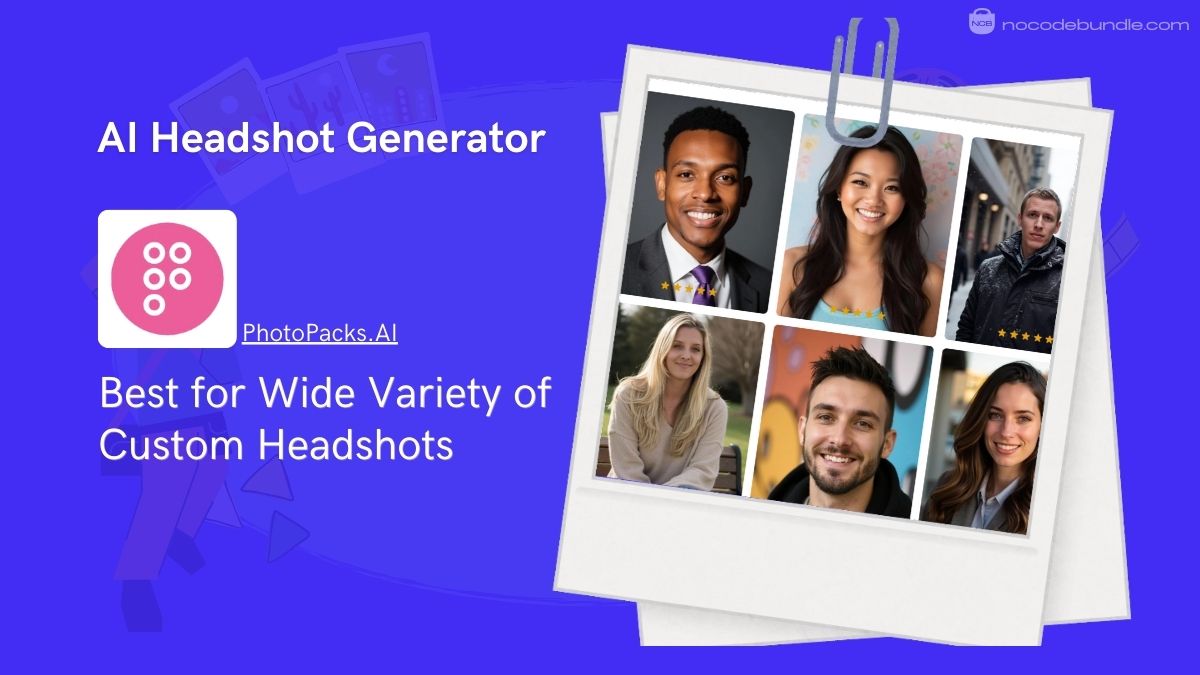
4. PhotoPacks.AI – Best for Wide Variety of Custom Headshots

PhotoPacks

PhotoPacks.AI is an AI headshot generator that turns your everyday photos into over 100 professional portraits for a single flat fee, usually around $24. You upload a set of about 10 selfies, and the system uses AI to produce many headshots with different angles, backgrounds, and outfits.

When I tested PhotoPacks.AI delivered its results in under 45 minutes and gave a wide variety to choose from. All images are high resolution and suitable for LinkedIn, resumes, team bios, and profile usage. If you’re not satisfied, you can request a refund within seven days.
✅ Pros

❌Cons

  • One low, simple price
  • 100+ headshots included
  • Fast (under one hour) delivery
  • Professional-quality results
  • Satisfaction or money back
  • Some results may vary
  • Limited deep editing controls
  • Delivery takes hours not minutes

✅ Pros

  • One low, simple price
  • 100+ headshots included
  • Fast (under one hour) delivery
  • Professional-quality results
  • Satisfaction or money back

❌Cons

  • Limited individual editing tools
  • Requires good selfie inputs
  • No subscription options

Best Subscription Plan Recommended for PhotoPacks.AI

Go with the standard PhotoPacks.AI headshot pack ($24) because it gives plenty of professional images without upsells, and the flat price makes it easy to budget for.

Stand Out Feature of PhotoPacks.AI:

PhotoPacks.AI provides a free basic AI portrait enhancer that lets you improve one existing photo instantly before ordering the full headshot pack. This lets you preview quality and decide if you want the full set. It’s simple and quick to use right on the website.

PhotoPacks.AI is recommended for 👍

Not recommended for 👎

  • Professionals needing affordable headshots
  • Quick LinkedIn or resume photos
  • Users wanting many image options
  • People needing heavy customization
  • Those wanting live previews
  • Users seeking subscription plans

PhotoPacks.AI is recommended for 👍

  • Professionals needing affordable headshots
  • Quick LinkedIn or resume photos
  • Users wanting many image options

not recommended for 👎

  • People needing heavy customization
  • Those wanting live previews
  • Users seeking subscription plans

Will AI headshots ever fully replace traditional portraits?

Short answer: No.

AI headshots are useful, but they won’t fully replace traditional photography.

AI headshots make sense for students, early-career professionals, or anyone who can’t justify paying $100+ for a professional photoshoot. They’re great for testing different backgrounds, outfits, and lighting styles without booking a studio. They also help teams choose a consistent look when multiple people need headshots quickly.

That said, AI headshots work best for LinkedIn profiles, Slack photos, resumes, and CVs. For website About pages or “Our Team” pages, traditional portraits still look more natural, trustworthy, and aligned with brand identity especially for client-facing businesses.

However, just as professionals are moving toward AI for their portraits, many e-commerce brands are now using the Best AI Tools for Product Photography to create high-end catalog images without a physical studio

AI is a practical alternative, not a full replacement.

Can I just generate headshots in ChatGPT and Gemini?

You can try, but the results usually aren’t usable.

Many people suggest a “free workaround”: upload a selfie, ask for a professional headshot prompt, then copy-paste that prompt into an image generator. I tested this approach, and the output was clearly AI-generated and not suitable for professional use. Facial details looked off, lighting felt unnatural, and the images didn’t pass as real photos.

Free, general-purpose tools like ChatGPT or Gemini aren’t built specifically for headshots. Dedicated AI headshot tools use custom training data and fine-tuned models focused only on faces, lighting, and professional poses. That focus makes a visible difference in quality and realism.

How to make the output better?

The quality of your AI headshots depends heavily on the photos you upload.

Start with well-lit images taken in natural light or a bright indoor space. Avoid harsh shadows or low-light photos. Upload a mix of 4 waist-up photos and 6 close-ups, all with a clear view of your face and eyes.

Make sure you’re looking directly at the camera in most shots. Use different backgrounds, outfits, and lighting conditions, but keep your face unobstructed. Avoid sunglasses, hats, heavy makeup, or filters. Better input photos lead to noticeably better headshot results.

Aaron L

Aaron L is a Texas-based tech specialist with deep expertise in cloud hosting, server-side technologies, and networking. He has spent years working as a Systems Engineer, helping businesses build secure, scalable, and high-performance infrastructures. When he’s not optimizing servers or troubleshooting networks, Aaron enjoys a good cup of coffee and quiet evenings reading.

Related Post

Best AI Tools for Language Translation: My Top Picks

You’ve probably tried more than one translation tool by now, maybe Google Translate, maybe a…

What Makes A No-Code App Builder Effective?

Are you ready to turn your app idea into reality, without learning code? We understand…

What Are The Best No Code App Builders?

Nowadays building an app no longer needs coding skills, big budgets, or long development time.…