Posted On September 19, 2025

Best AI Tools for Language Translation: My Top Picks

Ashna A 0 comments
>> AI Tools , Text Generators >> Best AI Tools for Language Translation: My Top Picks
Best AI Language Translation Tools

You’ve probably tried more than one translation tool by now, maybe Google Translate, maybe a browser add-on, or even one of those mobile apps that promises quick results. Chances are, you’ve also noticed the same issue I did: while they’re fine for a word or two, the moment you need something meaningful like to write an email in other languages, to create a multilingual website, a presentation, or even a casual message they often fall short.

Context gets lost, tone doesn’t come through, and you end up editing more than you expected.

In the research process for this review I started looking more closely at AI-powered translation tools. Unlike the old methods, these tools are designed to understand nuance, which means they actually produce text that reads smoothly instead of like a direct word swap.

In this review, I’ll break down the best AI tools for language translation available right now, point out the unique strengths & weaknesses of each, and share which one stands out as the most reliable in real-world use.

I’ll also touch on how you can integrate these tools into your workflow. If you’re wondering which translation tool is really worth depending on, this article should help you find the answer.

📝 Key Notes on our Research Process (for Transparency)

  • Covered AI tools with pricing from $0 to $200/month
  • Tested translation accuracy across 15+ language pairs
  • Spent over 60+ hours testing features and translation quality
  • Evaluated interface usability, customer support, and integration capabilities
  • Tested effectiveness with no-code automation platforms and workflows

Best AI Tools For Language Translation : Our Top 5 Picks

  1. DeepL – Best for natural contextual translations
  2. ChatGPT – Best Conversational AI translator 
  3. Claude – Best for translating Technical Content
  4. QuillBot – AI-powered translator and writing assistant
  5. Vomo – Accurate transcription and multilingual translation

1. DeepL: Best for natural contextual translations

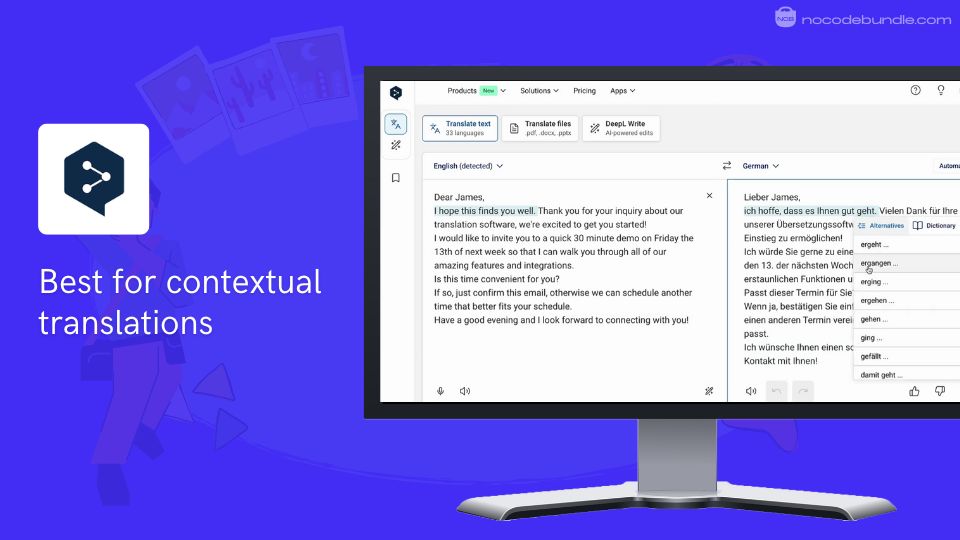
DeepL - Best for contextual translations

DeepL stands out as the most accurate AI translation tool available, consistently outperforming competitors by delivering natural-sounding translations that understand context and cultural nuances.

DeepL gave better outputs in translating tricky phrases better than other tools I’ve tried, especially with professional jargon and idioms. The platform supports over 30 languages and offers multiple access methods including web interface, desktop apps, mobile applications, and API integration.

I found the document translation especially useful because it kept my PDF and Word file formatting intact. You can upload file formats like .docx, .pptx , .pdf , xlsx & more and download the entire file after translation.
✅ Pros

❌Cons

  • Superior translation accuracy and natural flow
  • Context-aware translations with cultural nuances
  • Document translation preserves original formatting
  • Alternative word suggestions for better precision
  • Glossary management for consistent terminology
  • Limited language support compared to competitors
  • Subscription required for unlimited professional use
  • DeepL has a chance to Generate Hallucinated Output

✅ Pros

  • Superior translation accuracy and natural flow
  • Context-aware translations with cultural nuances
  • Document translation preserves original formatting
  • Alternative word suggestions for better precision
  • Glossary management for consistent terminology

❌Cons

  • Limited language support compared to competitors
  • Subscription required for unlimited professional use
  • DeepL has a chance to Generate Hallucinated Output

How Much Does DeepL Cost?

  • Free plan offers 50,000 characters per month limit
  • Individual plan costs $8.74/month with unlimited text translation
  • Team plan priced at $28.74/user/month for advanced features
  • Business plan costs $57.49/user/month with unlimited characters
  • API priced from $5.49/month plus $25 per million characters

Best Subscription Plan Recommended for DeepL

I suggest the Individual plan for most people. It’s affordable and covers pretty much everything an individual or small business would need: unlimited translations, file uploads, and good data security without paying for unnecessary team extras.

Stand Out Feature of DeepL:

One feature I found genuinely useful is DeepL’s new Clarify tool, which lets you modify and refine translations instantly to fix any doubtful phrasing. I liked how easy it was to make quick adjustments without starting over. Paired with glossary management, this really helps keep technical terms consistent in translations, especially for work projects.

Should You Use DeepL ?

If you want translations that are more accurate and natural, DeepL is a strong choice. In my testing, it worked best when accuracy mattered, like for business emails or important documents.

Keep in mind its language options are fewer than some alternatives, so check that your needed languages are supported before signing up. The free version works for basics, but the paid plans unlock key features and higher limits.

DeepL is recommended for 👍

Not recommended for 👎

  • Professional translators requiring contextual accuracy
  • Businesses handling important client documents
  • European language translation specialists
  • Users needing extensive language variety
  • Offline translation without internet connection

DeepL is recommended for 👍

  • Professional translators requiring contextual accuracy
  • Businesses handling important client documents
  • European language translation specialists

not recommended for 👎

  • Users needing extensive language variety
  • Offline translation without internet connection

2.ChatGPT:Conversational AI translator with contextual understanding

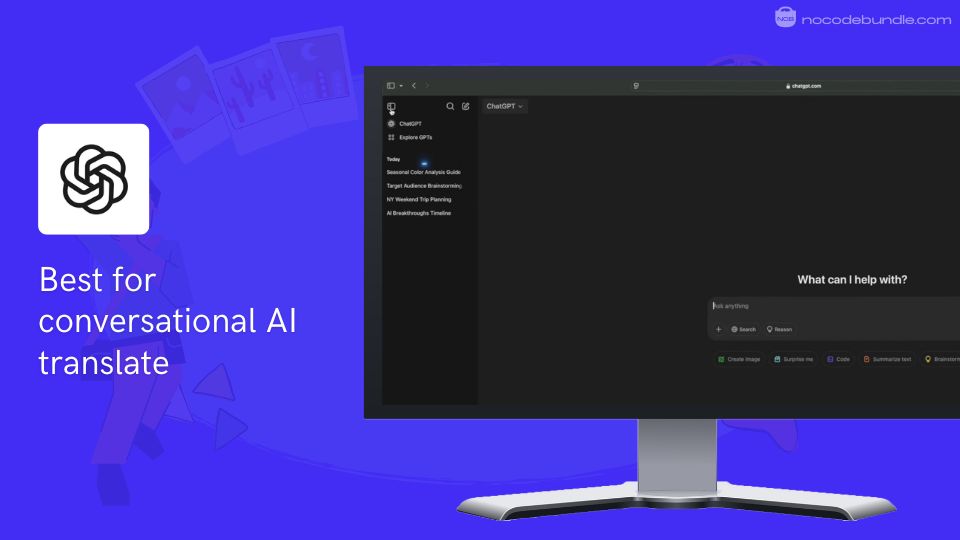
ChatGPT - Best for conversational AI translate

ChatGPT supports 95+ languages with contextual understanding that goes beyond word-for-word translation.

When I tested ChatGPT for translation tasks, it kept context even in long conversations, making the translations feel natural and easy to follow. I found it helpful to ask questions when some phrases seemed unclear.

It gave me clear explanations and adjusted the tone exactly how I wanted. You have to try 3 or 4 prompts to make the output better and as a word of advice only translate 200 to 300 words per input.

It also translated images, audio, and video well during my tests, it can also Identify multiple speakers in audio or video. With the right set of prompts you can practice conversations, with quick, natural responses that feel more human than other tools I’ve tried.

I will share the prompts that I used in a separate article.
✅ Pros

❌Cons

  • Interactive translation refinement through conversational interface
  • Supports 95+ languages with contextual understanding
  • Translates images, audio, and video content
  • Real-time voice translation for natural conversations
  • Cultural context awareness for natural results
  • Lower accuracy with less common languages
  • Can produce outdated or incorrect information
  • Lacks specialized translation engine optimization

✅ Pros

  • Interactive translation refinement through conversational interface
  • Supports 95+ languages with contextual understanding
  • Translates images, audio, and video content
  • Real-time voice translation for natural conversations
  • Cultural context awareness for natural results

❌Cons

  • Lower accuracy with less common languages
  • Can produce outdated or incorrect information
  • Lacks specialized translation engine optimization

How Much Does ChatGPT Cost?

  • Free plan with basic translation capabilities and usage limits
  • ChatGPT Go at $4/month with 10x more messages
  • Plus plan at $20/month with unlimited text translation
  • Pro plan at $200/month for advanced features
  • Team plan at $25/user/month for collaborative work

Best Subscription Plan Recommended for ChatGPT

Based on my experience, ChatGPT Plus is the best choice for regular translation use. It costs $20/month and gives you unlimited access to the improved GPT-4 model, which means smoother, more accurate translations without annoying limits. It balances cost and features really well.

Stand Out Feature of ChatGPT:

ChatGPT Voice (earlier known as Advanced Voice Mode) is an underestimated feature that I recommend you should try. It offers nearly instant voice translation, with conversations flowing naturally without awkward pauses. Speaking with it felt like having someone right there translating for me.

It even handled switching languages mid-sentence, which is super useful for real conversations, meetings, or travel when you need quick back-and-forth communication.

Should You Use ChatGPT ?

If you need translations with real context and want to tweak things live, ChatGPT works great. When I used it for multimedia or voice translation, it made things smooth and understandable. But for very important or legal documents, I’d double-check with specialized tools because ChatGPT can sometimes miss exact details or cultural nuances.

ChatGPT is recommended for 👍

Not recommended for 👎

  • Interactive translation requiring context clarification
  • Multimedia content translation across platforms
  • Real-time voice translation for conversations
  • Critical legal or medical document translation
  • Low-resource languages requiring perfect accuracy
  • Offline translation without internet connectivity

ChatGPT is recommended for 👍

  • Interactive translation requiring context clarification
  • Multimedia content translation across platforms
  • Real-time voice translation for conversations

not recommended for 👎

  • Critical legal or medical document translation
  • Low-resource languages requiring perfect accuracy
  • Offline translation without internet connectivity

3. Claude AI Translator: Best for translating Technical Content

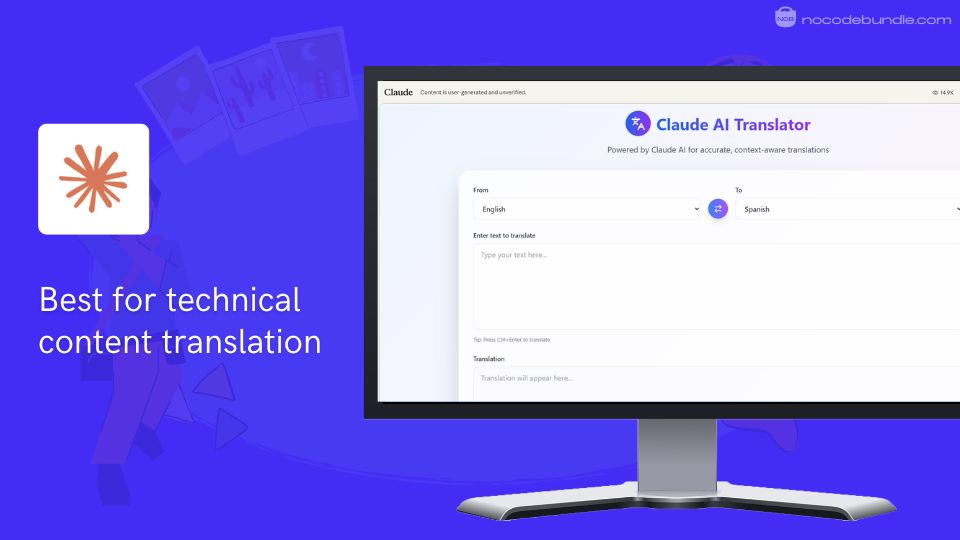
Claude - Best for technical content translation

Claude AI stands out as an intelligent conversation partner that excels at translation tasks through its advanced language understanding. When I tried translation, Claude consistently delivered natural-sounding sentences that matched the tone and meaning I wanted way better than basic word-for-word translators.

The AI handled technical jargon and idioms easily, and switching between languages in a chat felt smooth and intuitive. In my testing, it preserved the mood and intent of creative text across languages, making it reliable for both work and personal communication.
✅ Pros

❌Cons

  • Context-aware translation accuracy
  • Handles idioms and cultural nuances
  • Real-time conversational translation capability
  • Maintains tone across languages
  • Strong with technical content
  • Limited specialized medical/legal terminology
  • Struggles with rare language dialects
  • Requires internet connectivity always

✅ Pros

  • Context-aware translation accuracy
  • Handles idioms and cultural nuances
  • Real-time conversational translation capability
  • Maintains tone across languages
  • Strong with technical content

❌Cons

  • Limited specialized medical/legal terminology
  • Struggles with rare language dialects
  • Requires internet connectivity always

How Much Does Claude Cost?

  • Free Plan: $0 – Basic access to Claude 3.5 Sonnet, limited daily usage
  • Pro Plan: $17/month (annually) or $20/month – 5x more usage, all models access
  • Max Plan: $100- 5-20x Pro usage, priority access, early features

Best Subscription Plan Recommended for Claude

I recommend starting with the Pro Plan if you translate often, it’s the best value for regular translation tasks and doesn’t lock you into enterprise pricing. That 5x usage is a good perk to have (helped me get through long documents without hitting credit limits).

Stand Out Feature of Claude:

Claude’s Extended Thinking feature is what you should pick for translation tasks , it took a moment to analyze and deliver detailed translations for complex legal contracts. This option let me see more context, so I felt confident about accuracy especially for tricky phrases.

Should You Use Claude ?

If you’re looking for a tool that feels like a helpful friend for business, education, or creative translation, Claude delivers. One thing I noticed before buying: it does best with popular languages and general content, but struggles with rare dialects and heavy technical terminology.

Claude is recommended for 👍

Not recommended for 👎

  • Business communication translations
  • Creative content localization
  • Technical document translation
  • Medical/legal specialized terminology
  • High-volume batch processing
  • Rare dialect translations

Claude is recommended for 👍

  • Business communication translations
  • Creative content localization
  • Technical document translation

not recommended for 👎

  • Medical/legal specialized terminology
  • High-volume batch processing
  • Rare dialect translations

4. QuillBot: AI-powered translator and writing assistant

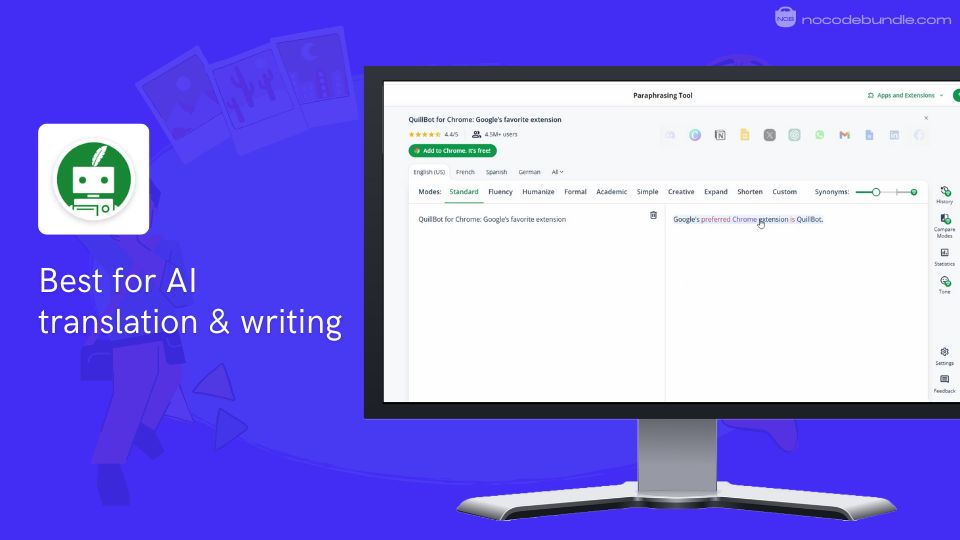
QuillBot - Best for AI translation & writing

QuillBot stands out for combining AI translation with powerful writing tools, making it ideal for those who want smooth translations alongside grammar correction, paraphrasing, and citation features.

QuillBots interface is super intuitive, the side-by-side comparison after translation helped me spot any errors easily. And the best part – It’s not just a translator. The grammar correction and sentence improvement features are useful for making the translated text sound clear and natural, which saves me time editing after translation.

The simple interface worked well on both my desktop and phone, and it fit nicely into my writing workflow.
✅ Pros

❌Cons

  • Translates 50+ languages accurately
  • Integrated grammar and writing tools
  • Side-by-side language comparison feature
  • User-friendly interface on all devices
  • Supports citation generation and plagiarism checks
  • Free plan has character limits
  • Some features require Premium subscription
  • Customer support response can be slow

✅ Pros

  • Translates 50+ languages accurately
  • Integrated grammar and writing tools
  • Side-by-side language comparison feature
  • User-friendly interface on all devices
  • Supports citation generation and plagiarism checks

❌Cons

  • Free plan has character limits
  • Some features require Premium subscription
  • Customer support response can be slow

How Much Does QuillBot Cost?

  • Free plan offers limited paraphrasing (125 words)
  • Premium costs $4.17/month with unlimited text
  • Premium includes all tools and faster speed

Best Subscription Plan Recommended for QuillBot

From my experience, the annual Premium plan is the best value. It gives unlimited access to all translation and writing features, letting you work without worrying about limits, which is perfect if you do lots of writing or translation.

Stand Out Feature of QuillBot :

Humanize Mode is a handy feature to have. It made AI-generated translations sound more natural and less robotic, which helped when you want to translate content to feel like it was written by a real person. This is great for making content engaging and easy to read.

Should You Use QuillBot ?

If you want a tool that does more than just translate something that also helps fix grammar and improve style, QuillBot is a solid choice. In my testing, it was especially good for students and writers handling multilingual content. Just keep in mind the free plan is good for light use, but serious work needs the paid plan.

QuillBot is recommended for 👍

Not recommended for 👎

  • Writers wanting integrated translation and editing
  • Students needing grammar and plagiarism checks
  • Users translating multiple languages regularly
  • Casual users needing free unlimited translation
  • Those needing specialized or technical translations
  • Users requiring instant, 24/7 customer support

QuillBot is recommended for 👍

  • Writers wanting integrated translation and editing
  • Students needing grammar and plagiarism checks
  • Users translating multiple languages regularly

not recommended for 👎

  • Casual users needing free unlimited translation
  • Those needing specialized or technical translations
  • Users requiring instant, 24/7 customer support

5. VOMO: Accurate transcription and multilingual translation


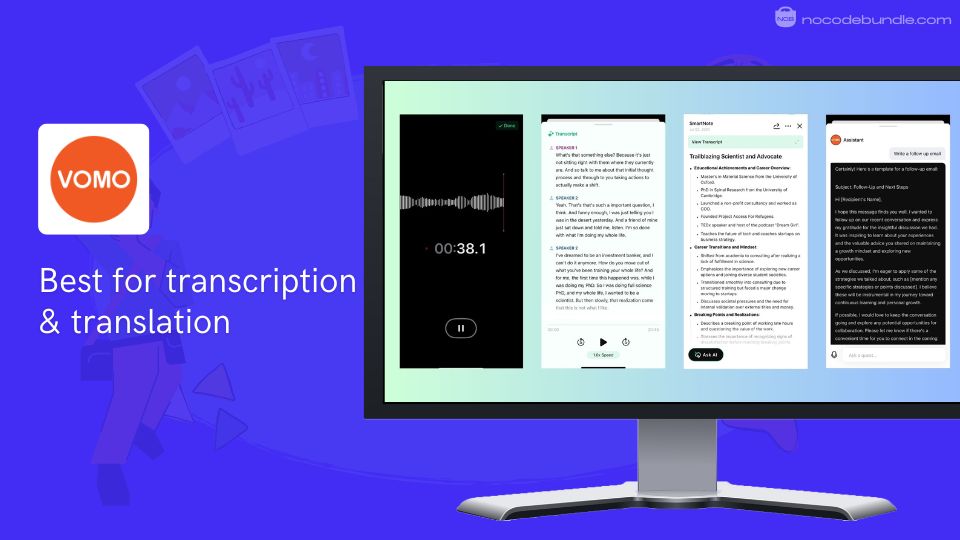
Vomo - Best for transcription & translation

VOMO is an AI-powered tool designed for precise transcription, summarization, and translation of audio and video content. I did check out VOMO for the first time to summarize Youtube videos, I was impressed by how accurately it transcribed meetings and videos and as a bonus feature it supports language translation of the transcriber text too.

The text was clean, searchable, and easy to edit, saving me lots of time. VOMO AI supports translations into more than 50 languages, which makes it convenient for anyone to work with international teams without switching tools.

I especially liked the interactive chat feature that lets you ask questions about your transcripts or generate summaries on the fly, making it feel like a smart assistant for organizing information. Importing audio directly from devices like Siri or AirPods was easy peasy.

✅ Pros

❌Cons

  • High-accuracy transcription in 50+ languages
  • AI-generated summaries and action items
  • Interactive chat for easy transcript querying
  • Imports audio from multiple sources
  • Unlimited cloud storage for notes
  • Free tier has limited transcription time
  • Some complex summaries require manual tweaks
  • Occasional delays in customer support response

✅ Pros

  • High-accuracy transcription in 50+ languages
  • AI-generated summaries and action items
  • Interactive chat for easy transcript querying
  • Imports audio from multiple sources
  • Unlimited cloud storage for notes

❌Cons

  • Free tier has limited transcription time
  • Some complex summaries require manual tweaks
  • Occasional delays in customer support response

How Much Does VOMO Cost?

  • Free plan includes 30 minutes transcription/month
  • Pro plan at $19.99/month for unlimited transcription
  • Business plan customized pricing for teams
  • All plans include AI summaries and translations

Best Subscription Plan Recommended for VOMO

From what I experienced, the Pro plan at $19.99/month offers the best value. It gives unlimited transcription and translation, perfect if you rely on these features regularly but don’t need team-based tools.

Stand Out Feature of VOMO:

One feature I frequently used was Ask AI, which let me quickly query transcripts and pull detailed summaries. I found it handy to get the key points without listening to full recordings and even draft follow-up emails straight from my notes.

Should You Use VOMO ?

If you need reliable transcription paired with multilingual translation, VOMO is a great tool. In my tests, it worked especially well for meetings and content in multiple languages. Just remember the free tier limits and occasionally slower support before deciding to buy.

VOMO is recommended for 👍

Not recommended for 👎

  • Professionals needing accurate meeting transcription
  • Content creators working with multilingual audio
  • Students organizing lectures and research notes
  • Casual users needing unlimited free transcription
  • Users requiring instant customer support
  • Those wanting fully automated, detailed summaries

VOMO is recommended for 👍

  • Professionals needing accurate meeting transcription
  • Content creators working with multilingual audio
  • Students organizing lectures and research notes

not recommended for 👎

  • Casual users needing unlimited free transcription
  • Users requiring instant customer support
  • Those wanting fully automated, detailed summaries

Which is the Best AI Translation Tool? Our Top Pick 👑

After putting all five tools through their paces, DeepL is my definitive winner, though it’s not perfect. As someone who relies on accurate translations for professional work, DeepL’s natural-sounding output just felt right, especially for tricky European languages. While ChatGPT is more versatile and can translate almost anything you throw at it, its translations sometimes come across as too literal.

What sold me was how DeepL handles entire documents. I uploaded a PDF, and it returned a translated version with the formatting perfectly intact. For long bulk translation this is a must have feature. You won’t get this with ChatGPT or Claude.

Their language selection is frustratingly limited compared to ChatGPT’s 95+ options, and you’ll definitely hit paywalls faster than expected. Claude showed promise but felt inconsistent, while QuillBot and Vomo were more like writing assistants than serious translators. But honestly, DeepL’s natural-sounding output makes these drawbacks bearable.

If you’re a professional who needs translations that are consistently accurate and nuanced, DeepL is the clear choice. Just be prepared to work around its language limitations and double-check standalone phrases.

The Ultimate No-Code Bundle to Pair with DeepL

As a content creator, international marketer, or professional translator, here’s our recommended bundle of best no-code tools that you can use with DeepL:

You would typically use these tools alongside DeepL in a workflow like this to create multilingual content campaigns:

01 DeepL for accurate document and text translation
02 Notion or Airtable for organizing multilingual content calendars
03 Canva for creating translated visual content and graphics
04 Loom for recording multilingual video explanations and tutorials
05 Zapier for automating translation workflows between platforms
06 Grammarly for polishing translated content before publishing

From my testing, this stack works incredibly well because DeepL handles the heavy translation lifting while these tools manage the content production pipeline.

The Zapier integration is something good to have. You can set up automatic translations that trigger when new content gets added to my Airtable base.

Notion becomes your multilingual content hub, Canva ensures your visuals match each market, and Grammarly catches any awkward phrasings DeepL occasionally produces. This bundle can save hours on any international automation content projects.

Ashna Antony

Ashna Antony is a Hubspot Certified Content Marketer interested in the AI and SaaS landscape. A former Software Developer turned writer, she breaks down how tech actually works and why it matters. She writes about Generative AI, AI Tools, Website Builders, and SaaS. When she’s AFK, she’s probably adding songs to a Spotify playlist or halfway through a podcast episode.

DP

Related Post

Best AI Headshot Generators in 2026

Chances are you or your organization need a professional headshot, but booking a photographer feels…

Best AI Presentation Maker: Top Tools to Create Slides

You're staring at a blank presentation, knowing you need to create something that doesn't just…

What Are The Best No Code App Builders?

Nowadays building an app no longer needs coding skills, big budgets, or long development time.…