If you’ve ever stared of products needing photos and thought, “There has to be an easier approach than this,” I’ve been there; struggling to find good lighting, clearing out space for a makeshift studio, dealing with messy backgrounds, and spending hours editing images that still don’t look quite right.
The truth is, traditional product photography takes a lot of effort, money, and skills most of us don’t have on hand.
What if there was a way to skip the whole studio setup, save money, and still get polished, professional photos in minutes instead of days? This is exactly where AI tools for product photography come in.
These systems use smart automation to handle background removal, lighting fixes, and image adjustments all without needing photography expertise.
In this blog, I’ll share a researched list of leading AI tools made especially for product photography, reveal my personal favorite choice, and point out useful workflows that can make your entire process easier.
Whether you run a small online shop or manage a bigger catalog, you’ll see how to tackle your photography challenges more cleverly and with less hassle.
📝 Key Notes on our Research Process (for Transparency)
- Covered tools ranging from free to premium monthly plans
- Spent 20+ hours testing background removal and batch editing
- Reviewed app onboarding, dashboard UI, and after-sales support
- Tested product photo quality across different product categories
- Evaluated integration with e-commerce platforms and design workflows
Most Popular AI Tools For Product Photography
- Photoroom : AI-powered photo editor for product sellers
- Retouch4me : AI-powered photo retouching for professionals
- Pebblely : AI-powered background removal and photo design
- Claid.ai : All-in-one AI product photography suite
- Flair.ai : AI product photography with real-time editing
- Fotor ai : Powerful, easy online photo editor
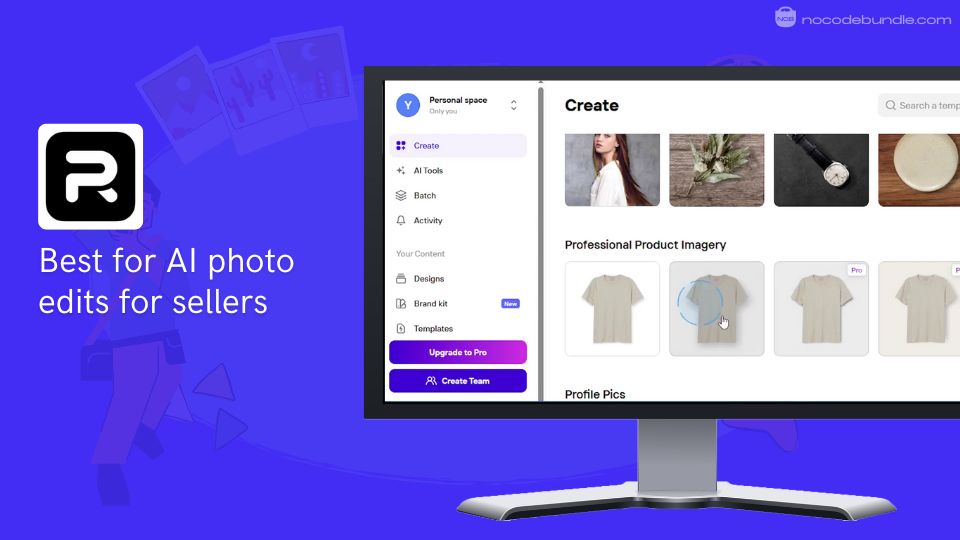
1. Photoroom : AI-powered photo editor for product sellers

Photoroom provides a variety of AI tools designed to create high-quality product photos quickly and easily. Its features include the Product Beautifier, which improves lighting and sharpness, AI Backgrounds for generating realistic scenes, and Virtual Model to showcase apparel on AI-generated models.
When I explored the platform, I was able to remove backgrounds from over 50 product images in under 10 minutes using Batch Mode, something that would have taken hours manually.
Additional tools like AI Shadows and Product Staging add depth and polish. The Brand Kit keeps your visuals consistent. The platform is user-friendly, making it a good choice for sellers wanting professional images without needing advanced skills or a studio.
✅ Pros
❌Cons
- Precise background removal
- Batch editing for scale
- Realistic AI background creation
- Virtual model for apparel
- Brand Kit for consistency
- Limited free plan features
- Some AI results need tweaks
- Occasional processing delays
✅ Pros
- Precise background removal
- Batch editing for scale
- Realistic AI background creation
- Virtual model for apparel
- Brand Kit for consistency
❌Cons
- Limited free plan features
- Some AI results need tweaks
- Occasional processing delays
How Much Does Photoroom Cost?
Photoroom offers a free version with basic features including background removal. The Pro plan at ₹299.00/month includes HD exports, batch editing, AI image generation, and allows adding up to two more team members. Additional users cost extra. This plan opens full AI tools and resizing options. Business plans with larger teams and custom API access are available at higher prices.
Best Subscription Plan Recommended for Photoroom
The Pro plan offers the right mix of features and value for individual sellers and small teams, providing batch editing, HD exports, and advanced AI tools. It fits most users without the higher cost of business plans.
Stand Out Feature of Photoroom:
When I tested Photoroom’s Virtual Model feature, I was impressed by how it quickly placed clothing on different AI-generated models without a photoshoot. This feature gives you realistic “on-model” product images fast, cutting both time and studio costs.
Should You Use Photoroom ?
Before purchasing, think about the size of your product catalog and if batch editing or team work is needed. In my tests, Photoroom made creating quality images quick and easy for simple products. While some AI backgrounds needed minor edits, results were generally very good. For complex shoots, expert photography might still be necessary.
Photoroom is recommended for 👍
Not recommended for 👎
- Small to mid-sized online sellers
- Those needing quick batch edits
- Brands needing consistent visuals
- Users needing full custom shoots
- Those expecting flawless AI output
- Large teams without business plan
Photoroom is recommended for 👍
- Small to mid-sized online sellers
- Those needing quick batch edits
- Brands needing consistent visuals
not recommended for 👎
- Users needing full custom shoots
- Those expecting flawless AI output
- Large teams without business plan
2. Retouch4me: AI-powered photo retouching for professionals

Retouch4me is an AI tool focused on automating photo retouching, especially for product and portrait photography. It offers a range of plugins for Photoshop and standalone apps, letting users upload images and get professional-grade edits with a single click.
The platform is designed to keep natural skin texture and deliver consistent results.
When I tried Retouch4me, I found the process quick and easy, with minimal manual adjustments needed. I was able to retouch a batch of product images in minutes, and the results looked polished without losing the original feel.
It’s ideal for photographers and editors who want to speed up their workflow without sacrificing quality.
✅ Pros
❌Cons
- Fast, automated retouching
- Keeps natural skin texture
- Works as Photoshop plugin
- Standalone app available
- Bulk processing support
- Limited free retouches
- Some edits need manual touch-ups
- Advanced features require paid plans
✅ Pros
- Fast, automated retouching
- Keeps natural skin texture
- Works as Photoshop plugin
- Standalone app available
- Bulk processing support
❌Cons
- Limited free retouches
- Some edits need manual touch-ups
- Advanced features require paid plans
How Much Does Retouch4me Cost?
Retouch4me offers 2 free plugins for non-destructive editing and color matching. Paid plugins are a one-time purchase starting at $124. For cloud retouching, plans start at $20/month for 200 retouches, $35/month for 500 retouches, and $90/month for 1,500 retouches. Each retouch allows use of any plugin on one image.
Best Subscription Plan Recommended for Retouch4me
The $35/month plan is best for regular users needing 500 retouches monthly. For heavy usage, the $90/month plan offers more credits. Photoshop plugin users should consider the one-time purchase for unlimited local use.
Stand Out Feature of Retouch4me:
I found the “Skin Retouch” plugin especially helpful. It automatically smooths skin while keeping texture intact, saving time on manual edits. This feature is perfect for product and portrait shots where a natural look matters.
Should You Use Retouch4me ?
Retouch4me is a strong choice for photographers and editors who want to speed up retouching without losing quality. It’s best for those comfortable with Photoshop or standalone apps. Beginners may need some practice to get the most out of it.
Retouch4me is recommended for 👍
Not recommended for 👎
- Professional photographers
- Portrait and product editors
- Photoshop users
- Users needing simple edits
- Those avoiding plugins
- Beginners with no editing experience
Retouch4me is recommended for 👍
- Professional photographers
- Portrait and product editors
- Photoshop users
not recommended for 👎
- Users needing simple edits
- Those avoiding plugins
- Beginners with no editing experience
3. Pebblely : AI-powered background removal and photo design

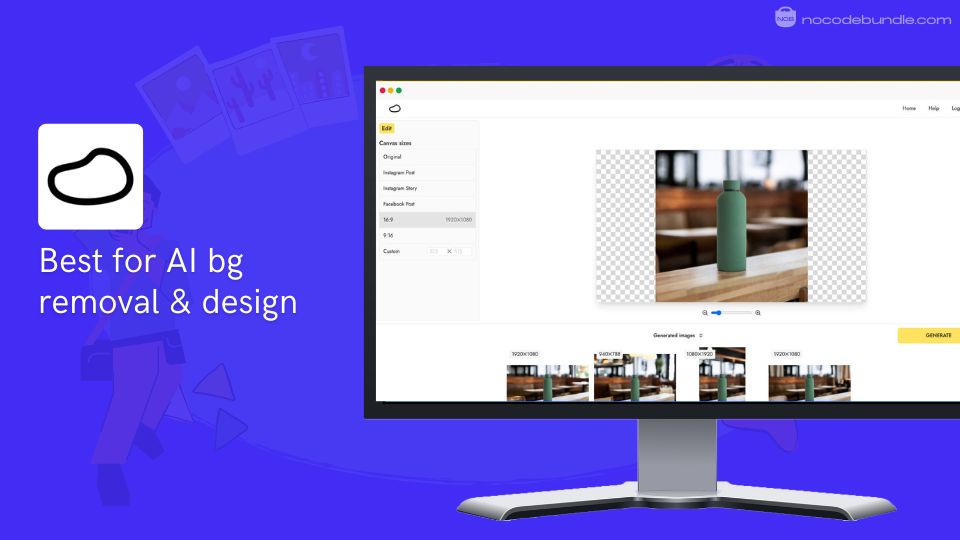
Pebblely focuses on quickly removing backgrounds from product images and creating attractive visuals with AI.When I put it to use, uploading product photos and getting clean backgrounds only took seconds, which saved a lot of time compared to doing it by hand.
It includes over 40 themes and uses text or reference images to create backgrounds with matching reflections and shadows. You can move, resize, or rotate products on the canvas and add props for lifestyle-style photos.
Batch editing helps when working with many images. Pebblely is suitable for sellers who want clear and professional images quickly without design expertise.
✅ Pros
❌Cons
- Fast and accurate background removal
- Wide variety of backgrounds
- Supports batch processing
- Easy repositioning of products
- Includes shadows and reflections
- Free plan has limited photo credits
- Some backgrounds seem generic
- Manual adjustments sometimes needed
✅ Pros
- Fast and accurate background removal
- Wide variety of backgrounds
- Supports batch processing
- Easy repositioning of products
- Includes shadows and reflections
❌Cons
- Free plan has limited photo credits
- Some backgrounds seem generic
- Manual adjustments sometimes needed
How Much Does Pebblely Cost?
Pebblely provides 40 free images monthly. The Basic plan costs $19/month for 1,000 images with custom backgrounds and editing tools. The Pro plan at $39/month offers unlimited images and priority support. Paying yearly reduces prices about 20% on both plans.
Best Subscription Plan Recommended for Pebblely
The Basic plan at $19/month fits most small to mid-sized sellers well, with 1,000 images per month and full editing options. It covers common needs without extra expense. Larger users may want the Pro plan for unlimited images and faster support.
Stand Out Feature of Pebblely:
I found Pebblely’s feature for reusing backgrounds helpful. After creating a background that fits your brand, you can swap products without changing the background. This keeps your visuals consistent and speeds up making multiple product images.
Should You Use Pebblely ?
Think about your monthly photo needs and if 1,000 images will be enough. My tests show Pebblely works well for simple product images but might need some changes for detailed branding or complex settings. It’s best for quick, easy edits over complex custom work.
Pebblely is recommended for 👍
Not recommended for 👎
- Small businesses and online sellers
- Creators needing fast lifestyle photos
- Social media marketers
- Users wanting full custom shoots
- Expecting flawless AI outputs
- Large teams needing collaboration features
Pebblely is recommended for 👍
- Independent musicians seeking commission-free sales
- DJs needing quick professional website setup
- Artists prioritizing simplicity over customization options
not recommended for 👎
- Musicians requiring extensive design customization control
- Artists needing complex third-party tool integrations
- Users wanting advanced e-commerce features
4. Claid.ai : All-in-one AI product photography suite

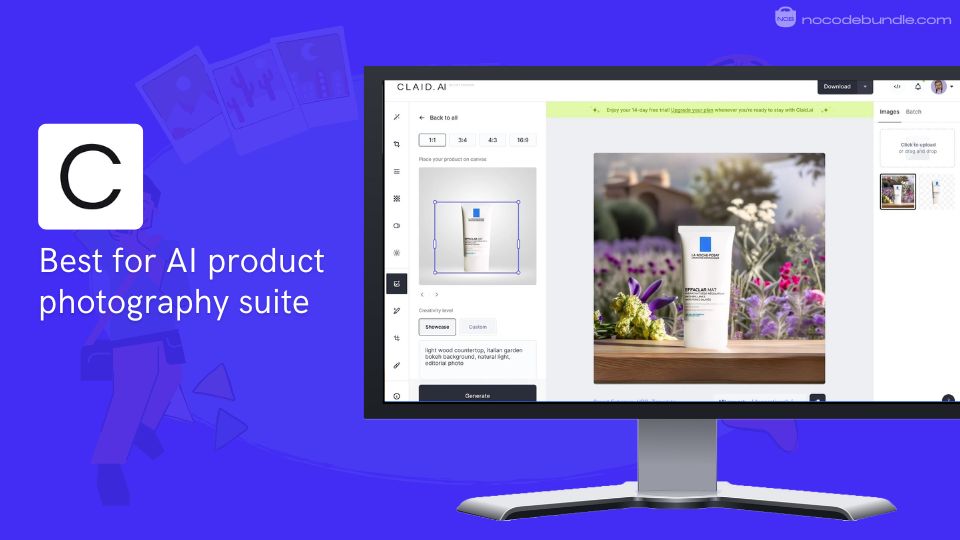
Claid.ai offers a comprehensive set of AI tools to generate and edit professional product photos quickly. During my testing, I found that background removal and lighting corrections happened in just seconds, making turnaround times much faster.
The platform allows creating realistic backgrounds from text prompts or templates. You can process many images at once and automate workflows with their API.
Claid.ai is especially useful for businesses that need consistent, high-quality visuals at scale for catalogs, ads, and social media, without investing hours in manual editing.
✅ Pros
❌Cons
- Fast background removal and edits
- Automatic color and lighting adjustments
- Supports batch processing and API integration
- Produces high-resolution, sharp images
- Generates backgrounds from text or templates
- Pricing details are not fully listed publicly
- API setup can take some initial effort
- Advanced features may require some fine-tuning
✅ Pros
- Fast background removal and edits
- Automatic color and lighting adjustments
- Supports batch processing and API integration
- Produces high-resolution, sharp images
- Generates backgrounds from text or templates
❌Cons
- Pricing details are not fully listed publicly
- API setup can take some initial effort
- Advanced features may require some fine-tuning
How Much Does Claid.ai Cost?
Claid.ai offers a free trial with 5 image uploads and 50 API credits. The yearly plan starts at $9/month including 150 images, basic editing, and API access. The Pro plan is $35/month and provides 500 images, AI video creation, and more.
For larger teams, custom business plans are available with tailored features and support. The API alone can be purchased separately or included as part of higher plans.
Best Subscription Plan Recommended for Claid.ai
The Pro plan at $35/month offers the widest range of features, including unlimited images via API and dedicated support, which makes it suitable for growing businesses with high-volume needs.
The Essentials plan works well for smaller operations that require basic editing and fewer images. Pricing should be evaluated based on your specific usage.
Stand Out Feature of Claid.ai:
One feature I found particularly useful is Claid’s ability to train custom AI models from your product photos. This means the AI learns your specific style and product details, making the edits even more accurate over time. I saw this in action on their site and believe it’s a game-changer for brands needing consistent, branded visuals.
Should You Use Claid.ai ?
If your business requires large-scale image editing, automation, and consistent output, Claid.ai is a solid choice. It’s especially helpful for brands with many products that want to keep visuals uniform without manual work.
Smaller sellers might find the full suite more than they need or too costly, so assess your volume before jumping in.
Claid.ai is recommended for 👍
Not recommended for 👎
- Large e-commerce businesses
- Companies with high image volume needs
- Brands focusing on automation and consistency
- Small-scale sellers with limited needs
- Those avoiding API integrations
- Users seeking very budget-friendly options
Claid.ai is recommended for 👍
- Large e-commerce businesses
- Companies with high image volume needs
- Brands focusing on automation and consistency
not recommended for 👎
- Small-scale sellers with limited needs
- Those avoiding API integrations
- Users seeking very budget-friendly options
5. Flair.ai : AI product photography with real-time editing

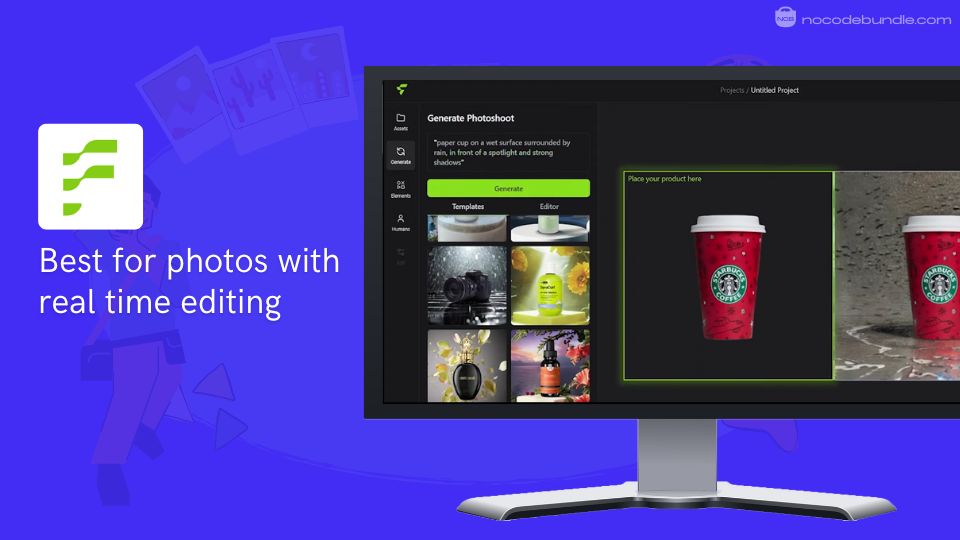
Flair.ai focuses on creating product photoshoots using AI, helping maintain brand consistency, build scenes by dragging and dropping props, and fit clothing or jewelry on AI-generated human models.
When I signed up and tested Flair.ai, I found the drag-and-drop canvas easy to use. I could switch backgrounds for several products without starting all over. It also includes features like custom AI model creation, ad generation, and team collaboration.
Flair.ai works well for brands and teams who want consistent, creative visuals regularly with control over scene design.
✅ Pros
❌Cons
- Drag-and-drop scene building
- On-model clothing and jewelry shots
- Custom AI models available
- Real-time team collaboration
- Ad and video content generation
- No batch editing for large volumes
- Advanced features need time to learn
- Some options require paid plans
✅ Pros
- Drag-and-drop scene building
- On-model clothing and jewelry shots
- Custom AI models available
- Real-time team collaboration
- Ad and video content generation
❌Cons
- No batch editing for large volumes
- Advanced features need time to learn
- Some options require paid plans
How Much Does Flair.ai Cost?
The Free plan offers 1 custom model and up to 5 images monthly. On the basis of annual discount, Pro at $8/month adds faster processing, 2 video generations, upscaling, and image variations. Pro+ at $26/month supports 8 custom models, 80 images, 3 videos, and a company license.
Scale plan at $38/month allows 15 custom models and 150 images. Enterprise options have custom rates and APIs.
Best Subscription Plan Recommended for Flair.ai
From my testing, the Pro+ plan at $26/month suits sellers or teams needing regular custom models, video content, and priority rendering.
Scale is good for larger groups needing more capacity. Free plan works for beginners or small needs.
Stand Out Feature of Flair.ai:
One feature that stood out is the ability to fit clothing or jewelry onto AI-generated human models with details like patterns and logos intact. When I used it, creating model shots was faster and didn’t require a studio visit.
Should You Use Flair.ai ?
Consider Flair.ai if you need branded product photos for marketing or social media, particularly in a team. My experience shows the basics are quick to pick up but advanced tools require some learning. Plan before handling large projects or multiple users.
Flair.ai is recommended for 👍
Not recommended for 👎
- Teams managing brand visuals
- Fashion and jewelry sellers
- Marketing professionals
- Users needing batch edits
- Those wanting simple photo fixes
- People avoiding subscriptions
Flair.ai is recommended for 👍
- Teams managing brand visuals
- Fashion and jewelry sellers
- Marketing professionals
not recommended for 👎
- Users needing batch edits
- Those wanting simple photo fixes
- People avoiding subscriptions
6. Fotor : Powerful, easy online photo editor

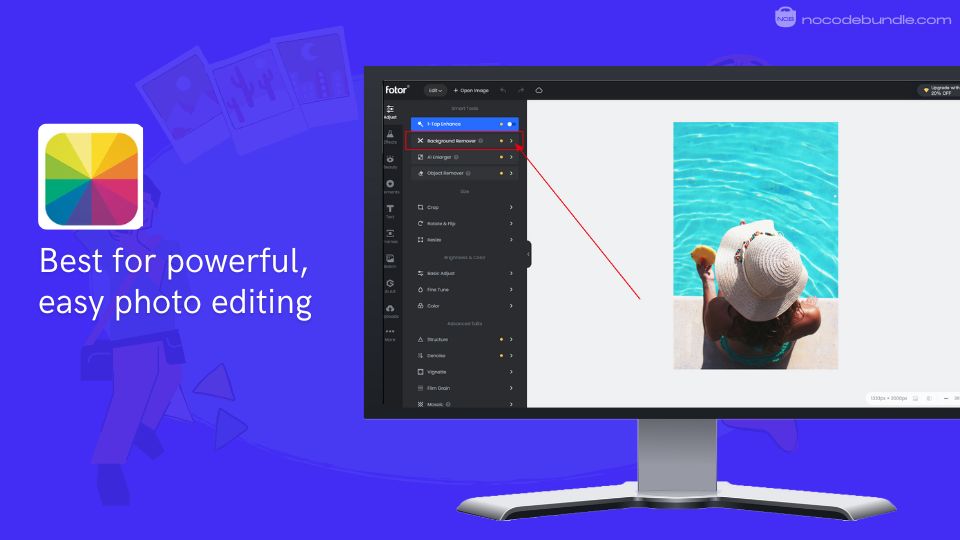
Fotor is a popular online photo editing tool that combines strong editing features with a simple interface. When I tried Fotor’s AI background remover, I could clear complex backgrounds in seconds without having to fix mistakes.
The batch editing feature was a big time saver when I edited multiple photos. It also includes one-click image enhancement, AI object removal, and many creative AI filters.
Whether you’re a beginner or need quick professional edits, Fotor helps you get good-quality photos fast without extra software.

✅ Pros
❌Cons
- Quick AI-based background removal
- Batch editing for multiple images
- Easy one-click photo improvement
- Wide range of AI filters
- User-friendly and clean layout
- Free plan includes watermark
- Ads appear in free version
- Free plan limits features
✅ Pros
- Quick AI-based background removal
- Batch editing for multiple images
- Easy one-click photo improvement
- Wide range of AI filters
- User-friendly and clean layout
❌Cons
- Free plan includes watermark
- Ads appear in free version
- Free plan limits features
How Much Does Fotor Cost?
Fotor’s free version includes basic features but adds watermarks. The Pro plan costs ₹291.58/month annually or ₹799 monthly, unlocking HD downloads,
Advanced editing & AI tools, and 2GB cloud storage. Pro+ plan at ₹658.25/month yearly offers brand kits and 300 AI credits monthly with 100GB storage.
Best Subscription Plan Recommended for Fotor
The yearly Pro plan offers best value for regular users with full tools and no watermarks. Pro+ is better for batch processing and brand assets. Monthly billing suits occasional users.
Stand Out Feature of Fotor:
I found the AI Object Remover especially helpful. When I used it, I easily erased unwanted objects from product photos without redoing the whole image. This saved me lots of time for ecommerce listings .
Should You Use Fotor ?
Fotor is great for anyone needing quick, simple photo edits online with AI help. It suits individuals and small businesses wanting good edits fast without installing software. Larger groups may want business plans.
Fotor is recommended for 👍
Not recommended for 👎
- Beginners needing simple edits
- Small business product photos
- Social media content creators
- People needing advanced retouching
- Large teams wanting joint editing
- Those avoiding subscription costs
Fotor is recommended for 👍
- Beginners needing simple edits
- Small business product photos
- Social media content creators
not recommended for 👎
- People needing advanced retouching
- Large teams wanting joint editing
- Those avoiding subscription costs
Which is the Best AI Tool For Product Photography? Our Top Pick 👑
After testing all six tools, for product photography, I found Photoroom to be highly efficient, especially for batch editing large numbers of images quickly and accurately. Its background removal is precise and requires minimal adjustments, saving a lot of time compared to Retouch4me, Pebblely or Flair.ai which involve more fine-tuning or have limited batch capabilities.
Claid.ai and Fotor offer strong editing features but can be complex or slower in bulk processing. Photoroom strikes a balance between speed, quality, and ease of use, making it a solid choice for consistent e-commerce photo editing.
The Complete E-Commerce Product Photo Workflow Stack
As an e-commerce seller or online store owner, here’s my recommended bundle of tools to use with Photoroom:
I’ve found these tools work perfectly together in a typical product photography workflow:
01 Smartphone or DSLR camera for product shots
02 Photoroom for background removal and batch editing
03 Canva for adding text overlays or promotional graphics
04 Make.com to automate image uploads to platforms
05 Shopify or WooCommerce for publishing edited images
06 Google Drive for organizing final product photos
This workflow cuts my editing time significantly. After capturing photos, Photoroom handles background removal for 50 images at once, which beats manually editing each one.
Ashna Antony
Ashna Antony is a Hubspot Certified Content Marketer interested in the AI and SaaS landscape. A former Software Developer turned writer, she breaks down how tech actually works and why it matters. She writes about Generative AI, AI Tools, Website Builders, and SaaS. When she’s AFK, she’s probably adding songs to a Spotify playlist or halfway through a podcast episode.