Posted On September 22, 2025

Best AI Voice Generation Tools for Realistic Audio

Ashna A 0 comments
>> AI Tools , Voice Generators >> Best AI Voice Generation Tools for Realistic Audio
Best AI Voice Generation Tools

If you’ve been searching for the right AI voice generation tool, you’ve probably noticed how confusing the options have become. The challenge isn’t just finding a tool that sounds good, it’s finding one that offers quality, ease of use, and value without breaking your budget or requiring a steep learning curve.

I’ve tried platforms that claimed “studio-quality” results but produced robotic voices, and others that sounded great but were so complicated I needed a tutorial just to generate a simple clip.

After testing and comparing features, pricing, and actual performance, I’ve narrowed down the field to the tools that truly make a difference. Some deliver natural, conversational tones, others excel with multilingual options, and a few stand out for their ability to connect well with other apps and fit easily into your workflow.

I will be also sharing the practical tips on getting the most out of these tools and putting them to work in your existing projects. Let’s cut through the noise and find the AI voice solution that really suits your work.

πŸ“ Key Notes on our Research Process (for Transparency)

  • Included voice tools ranging from free to premium plans
  • Compared core features, voices, and supported languages
  • Tested each platform hands-on, including audio quality checks
  • Evaluated onboarding, interface, and request support channels
  • Assessed compatibility with no-code automation or workflow tools

Most popular AI voice generation Platforms in 2025 - My Picks

  1. ElevenLabs: Best for natural, Text-to-Speech voiceovers
  2. Murf AI: Best for Wide Language Support
  3. Lovo AI: Best for Multimedia Content Creation
  4. PlayHT: Best for Multi-Speaker Realistic Audio
  5. Wellsaid Labs: Best expressive AI voices for business

1. ElevenLabs: Advanced AI voice cloning, best for natural, customizable voiceovers.

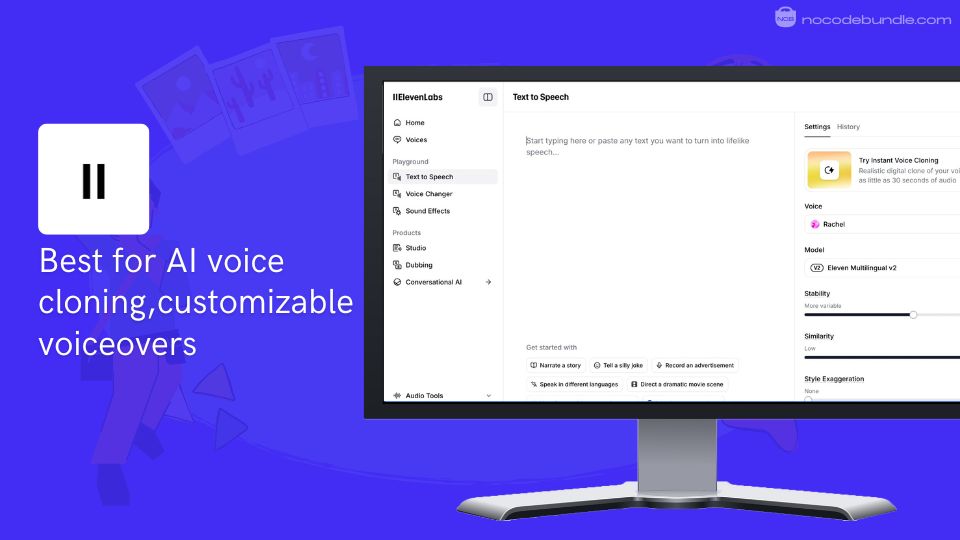
ElevenLabs - Best for AI voice cloning,customizable voiceovers

ElevenLabs produces high-quality, lifelike AI-generated voices with detailed customization options. When I tried it, I was able to clone a voice from just a few seconds of audio, making it easy to create personalized voiceovers with surprising accuracy.

The platform lets you change tone, speed, and emotional expression, so the final audio matches your needs. If you are a music producer, with eleven labs you can make AI to sing your Lyrics. If you want a dedicated tool to optimize the singing – check ElevenLabs’ Music Generation product which will support the exact workflow you want (lyrics + melody, etc).

The interface is quiet easy to use even for non-technical users, which helped me complete voiceovers more quickly. I’ll share more about it in my detailed review about ElevenLabs.

Also, it integrates well with popular video editing tools, letting me import audio directly without extra steps. The company prioritizes data safety and regularly updates the software, which builds confidence in its reliability.

Many people who make videos are using AI tools like this to make their work easier and learn how to create short videos that quickly become popular.
βœ… Pros

❌Cons

  • Realistic, natural-sounding voices
  • Deep voice cloning ability
  • Easy-to-use interface
  • Compatible with major editing software
  • Responsive customer support
  • Limited number of languages
  • Higher price for heavy users
  • Needs stable internet connection

βœ… Pros

  • Realistic, natural-sounding voices
  • Deep voice cloning ability
  • Easy-to-use interface
  • Compatible with major editing software
  • Responsive customer support

❌Cons

  • Limited number of languages
  • Higher price for heavy users
  • Needs stable internet connection

How Much Does ElevenLabs Cost?

  • Free Plan: 10,000 credits/month, basic features, no commercial license
  • Starter Plan: $5/month, 30,000 credits, commercial license, instant voice cloning
  • Creator Plan: $11/month (first month 50% off), 100,000 credits, professional voice cloning, higher audio quality
  • Pro Plan: $99/month, 500,000 credits, API with 44.1kHz audio output
  • Scale and Business Plans: Custom pricing for large-scale use and extra seats

Best Subscription Plan Recommended for ElevenLabs

The Creator Plan strikes a good balance between cost and features. It offers advanced voice cloning and higher audio clarity without the higher fee of the Pro Plan, making it suitable for most users seeking quality without extra costs.

Stand Out Feature of ElevenLabs:

The standout feature is the “Eleven v3” expressive voice model. I observed it allows precise control over voice delivery with audio tags that adjust tone, emotion, and style. Voices can sigh, whisper, or laugh and handle multi-speaker dialogues naturally. It supports over 70 languages and is ideal for producing rich, immersive audiobooks, podcasts, or interactive content.

Should You Use ElevenLabs for Your Voice Generation Needs

While it took me some time to explore all features, ElevenLabs is suited for users wanting detailed voice control and quality output. If you need broader language options or have a limited budget, you may want to consider other tools.

ElevenLabs is recommended for πŸ‘

Not recommended for πŸ‘Ž

  • Content creators wanting realistic voices
  • Marketers needing brand-custom voiceovers
  • Multimedia pros using video editing
  • Users needing many language choices
  • Individuals with tight budgets
  • Those without reliable internet connection

ElevenLabs is recommended for πŸ‘

  • Content creators wanting realistic voices
  • Marketers needing brand-custom voiceovers
  • Multimedia pros using video editing

not recommended for πŸ‘Ž

  • Users needing many language choices
  • Individuals with tight budgets
  • Those without reliable internet connection

2. Murf AI: Realistic AI voices with wide language support

Murf.AI - Best for realistic voices with wide language support

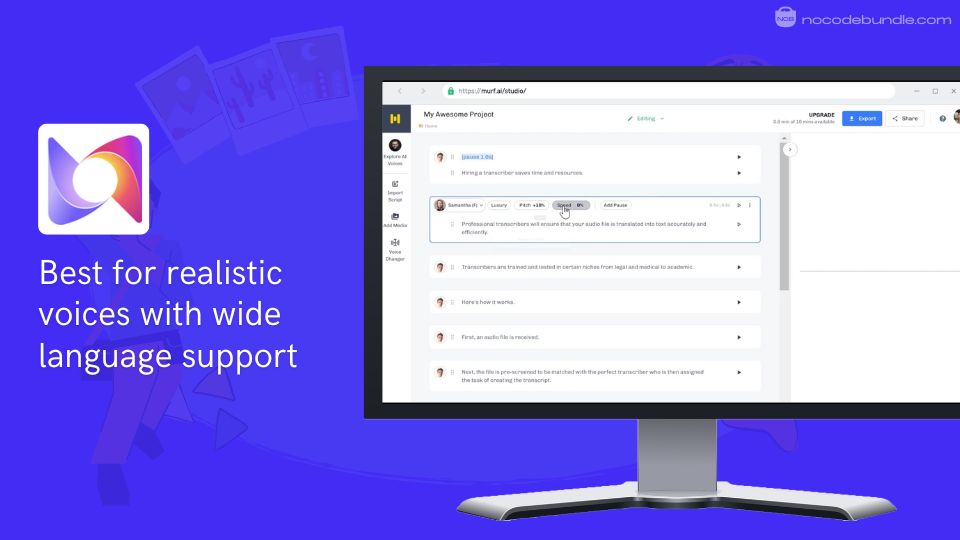
Murf.AI provides a straightforward platform for creating lifelike AI voiceovers, offering more than 200 voices across 20+ languages. While examining it, the voices sounded natural right away far from the robotic tones I’ve encountered on other services.

The platform has capabilities and control over pitch, speed, tone, and pronunciation, which was helpful when adjusting voiceovers for different uses. The interface is easy to use, so even beginners can produce voice content quickly.

While exploring, I also tried voice cloning and voice changer features, which offered more ways to customize than I expected.
βœ… Pros

❌Cons

  • Wide selection of voices and languages
  • Controls for pitch and speed
  • Voice cloning and changing options
  • Easy-to-use platform
  • Compatible with popular software
  • Limited free plan time
  • Pricing may be steep for individuals
  • Some voices could be more expressive

βœ… Pros

  • Wide selection of voices and languages
  • Controls for pitch and speed
  • Voice cloning and changing options
  • Easy-to-use platform
  • Compatible with popular software

❌Cons

  • Limited free plan time
  • Pricing may be steep for individuals
  • Some voices could be more expressive

How Much Does Murf AI Cost?

  • Free Plan: 10 minutes/month, basic voices, no downloads
  • Creator Plan: $29/month, commercial use, voice generation hours
  • Business Plan: $99/month, extra features, team collaboration
  • Enterprise: Custom pricing, unlimited usage, API access

Best Subscription Plan Recommended for Murf AI

From my tests, the Creator Plan gives most users a strong balance between price and features. It includes commercial rights and enough voice time to cover typical projects without paying for business-level extras that many won’t use. If you require team tools or higher limits, the Business Plan fits but at a higher cost.

Stand Out Feature of Murf AI:

A noticeable feature for me was β€˜Say it My Way.’ It lets you record your own voice so that the AI uses that recording to shape its speech style. This works well to keep a consistent tone across projects, helping AI voiceovers feel more personal and closer to real human delivery.

Should You Use Murf AI for Your Voice Generation Needs

I found Murf AI effective when you want variety in voices and languages along with good customization options. But if your budget is tight or you need highly expressive speech, you might consider other platforms.

Murf AI is recommended for πŸ‘

Not recommended for πŸ‘Ž

  • Video creators needing language variety
  • Businesses needing multilingual support
  • Trainers making e-learning material
  • Users with strict budget limits
  • Projects requiring deep emotional tone
  • Users lacking steady internet access

Murf AI is recommended for πŸ‘

  • Video creators needing language variety
  • Businesses needing multilingual support
  • Trainers making e-learning material

not recommended for πŸ‘Ž

  • Users with strict budget limits
  • Projects requiring deep emotional tone
  • Users lacking steady internet access

3. Lovo AI: Wide voice selection, emotional, best for multimedia

Lovo - Best for wide voices, emotion & multimedia

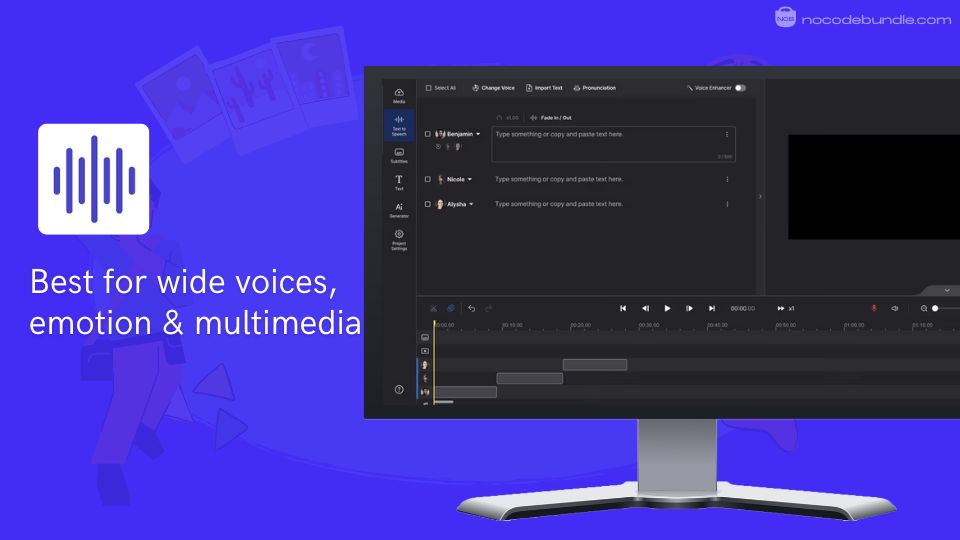
Lovo AI provides an easy-to-use platform with over 500 voices across 100+ languages, delivering clear and expressive AI voiceovers. When I tested it, I noticed the voices sounded natural and captured emotions well, making it ideal for videos, audiobooks, and marketing content.

The platform includes tools for scriptwriting, video editing, and auto subtitle generation, which helped me handle entire voice and video projects in one place. I also explored the voice cloning feature, allowing creation of custom branded voices with just one minute of sample audio, which was surprisingly quick and effective.
βœ… Pros

❌Cons

  • Over 500 voices and languages
  • Emotional and realistic tones
  • All-in-one content creation tools
  • Voice cloning from one minute
  • Auto subtitle and video editing
  • Some customer support delays
  • Voice quality varies in longer scripts
  • Pricing may be high for small users

βœ… Pros

  • Over 500 voices and languages
  • Emotional and realistic tones
  • All-in-one content creation tools
  • Voice cloning from one minute
  • Auto subtitle and video editing

❌Cons

  • Some customer support delays
  • Voice quality varies in longer scripts
  • Pricing may be high for small users

How Much Does Lovo AI Cost?

  • Basic Plan: $24/month, 2 hours voice generation, 30GB storage, commercial rights, unlimited downloads
  • Pro Plan: $24/month, 5 hours voice generation, 100GB storage, voice enhancer, auto subtitle, AI art generator, team collaboration
  • Pro+ Plan: $75/month, 20 hours voice generation, 400GB storage, priority support
  • Enterprise: Custom pricing, API access, dedicated support

Best Subscription Plan Recommended for Lovo AI

After using the platform, I found the Pro Plan offers the best balance for most users. It gives sufficient voice generation time, storage, and permission for commercial use, along with added features like voice enhancer and team collaboration. This plan meets the needs of most creators and businesses without the extra cost of the Pro+ plan, which is designed for users with larger demands.

Stand Out Feature of Lovo AI:

What stood out to me was the β€œGenny” video editor, which combines AI voice, images, and editing all in one place. This made creating videos easier and quicker without needing different programs. The AI Art Generator also helped by producing royalty-free images fast, a real time saver. The β€˜Directable Pro V2’ voices allow users to direct speech style and emotion using natural language, which helps the voiceovers sound more lively and fitting for the content.

Should You Use Lovo AI for Your Voiceover Needs

From my experience, Lovo AI is a strong choice if you want access to many voices and tools to manage full video projects. However, those with a small budget or needing very prompt support should check if this option suits their needs fully.

Lovo AI is recommended for πŸ‘

Not recommended for πŸ‘Ž

  • Video creators needing emotional voices
  • Businesses requiring global language support
  • Trainers producing multimedia content
  • Users with tight budgets
  • Projects requiring consistent support
  • Small users with simple needs

Lovo AI is recommended for πŸ‘

  • Video creators needing emotional voices
  • Businesses requiring global language support
  • Trainers producing multimedia content

not recommended for πŸ‘Ž

  • Users with tight budgets
  • Projects requiring consistent support
  • Small users with simple needs

4. Play.ht: Impressive voice library, best for multi-speaker realistic audio.

Play.ht - Best for impressive voices & multi-speaker realism

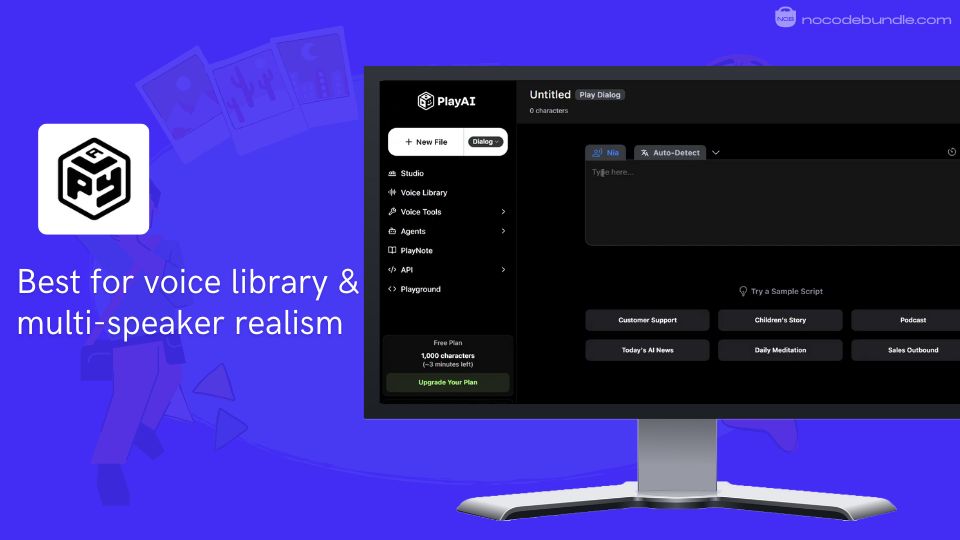
Play.ht offers a powerful AI voice generation platform with over 206 natural-sounding voices across 40+ languages and accents. When I put Play.ht to the test, I was really impressed by how clear and human-like the voices were, even with complicated texts.

The platform supports creating multi-speaker audio projects with multi-turn dialogue, which makes it great for podcasts, e-learning content, and customer experience tools.

I also liked the voice cloning feature, which works quickly with just a few seconds of audio. Being able to adjust pitch, speed, and emotion helped me make the output sound just right. The API feature was very useful when I tried embedding text-to-speech into other apps.
βœ… Pros

❌Cons

  • Large library of 206+ voices
  • Covers 40+ languages and accents
  • Multi-speaker and conversational audio support
  • Quick voice cloning from 3 seconds
  • API available for integrations
  • Customer support can be slow sometimes
  • Pricing includes usage limits in plans
  • Occasional glitches reported by some users

βœ… Pros

  • Large library of 206+ voices
  • Covers 40+ languages and accents
  • Multi-speaker and conversational audio support
  • Quick voice cloning from 3 seconds
  • API available for integrations

❌Cons

  • Customer support can be slow sometimes
  • Pricing includes usage limits in plans
  • Occasional glitches reported by some users

How Much Does Play.ht Cost?

  • Free Plan: 12,500 words/month, personal use only, limited features
  • Creator Plan: $39/month, 600,000 words/year, commercial license, standard voices
  • Premium Plan: $99/month, 2.5 million words/month fair use, premium voices, priority support
  • Enterprise Plan: Custom pricing, extra features, dedicated support

Best Subscription Plan Recommended for Play.ht

From testing the platform myself, the Creator Plan is a solid choice for most users. It provides a good word limit, commercial rights, and access to a wide voice library. The Premium Plan is better for those needing higher volume, but the β€œunlimited” label has fair use limits that you should watch out for to avoid extra charges.

Stand Out Feature of Play.ht:

One feature I found helpful is customizable pronunciation and speech controls. This lets you adjust pitch, speed, emphasis, and pauses to make your audio sound natural and fit your desired style. This level of control helped me improve the clarity and flow of my voiceovers.

Should You Use Play.ht for Your Voiceover Needs

Based on my experience, Play.ht is great if you want many voices and the ability to create multi-speaker projects. Make sure to review plan limits and support options to see if they fit your needs, especially if you have a tight budget or need frequent help.

Play.ht is recommended for πŸ‘

Not recommended for πŸ‘Ž

  • Podcasters and audiobook producers
  • Educators creating interactive content
  • Developers integrating voice AI
  • Users needing simple, low-cost tools
  • Those requiring quick, consistent support
  • Users sensitive to usage limits

Play.ht is recommended for πŸ‘

  • Podcasters and audiobook producers
  • Educators creating interactive content
  • Developers integrating voice AI

not recommended for πŸ‘Ž

  • Users needing simple, low-cost tools
  • Those requiring quick, consistent support
  • Users sensitive to usage limits

5. WellSaid Labs: Natural, expressive AI voices for business

WellSaid Labs - Best for natural, expressive AI voices

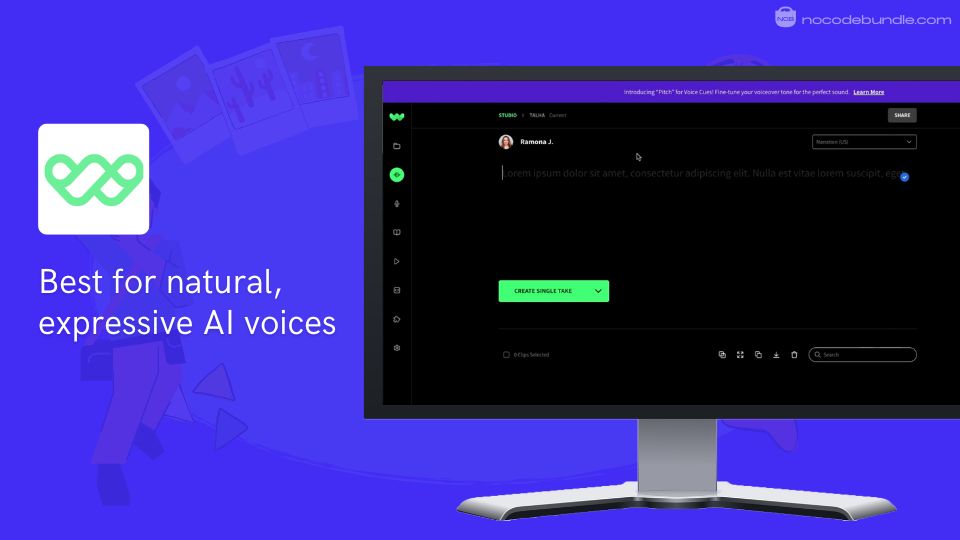
WellSaid Labs offers an AI voice platform built on licensed professional voice data, giving users realistic and engaging voice options. When I tested the platform, I noticed the voices sounded smooth and clear, which worked well for training videos, marketing, and narration.

I was able to control tone, pace, and emphasis, which helped tailor the voice to match different message responses. The user interface is straightforward, though there are character limits that require splitting longer scripts. The platform supports team collaboration and keeps data secure, which is important for business use.

βœ… Pros

❌Cons

  • Realistic, expressive voices
  • Licensed professional voice data
  • Controls for tone, pace, emphasis
  • Team collaboration features
  • Strong data security
  • English only, no other languages
  • Character limits on voice clips
  • Pricier than some competitors

βœ… Pros

  • Realistic, expressive voices
  • Licensed professional voice data
  • Controls for tone, pace, emphasis
  • Team collaboration features
  • Strong data security

❌Cons

  • English only, no other languages
  • Character limits on voice clips
  • Pricier than some competitors

How Much Does WellSaid Labs Cost?

  • Trial: Free 7-day access with limited voices
  • Creative Plan: $55/month, 60 downloads (approx. 6 hours), all English voices
  • Business Plan: From $160/month, 1,300 downloads (approx. 144 hours), up to 5 seats, collaboration tools
  • Enterprise: Custom pricing, 4,300 downloads (approx. 480 hours), unlimited seats, advanced controls

Best Subscription Plan Recommended for WellSaid Labs

From testing WellSaid Labs, the Creative Plan fits most individuals and small teams well. It includes all voices and a fair number of downloads, enough to create quality content without the higher cost of business plans built for larger teams.

Stand Out Feature of WellSaid Labs:

The Verbal Cues and Phonetic Respellings feature stood out to me. It allows precise adjustments to pitch, speed, volume, and pronunciation. I used it to make voiceovers sound natural and better match the intended mood.

Should You Use WellSaid Labs for Your Voiceover Needs

Based on my experience, WellSaid Labs is a strong choice for professional audio production when natural-sounding English voices are needed. I found the platform especially reliable for training content, advertising, and branded narration, where lifelike delivery and consistent style matter.If you require other languages or have budget limits, consider alternatives before deciding.

WellSaid Labs is recommended for πŸ‘

Not recommended for πŸ‘Ž

  • Corporate trainers needing clear voices
  • Marketers creating branded content
  • Video producers needing expressive narration
  • Non-English voice needs
  • Budget-sensitive buyers
  • Users with very long scripts

WellSaid Labs is recommended for πŸ‘

  • Corporate trainers needing clear voices
  • Marketers creating branded content
  • Video producers needing expressive narration

not recommended for πŸ‘Ž

  • Non-English voice needs
  • Budget-sensitive buyers
  • Users with very long scripts

Which is the Best Voice Generator & Voice Cloning tool? Our Top Pick πŸ‘‘

After testing all five platforms thoroughly, ElevenLabs wins for its amazing voice quality and voice control options. While Murf AI has more language choices and Lovo AI gives you good all-in-one tools, ElevenLabs always gave me the most natural, human-like voices I’ve tried.The voice cloning accuracy from just seconds of audio blew me away.

Play.ht impressed me with its huge voice collection, but ElevenLabs understood emotions better, and WellSaid Labs, though professional-sounding, doesn’t have the voice cloning options that make ElevenLabs special.

Yes, it’s pricier than alternatives and language selection is limited, but when realistic speech matters most, ElevenLabs simply outperforms the competition.

The No-Code Tool Bundle We Recommend to Use with ElevenLabs

As a Content Creator, Podcaster, and E-learning Developer, here is our recommended bundle of best tools that you can use with ElevenLabs:

You would typically use these tools alongside ElevenLabs in a workflow to create AI-generated audiobooks, training videos, or multi-speaker podcasts:

  1. ChatGPT or Claude for writing scripts and ideas
  2. Midjourney or DALL-E for cover art and visuals
  3. ElevenLabs for natural voice narration and characters
  4. CapCut or DaVinci Resolve for audio editing and video making
  5. Notion or Airtable for planning and managing content
  6. Canva for making promotion graphics

From my experience using these tools together, ElevenLabs fits well into creative workflows where voice quality matters most. The voice cloning cuts down recording time, and this bundle lets you produce professional-grade content without needing a big team.

Ashna Antony

Ashna Antony is a Hubspot Certified Content Marketer interested in the AI and SaaS landscape. A former Software Developer turned writer, she breaks down how tech actually works and why it matters. She writes about Generative AI, AI Tools, Website Builders, and SaaS. When she’s AFK, she’s probably adding songs to a Spotify playlist or halfway through a podcast episode.

DP

Related Post

Best AI Tools for Language Translation: My Top Picks

You’ve probably tried more than one translation tool by now, maybe Google Translate, maybe a…

How To Create An App Without Coding

Have you ever let a brilliant app idea die simply because you didn't know how…

Best AI Headshot Generators in 2026

Chances are you or your organization need a professional headshot, but booking a photographer feels…