You’ve probably had times when your college work feels too much to handle trying to study for exams at the last minute, pushing through heavy readings and hard-to-understand materials, or having trouble keeping your research organized. I’ve been in the exact same spot, searching for something to make my academic life easier without adding more hassle.
Traditional methods don’t always work well such as highlighting pages, rewriting notes, and swapping between multiple apps can turn the whole process into a tiring chore. It wastes time and sometimes leaves you more confused than before you started.
That’s why I started exploring AI-powered tools that can summarize, organize, and even help write smarter, not harder. These digital helpers are designed to lighten your workload, save time, and step in when the usual methods just aren’t cutting it.
In this blog, I’ll share a curated list of the best AI tools designed specifically for college students tools that I’ve researched and tested to really make a difference. I’ll also highlight my personal favorite and share some tips on boosting your workflow with no-code automations and integrations. If you want to handle your studies in a more effective way, this could be the solution you need.
📝 Key Notes on our Research Process (for Transparency)
- Covered AI tools with pricing from $0 to affordable plans/month
- Surveyed 30+ college students on their academic workflow challenges
- Spent 20+ hours testing each tool’s core features
- Evaluated user interface, learning curve and customer support quality
- Tested integration effectiveness with common student tool combinations
Most Popular Tools For College Students
- ChatGPT – Personalized AI tutor for step-by-step learning
- Notebook LM – AI-powered note analysis for research
- Otter.ai – AI Meeting Assistant for Transcription
- QuiilBot – AI-powered writing aid for clear text
- Gamma – AI presentation creator from simple prompts
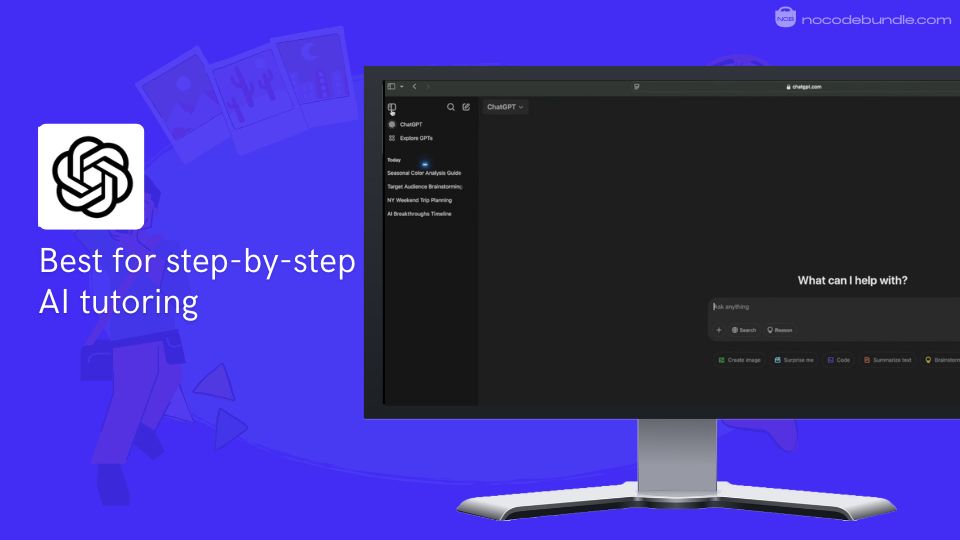
1. ChatGPT: Personalized AI tutor for step-by-step learning

ChatGPT stands as the most recognized AI assistant for college students, offering personalized tutoring, research help, and writing support. On reviewing it for my own studies, I found it works like a digital study partner that can explain complex topics, help with brainstorming, catch grammar errors, and provide 24/7 academic assistance.
Students use it for everything from understanding difficult concepts to organizing study schedules and improving their writing quality. However, it requires careful use to avoid academic integrity issues and shouldn’t replace critical thinking or original work.
✅ Pros
❌Cons
- Available 24/7 for instant help
- Explains complex topics simply
- Assists with writing and editing
- Personalizes responses to skill level
- Supports multiple languages effectively
- Can provide inaccurate information sometimes
- Risk of academic dishonesty concerns
- May reduce independent thinking skills
✅ Pros
- Available 24/7 for instant help
- Explains complex topics simply
- Assists with writing and editing
Personalizes - responses to skill level
- Supports multiple languages effectively
❌Cons
- Can provide inaccurate information sometimes
- Risk of academic dishonesty concerns
- May reduce independent thinking skills
How Much Does ChatGPT Cost?
- Free Plan: $0/month, basic ChatGPT access to GPT-4o mini, web search, file upload
- ChatGPT Plus: $20/month, faster and more reliable responses, access to GPT-4o and advanced features; priority in high-traffic periods
- ChatGPT Pro: $200/month, unlimited premium access, designed for heavy users and professionals
- Team Plan: $25–$30/seat/month, shared tools, admin controls for small groups
Best Subscription Plan Recommended for ChatGPT
If you’re just starting or don’t need extra features, I suggest the Free Plan; it’s what I use most for everyday study tasks. This plan covers basic help like brainstorming, writing support, and research, which suits most students well and keeps costs low.
Upgrade to Plus only when you want faster replies, more capacity, or access to the newest model. For those dealing with heavier workloads or professional projects, Pro offers unlimited usage and more features.
Stand Out Feature of ChatGPT:
In my testing, the Study Mode released in July 2025 was very helpful. It leads students through problems step-by-step instead of just giving answers.
When I used it for difficult homework, it asked clear, focused questions, broke down difficult parts, and gave feedback based on how I responded. This helped highlight where I needed to improve, making studying clearer and easier.
The official student page also shows this mode helps keep track of assignments and improves understanding over time, which is useful for managing coursework well.
Should You Use ChatGPT ?
If you plan to use ChatGPT, check your college’s AI rules first. From my experience, it’s best to verify facts independently and use ChatGPT to support your work, not replace original thinking or writing. It works well as a study aid but not as a shortcut.
ChatGPT is recommended for 👍
Not recommended for 👎
- Students needing quick explanations
- Help with writing and grammar
- Research brainstorming and notes
- Doing entire assignments without credit
- Final answers without fact-checking
- Complex math needing exact results
ChatGPT is recommended for 👍
- Students needing quick explanations
- Help with writing and grammar
- Research brainstorming and notes
not recommended for 👎
- Doing entire assignments without credit
- Final answers without fact-checking
- Complex math needing exact results
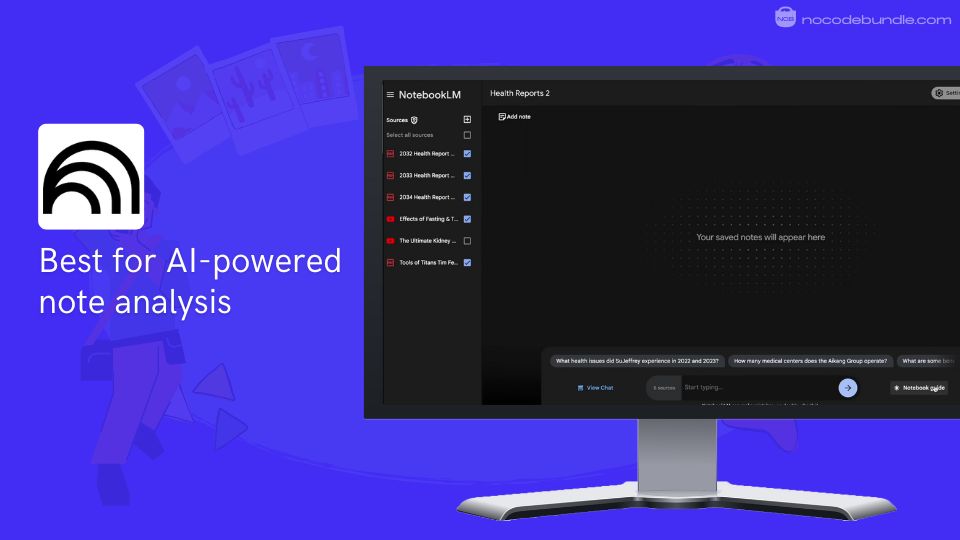
2. Notebook LM: AI-powered note analysis for research

Notebook LLM is Google’s AI research assistant designed to help students and researchers understand, organize, and interact with large sets of documents.
When I used it, I was able to upload PDFs, websites, and videos, then immediately get summaries, study guides, and audio or video overviews created from the content. This helped me quickly understand complex topics.
What I appreciated was how it only uses the sources you provide, so it stays tied to your actual materials, which reduces confusion. Changing the same content into different formats helped me study in ways that fit how I learn.
✅ Pros
❌Cons
- Uses only user-uploaded sources
- Provides clear citations for answers
- Converts documents into audio podcasts
- Creates visual mind maps for topics
- Free to use with premium options
- Limited note customization options
- No option to link notebooks
- Collaboration features need paid plan
✅ Pros
- Uses only user-uploaded sources
- Provides clear citations for answers
- Converts documents into audio podcasts
- Creates visual mind maps for topics
- Free to use with premium options
❌Cons
- Does not offer detailed booking forms
- Limited advanced customization compared to drag-and-drop builders
- Lacks multi-language site support
How Much Does Notebook LM Cost?
- Free Plan: Basic access with up to 100 notebooks, 50 sources each, 50 chat queries, and 3 AI audio generations daily
- NotebookLM Plus: $19.99/month – higher usage limits, custom summaries, extra audio/video outputs
- Business Plan: $24–$30/user/month – collaboration tools, admin controls
Best Subscription Plan Recommended for Notebook LM
I found the Free Plan suits most students who want to manage and understand research materials without extras. Plus is useful if you want more summaries, audio/video formats, or work with longer documents. Business fits teams that need shared notebooks and admin tools, which most individual students won’t.
Stand Out Feature of Notebook LM:
When I tried the Video Overviews feature, it was very helpful. It turns text into narrated slides with images and diagrams that make hard topics easier to follow. Listening and watching at once helped me understand better than just reading. This feature changes plain documents into more engaging, multimedia lessons.
Should You Use Notebook LM ?
Think about your research needs first. NotebookLM helps when you have many documents and want ways to study them differently. But its limits on note editing and collaboration may not work for every type of project.
Notebook LM is recommended for 👍
Not recommended for 👎
- Students managing many papers
- Users wanting audio/visual study tools
- Researchers needing source-based answers
- Users needing highly customizable notes
- Teams requiring full collaboration
- Those working on live group projects
Notebook LM is recommended for 👍
- Students managing many papers
- Users wanting audio/visual study tools
- Researchers needing source-based answers
not recommended for 👎
- Users needing highly customizable notes
- Teams requiring full collaboration
- Those working on live group projects
3. Otter.ai: AI Meeting Assistant for Transcription

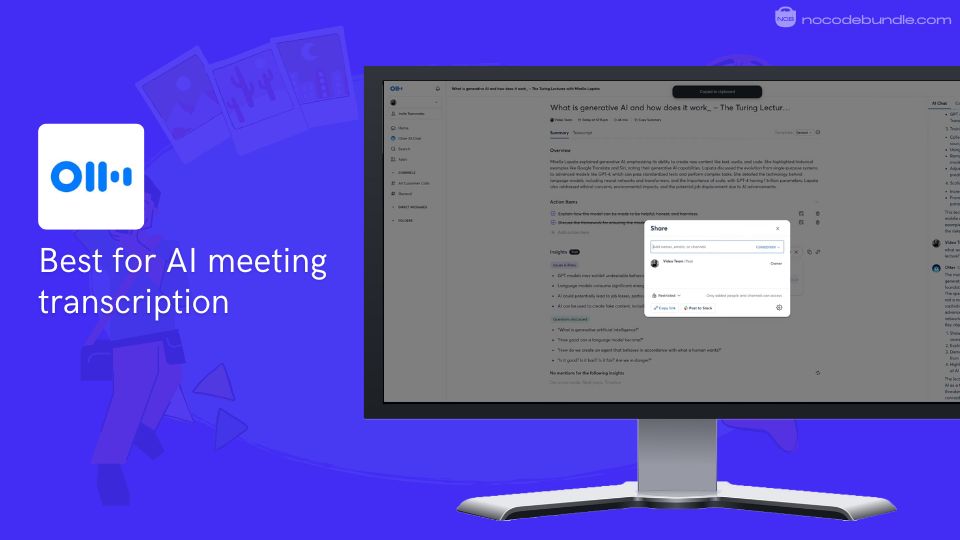
Otter.ai is an AI-powered meeting tool designed to capture, transcribe, and summarize spoken content in real-time. It is best for students who attend frequent online or in-person classes, study groups, and lectures, helping them easily record discussions and pull out key points.
When I used Otter.ai, I noticed how quickly it transcribed our study group session with very few errors. It also created a summary and automatically listed action items, which saved me from scrambling to write notes on my own. The way it connects with Zoom and Google Meet made joining and recording easy.
✅ Pros
❌Cons
- Live transcription with 95% accuracy
- Automated meeting summaries and notes
- Assigns action items automatically
- Integrates with Zoom, Google Meet, Teams
- Transcripts are searchable and shareable
- Free plan has limited transcription minutes
- Occasional errors in noisy settings
- Collaboration features need upgrade
✅ Pros
- Live transcription with 95% accuracy
- Automated meeting summaries and notes
- Assigns action items automatically
- Integrates with Zoom, Google Meet, Teams
- Transcripts are searchable and shareable
❌Cons
- Free plan has limited transcription minutes
- Occasional errors in noisy settings
- Collaboration features need upgrade
How Much Does Otter.ai Cost?
- Basic (Free): 300 minutes/month, live transcription, basic integrations
- Pro: $16.99/month ($13.59 with student discount), 1200 transcription minutes, advanced export, collaboration tools
- Business: $30/user/month, 6000 transcription minutes, admin controls and CRM integration available in enterprise plan
Best Subscription Plan Recommended for Otter.ai
If you’re just starting or only need basic transcription, the Free plan works well, giving you enough minutes to try it out and handle typical classes. When I needed longer recordings and wanted better export and sharing features, I upgraded to Pro, which felt worth the cost.
Business suits groups or teams that work together frequently and need admin tools.
Stand Out Feature of Otter.ai:
In my use, the AI Meeting Agent was especially helpful. Instead of just recording, it followed live conversations, creating notes and action points automatically. I found this helped me pay attention more during discussions because I trusted Otter to capture everything accurately.
Should You Use Otter.ai?
Otter.ai is useful if you attend many meetings or classes and want to automate note-taking. Just be aware that noisy places can reduce accuracy, and advanced collaboration tools are only available with paid plans.
Otter.ai is recommended for 👍
Not recommended for 👎
- Students attending many online lectures
- Teams needing shared transcriptions
- Users wanting automatic task lists
- Users needing unlimited free transcription
- Those often in noisy places
- Users expecting free advanced collaboration tools
Otter.ai is recommended for 👍
- Students attending many online lectures
- Teams needing shared transcriptions
- Users wanting automatic task lists
not recommended for 👎
- Users needing unlimited free transcription
- Those often in noisy places
- Users expecting free advanced collaboration tools
4. QuillBot: AI-powered writing aid for clear text

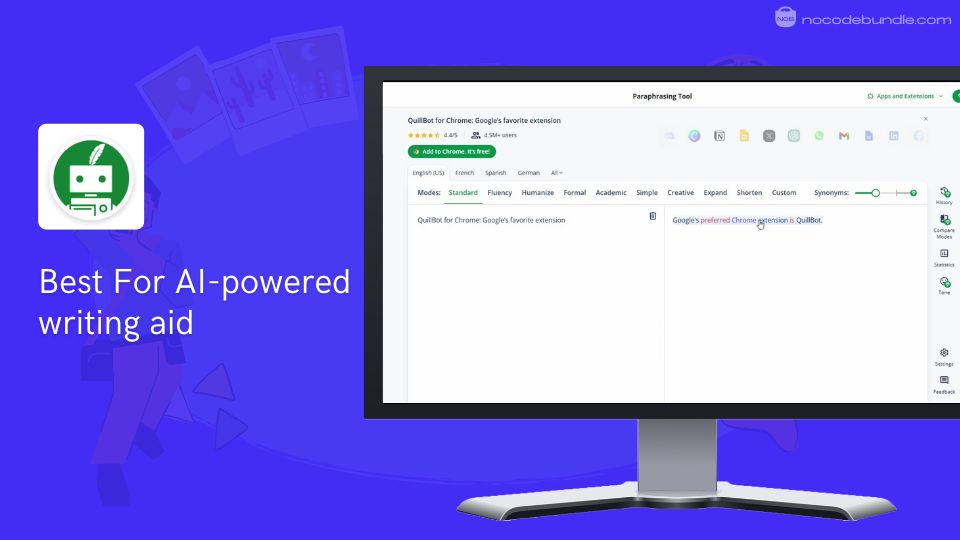
QuillBot is an AI writing tool designed to help students improve their writing by paraphrasing, checking grammar, summarizing, and generating citations. When I gave QuillBot a try, I noticed how easy it was to rephrase sentences and fix grammar mistakes in just a few clicks.
The multiple writing modes let me change tone and style, which helped me make my writing sound more natural and professional. I also liked how it worked smoothly with Chrome and Microsoft Word, so I could use it without switching apps.
The plagiarism and AI detection tools were helpful for double-checking my papers for any unoriginal text.
✅ Pros
❌Cons
- Paraphrases with multiple style options
- Real-time grammar and spell check
- Summarizes long texts clearly
- Generates citations in common styles
- Detects AI-generated content
- Free plan limits paraphrase words
- Sometimes changes meaning slightly
- Customer support can be slow
✅ Pros
- Paraphrases with multiple style options
- Real-time grammar and spell check
- Summarizes long texts clearly
- Generates citations in common styles
- Detects AI-generated content
❌Cons
- Free plan limits paraphrase words
- Sometimes changes meaning slightly
- Customer support can be slow
How Much Does QuillBot Cost?
- Free Plan: Paraphrasing up to 125 characters per user, basic grammar and generate basic summaries
- Premium Plan: $4.17/month, unlimited paraphrasing, all writing modes, plagiarism checker
Best Subscription Plan Recommended for QuillBot
The Free Plan lets you try the main features but with some limits, such as how many words you can paraphrase at once. I found the Premium Plan worth the expense for unlimited use, full access to all writing options, and improved speed.
The Team Plan is designed for groups who work together and want to manage users and payments centrally.
Stand Out Feature of QuillBot:
What stood out to me was QuillBot’s paraphrasing modes. Switching between formal, creative, or fluency options helped me find the right tone quickly. I also liked the synonym slider feature that gave me control over word choice so I wasn’t stuck with the first option it suggested.
Should You Use QuillBot ?
QuillBot is helpful if you want a simple way to improve writing clarity, grammar, and citations. From my experience, it supports your writing process well but isn’t a substitute for your own ideas. It’s important to check its paraphrases to ensure your message stays accurate.
QuillBot is recommended for 👍
Not recommended for 👎
- Students wanting clearer writing
- People writing academic papers
- Users needing citation help
- Users needing offline access
- Those expecting perfect paraphrases
- People wanting fast customer help
QuillBot is recommended for 👍
- Students wanting clearer writing
- People writing academic papers
- Users needing citation help
not recommended for 👎
- Users needing offline access
- Those expecting perfect paraphrases
- People wanting fast customer help
5. Gamma: AI presentation creator from simple prompts

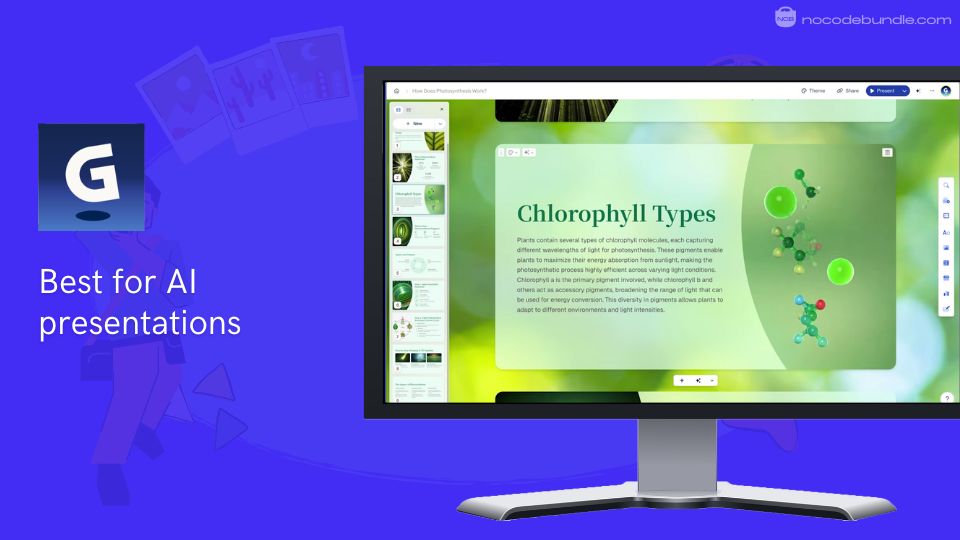
Gamma is an AI-powered tool that creates presentations, documents, and webpages from simple text prompts or imported content. When I tested Gamma, I found it very quick at turning basic ideas into polished, professional-looking presentations without any design skills.
The card-based format makes content easy to organize and adjust. I liked how it automatically breaks down complicated topics into clear sections. Real-time collaboration helped with group projects. Exporting to PowerPoint or PDF means you can work with other tools as needed.

✅ Pros
❌Cons
- Creates presentations from simple prompts
- No design experience required
- Modern card-based responsive format
- Real-time collaboration with teammates
- Exports to PowerPoint and PDF
- Free credits don’t renew monthly
- Needs constant internet connection
- Limited template choices available
✅ Pros
- Creates presentations from simple prompts
- No design experience required
- Modern card-based responsive format
- Real-time collaboration with teammates
- Exports to PowerPoint and PDF
❌Cons
- Free credits don’t renew monthly
- Needs constant internet connection
- Limited template choices available
How Much Does Gamma Cost?
- Free Plan: Create up to 10 cards per prompt, basic AI generation, standard templates
- Plus Plan: ₹500/month , unlimited AI creation, Advanced AI image models, Create up to 20 cards per prompt
- Pro Plan: ₹1300/month, higher card limit, advanced features like Custom branding & fonts,Detailed analytics & advanced sharing and so on
Best Subscription Plan Recommended for Gamma
From my experience, the Free Plan is useful to try what Gamma can do but one-time credits limit repeated use. The Plus Plan offers better value for regular presentation creation with unlimited AI use and team features. The Pro Plan is for heavier use needing more cards and features.
Stand Out Feature of Gamma:
One feature I found helpful was Gamma’s social media formats for Instagram, LinkedIn, and Twitter. I tested these and saw how the tool correctly resizes and arranges content for each platform, saving time when creating posts for projects or clubs.
Should You Use Gamma ?
Gamma is useful if you want fast, modern presentations without dealing with complicated design software. It works well for students and groups preferring easy online collaboration. Make sure you have a reliable internet connection and consider a paid plan if you use it often.
Gamma is recommended for 👍
Not recommended for 👎
- Students making frequent presentations
- Teams needing collaboration tools
- Users wanting modern card layouts
- Users needing detailed design control
- Those working offline
- People wanting unlimited free use
Gamma is recommended for 👍
- Students making frequent presentations
- Teams needing collaboration tools
- Users wanting modern card layouts
not recommended for 👎
- Users needing detailed design control
- Those working offline
- People wanting unlimited free use
Which is the Best Tool For College Students? Our Top Pick 👑
After testing all five tools extensively, I’d recommend ChatGPT as your primary choice for college. While Notebook LLM works well for document analysis and Otter.ai handles transcription, ChatGPT offers the broadest range of uses for daily academic needs.
When I compared them, ChatGPT’s 24/7 availability, Study Mode feature, and ability to handle everything from research to writing made it essential.
Unlike Quillbot’s narrow paraphrasing focus or Gamma’s presentation-only purpose, ChatGPT adapts to multiple tasks easily. However, keep in mind it’s not perfect; always fact-check important information and use it as a learning aid, not a replacement for critical thinking.
My Go-To AI Tool Bundle for College Students
As a college student balancing studies and projects, here’s my recommended bundle of best AI tools to use with ChatGPT for an efficient study and content creation workflow:
01 ChatGPT for drafting and brainstorming ideas
02 DeepL for accurate translations and language support
03 ElevenLabs for realistic voice generation from text
04 Otter.ai to transcribe lectures and meetings automatically
05 Canva to design engaging visuals and presentations
06 Grammarly to polish writing and catch errors
I tested this combination and found it covers research, writing, translation, voice, and presentation tasks smoothly, making study and content work less stressful.
Ashna Antony
Ashna Antony is a Hubspot Certified Content Marketer interested in the AI and SaaS landscape. A former Software Developer turned writer, she breaks down how tech actually works and why it matters. She writes about Generative AI, AI Tools, Website Builders, and SaaS. When she’s AFK, she’s probably adding songs to a Spotify playlist or halfway through a podcast episode.