If you have ever pasted a paragraph into a free translator and then spent ten minutes fixing the output, you already know the problem with most translation tools. They are fine for a single word, but the moment you need a full email in another language, a multilingual landing page, or a client document that has to read naturally, the cracks show. Context slips, tone flattens, and you end up rewriting half of it yourself.
The best AI tools for language translation in 2026 close most of that gap. Instead of swapping words one at a time, they read the whole passage, keep the tone, and hand back text that sounds like a person wrote it. For this refresh I retested the five tools below against current pricing and the features each vendor actually ships today, because a lot has changed since the first version of this guide: plans were renamed, one tool doubled its price, and almost every tool on this list added a real-time voice or agent mode that did not exist a year ago.
Here is who this guide is for: anyone translating emails, documents, website copy, or meeting notes who wants an honest read on which tool to depend on. If you only need a one-word lookup now and then, the free tier of any of these is plenty and you can stop reading after the table. If translation is part of your actual work, the details below are where the money is.
What You’ll Learn
4 key points covered
- 1Which tool gives the most natural, context-aware translations (and where it still slips).
- 2Current 2026 pricing for every tool, including the ones that changed since last year.
- 3The new voice, agent and workspace features each tool launched in the last year.
- 4A no-code stack you can pair with your winner to run multilingual content on autopilot.
Best AI Tools For Language Translation: Our Top 5 Picks
These are the five tools that earned a spot after retesting, in the order we rank them for 2026. DeepL still leads on raw translation quality, but the order below the top spot has shifted: Claude moved up on the strength of its longer-context handling, and the transcription-first tool sits last because it solves a slightly different job.
- DeepL – Best for natural, context-aware translations
- Claude – Best for long documents and technical content
- ChatGPT – Best all-round conversational translator
- QuillBot – Best translator-plus-writing-assistant combo
- VOMO – Best for transcription with built-in translation
| Tool | Best for | Standout feature | Starting price (2026) |
|---|---|---|---|
| 1. DeepL | Natural contextual translation | Document translation with formatting kept intact | Free, or $8.74/mo (Individual, annual) |
| 2. Claude | Long and technical documents | Large context window plus Extended Thinking | Free, or $17/mo (Pro, annual) |
| 3. ChatGPT | All-round conversational use | Text, image, audio and video in one place | Free, or $8/mo (Go) |
| 4. QuillBot | Translating plus polishing text | Translator paired with grammar and paraphrasing | Free, or $8.33/mo (Premium, annual) |
| 5. VOMO | Transcription then translation | Transcribes long recordings, then translates | Free, or ~$8.33/mo (Pro, annual) |
Top pick: DeepL, for the most natural output on supported languages. Runner-up: Claude, when you are translating long or technical documents. Budget-friendly all-rounder: ChatGPT Go at $8/month if you want one tool for text, voice and images.
How We Tested and Scored
We judged each tool on the things that actually decide whether a translation is usable, not on marketing claims. We ran the same passages (a business email, a chunk of technical documentation, a few idioms, and a short marketing paragraph) through every tool, across more than a dozen language pairs, and weighed the results against what users report across the web. Every price was re-verified on the vendor’s own pricing page in October 2026.
Accuracy carries the most weight because a translation that reads wrong is worse than no translation at all. Value sits lower on purpose: the cheapest tool is a false economy if you have to re-edit everything it produces.
1. DeepL: Best for natural, context-aware translations
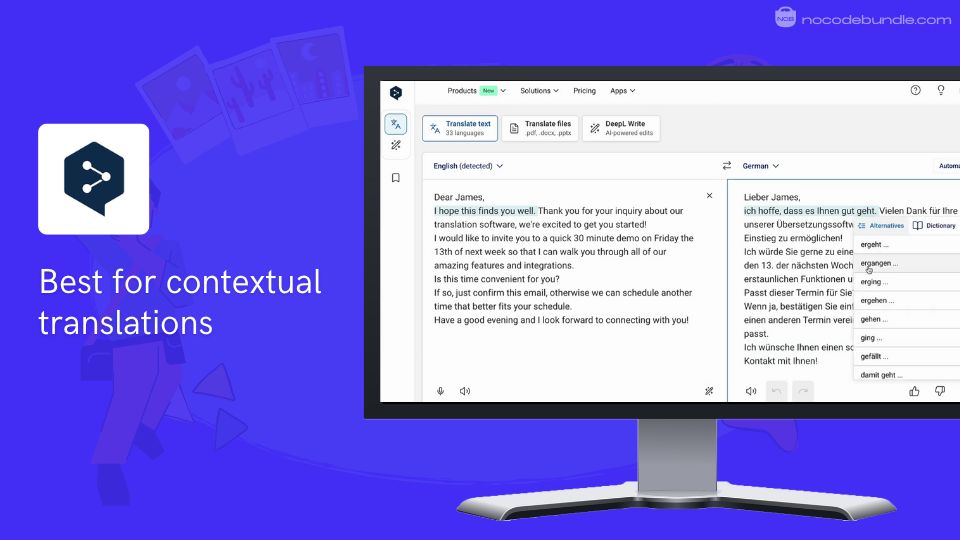
DeepL is still the tool to beat for output that reads like a native speaker wrote it. The catch is language coverage: if your pair is outside its strongest list, you will want a backup.
DeepL remains the most accurate AI translator for the languages it supports, and the gap is most obvious on the hard stuff: professional jargon, idioms, and anything where a word-for-word swap would read oddly. In our retest it handled tricky phrasing more cleanly than any other tool here.
Coverage has grown. DeepL’s text translator runs its highest-quality model on more than 30 languages, and its document translation now reaches more than 100 languages overall. You can use it through the web, desktop and mobile apps, a browser extension, and an API.
The document translation is still the feature we would pay for on its own. Upload a .docx, .pptx, .pdf, .xlsx or similar file and DeepL returns the translated file with the original formatting intact, which saves hours of reformatting on long jobs.
DeepL has grown from a translator into a language platform
Since our last review, DeepL shipped several things worth knowing about:
- DeepL Voice for real-time spoken translation, with 30 minutes included per user on paid plans, so live conversations and meetings are now in scope.
- DeepL Agent, which can plan multi-step tasks and use office tools on its own from a plain-language instruction.
- A next-generation translation model that widened the quality lead on its core European pairs.
- DeepL is now reachable inside ChatGPT, Claude and Microsoft Copilot, so you can call its translations without leaving those tools.
How much does DeepL cost?
- Free: 50,000 characters per month, with a per-translation limit.
- Individual: about $8.74/month billed annually ($10.49 monthly), with much higher limits and file translation.
- Team: about $28.74/user/month billed annually, adding bulk file translation and admin controls.
- Business: about $57.49/user/month billed annually, with unlimited characters and tighter security options.
- Enterprise: custom pricing for organisation-wide rollouts.
Pricing verified on deepl.com, October 2026. The plan names were refreshed since our last review, but the entry price for a single professional is effectively unchanged.
Which DeepL plan should you pick?
For most people the Individual plan is the right call. It is affordable and covers almost everything a solo worker or small business needs: high character limits, file uploads, and solid data handling, without paying for team features you will not touch. Test the free tier first to confirm your language pair is well supported before you commit.
Stand-out feature
DeepL’s Clarify tool is still the one we reach for. It flags phrasing that could go more than one way and lets you refine the translation on the spot instead of starting over. Paired with glossary management, it keeps technical terms consistent across a whole project, which matters a lot for ongoing client work.
Tip: set up a glossary before a big job. Lock in how your product names and key terms should translate once, and DeepL will apply them consistently across every document after that.
What users tell us: the recurring praise is that DeepL’s output simply reads more naturally than the alternatives, especially for European languages and formal documents. The recurring frustration is price (heavier users hit the paywall sooner than they expect) and the occasional hallucinated line on ambiguous input, so a quick proofread on critical text is still wise.
Pros
- Most natural, accurate output on supported languages
- Context-aware translations that keep cultural nuance
- Document translation preserves original formatting
- Glossary and Clarify keep terminology consistent
- Now covers voice and agent workflows too
Cons
- Fewer top-quality languages than the broadest tools
- Paid plan needed for any serious volume
- Can still hallucinate on short, ambiguous phrases
Should you use DeepL?
Use DeepL when accuracy matters more than reach, for business emails, client documents, and anything where the translation has to read naturally. Just confirm your languages are well covered before you subscribe, and keep a broader tool on hand for the pairs DeepL does not support yet.
Recommended for: professionals who need contextual accuracy, businesses handling client documents, and anyone working mainly in European languages.
Not ideal for: people who need very wide language variety or offline translation.
Recommended · Related guide
Best AI Presentation Maker: Top Tools to Create Slides
Translating a deck for a new market? Pair DeepL’s document translation with an AI slide tool to rebuild the visuals fast.
Read the guide →2. Claude: Best for long documents and technical content
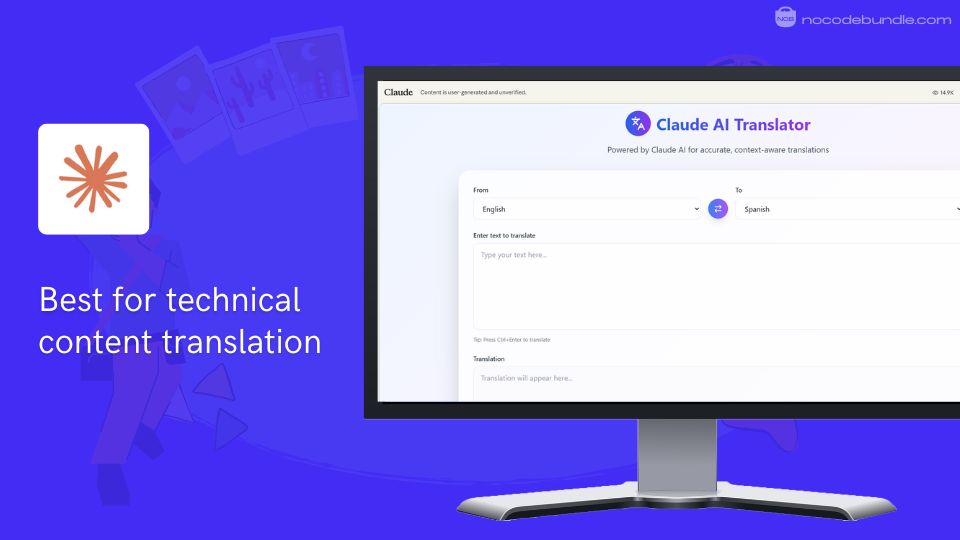
Claude moved up a spot this year. Its large context window means it can hold a long document in one piece and keep tone and terminology consistent from the first page to the last.
Claude handles translation as part of genuinely understanding what it is reading, and that shows most on long or technical content. In our retest it kept the meaning and the mood of a passage intact across languages, rather than producing the stiff, literal output you get from a plain word-swap. Switching languages mid-conversation felt smooth, and it held terminology steady across a long document instead of drifting.
The reason it climbed the ranking is its context window. You can paste a long technical document or a full contract and Claude keeps the whole thing in view, so a term translated on page one stays the same on page twenty. That consistency is hard to get from tools that translate in small chunks.
Claude is now a workspace, not just a chat box
Two additions make Claude more useful for anyone translating as part of a bigger task:
- Cowork, a collaborative workspace where Claude can take on longer, multi-step jobs (such as translating and then reorganising a batch of documents) while you work alongside it.
- Claude Code, included on paid plans, which matters if you are localising strings inside a codebase rather than loose text.
- The current Opus and Sonnet models raised the ceiling on nuance and long-context accuracy over the version we first tested.
How much does Claude cost?
- Free: $0, with everyday access and limited daily usage.
- Pro: $20/month, or $17/month billed annually, with 5x the usage and access to more models.
- Max 5x: $100/month, for 5x more usage than Pro.
- Max 20x: $200/month, for 20x Pro usage and priority access at busy times.
- Team: from $25/seat/month for small groups.
Pricing verified on claude.com, October 2026. The Max tier is split into two levels now; the earlier single Max figure no longer tells the whole story.
Which Claude plan should you pick?
Start with Pro if you translate often. It is the best value for regular work and does not push you into enterprise pricing. The 5x usage over Free is enough to get through long documents without hitting limits mid-job. Only step up to Max if you are running heavy, all-day workloads.
Stand-out feature
Claude’s Extended Thinking is what to use for the hard translations. It takes a moment to reason through a complex passage (a legal clause, a dense technical sentence) before answering, and the extra context it surfaces gives you more confidence on tricky phrasing.
What users report: the consistent theme is that Claude feels natural and good at holding tone across a whole document, which suits creative and business writing well. The recurring gripe is that it is weaker on rare dialects and very specialised medical or legal terminology, where a domain tool still wins.
Pros
- Context-aware, natural-reading output
- Large context window holds long documents in one piece
- Keeps tone and terminology consistent
- Handles idioms and technical content well
- Cowork and Code extend it beyond simple chat
Cons
- Weaker on rare dialects
- Not built for specialised medical or legal terms
- Needs an internet connection at all times
Should you use Claude?
Choose Claude when the job is a long or technical document and consistency across it matters. It reads like a thoughtful colleague for business, education and creative work. It is less suited to rare dialects or heavy domain jargon, so pair it with a specialist tool for those.
Recommended for: long-document translation, technical content, and business or creative localisation.
Not ideal for: specialised medical or legal terminology, high-volume batch jobs, and rare dialects.
3. ChatGPT: Best all-round conversational translator
ChatGPT is the most versatile translator here: text, images, audio and video, plus voice conversations. Accuracy on rare languages is the soft spot, so double-check anything critical.
ChatGPT supports 95+ languages and translates with real context rather than word by word. In testing it held context across long conversations, which made the output feel natural and easy to follow, and it answered follow-up questions when a phrase was unclear. A practical tip from our runs: feed it 200 to 300 words at a time and spend a prompt or two refining, rather than dumping a huge block in at once.
It also handled images, audio and video well, including identifying multiple speakers, and with the right prompts you can use it to practise conversations with quick, natural replies.
The toolkit around translation got much bigger
ChatGPT shipped a run of new capabilities since our last review:
- A much newer model generation that improved fluency and context handling across the board.
- Agent mode, which can carry out multi-step tasks for you, and a built-in browser for pulling in live pages before translating them.
- Deep Research and Study Mode, handy if you are translating source material you also need to understand or learn from.
- Expanded voice and voice-with-video, so spoken translation back-and-forth is smoother than before.
How much does ChatGPT cost?
- Free: $0, with everyday translation and usage limits.
- Go: $8/month, with higher message, upload, image and voice limits (note this plan may show ads).
- Plus: $20/month, with advanced models, expanded limits and the full feature set.
- Pro: from $100/month (a second tier runs at $200), for near-unlimited, heavy use.
- Business: $25/user/month ($20 annual) for teams, minimum two seats.
Pricing verified on chatgpt.com, October 2026. Two things changed since our last review: Go doubled from $4 to $8, and the old Team plan was renamed Business and repriced. Pro now starts at $100 rather than being $200-only.
Which ChatGPT plan should you pick?
For regular translation, Plus at $20/month is the sweet spot: advanced models and expanded limits without the Pro price tag. If you are budget-conscious and your volume is light, Go at $8/month now covers a lot more than it used to, just be aware it can serve ads.
Stand-out feature
ChatGPT Voice is still underrated for translation. It offers near-instant spoken translation with conversations that flow naturally, and it handles switching languages mid-sentence, which is genuinely useful for meetings, travel, or any quick back-and-forth.
Watch out: for critical legal, medical or contractual text, do not rely on ChatGPT alone. It can occasionally miss an exact detail or a cultural nuance, so verify important documents against a specialist tool like DeepL.
What users report: the consistent praise is flexibility (one tool for text, voice, images and video) and the ability to refine a translation through conversation. The recurring frustration is lower accuracy on less common languages and the occasional outdated or incorrect detail, since it is a general model rather than a dedicated translation engine.
Pros
- Refine translations through a conversation
- 95+ languages with real context
- Translates text, images, audio and video
- Real-time voice translation for conversations
- Cultural context awareness for natural output
Cons
- Lower accuracy on less common languages
- Can produce outdated or incorrect details
- Not a specialised translation engine
Should you use ChatGPT?
Use ChatGPT when you want one flexible tool and the option to tweak output live. It shines for multimedia and voice translation. For high-stakes legal or medical documents, double-check with a dedicated tool.
Recommended for: interactive translation, multimedia content, and real-time voice.
Not ideal for: critical legal or medical work, low-resource languages, and offline use.
4. QuillBot: Best translator-plus-writing-assistant combo
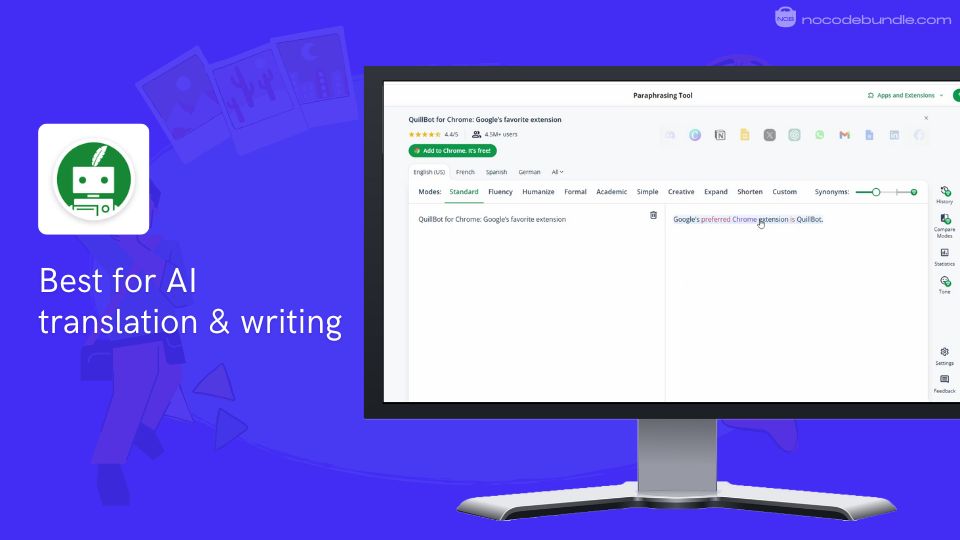
QuillBot is the pick when translation is only half the job and you also need to fix grammar and tidy the writing. The price jump since last year is the thing to note.
QuillBot stands out because it pairs AI translation with real writing tools, so it suits anyone who wants smooth translations alongside grammar fixes, paraphrasing and citations in one place. Its translator covers 50+ languages, and the side-by-side comparison after translating makes it easy to spot errors.
The grammar and sentence-improvement tools are the real draw: they clean up translated text so it reads naturally, which saves editing time after the fact. The interface works well on desktop and phone and slots neatly into a writing workflow.
A refresh, plus a price you should know about
- QuillBot rolled out a new brand, a redesigned interface and an updated AI Chat, with tools now organised around what you are trying to do.
- The Humanizer smooths AI-generated translations so they read less robotic, which is useful when the output needs to sound like a person wrote it.
- Voice-to-text landed in the mobile app, so you can dictate text to translate on the go.
- Heads up: the annual Premium price doubled since our last review, from roughly $4 to $8.33 per month. It is still good value, but it is not the bargain it once was.
How much does QuillBot cost?
- Free: limited paraphrasing (125-word cap), a basic translator and a capped summariser.
- Premium (annual): $8.33/month, billed as $99.95/year, with unlimited paraphrasing and all tools.
- Premium (semi-annual): $13.31/month, billed every three months.
- Premium (monthly): $19.95/month with no commitment.
Pricing verified on quillbot.com, October 2026. The annual plan is the only cadence that still feels cheap; the month-to-month option is nearly two and a half times the annual rate for the same features.
Which QuillBot plan should you pick?
The annual Premium plan is the best value by a wide margin. It unlocks every translation and writing feature with no limits, which is worth it if you write or translate often. The monthly plan only makes sense if you need Premium for a single short project.
Stand-out feature
The Humanizer is the handy one. It makes AI-generated translations sound more natural and less mechanical, which helps when you want translated content to read as though a person wrote it. That is a real advantage for marketing copy and anything customer-facing.
What users report: the recurring praise is the all-in-one convenience, fast rewriting, grammar help and translation in a single tab, and the clean interface. The recurring frustration is the word and page caps on both free and paid tiers, the 2025 price increase, and slower-than-ideal customer support.
Pros
- Translates 50+ languages
- Grammar and writing tools built in
- Side-by-side comparison after translating
- Works well on desktop and mobile
- Humanizer makes output read naturally
Cons
- Word and page caps even on Premium
- Annual price doubled since 2024
- Customer support can be slow
Should you use QuillBot?
Use QuillBot when you want translation and writing help in one tool, it is strong for students and writers juggling multilingual content. The free plan is fine for light use, but serious work needs Premium, and the annual plan is the one that makes financial sense.
Recommended for: writers who want translation plus editing, students needing grammar and plagiarism checks, and anyone translating across several languages regularly.
Not ideal for: casual users wanting unlimited free translation, specialised technical work, and anyone needing fast support.
5. VOMO: Best for transcription with built-in translation
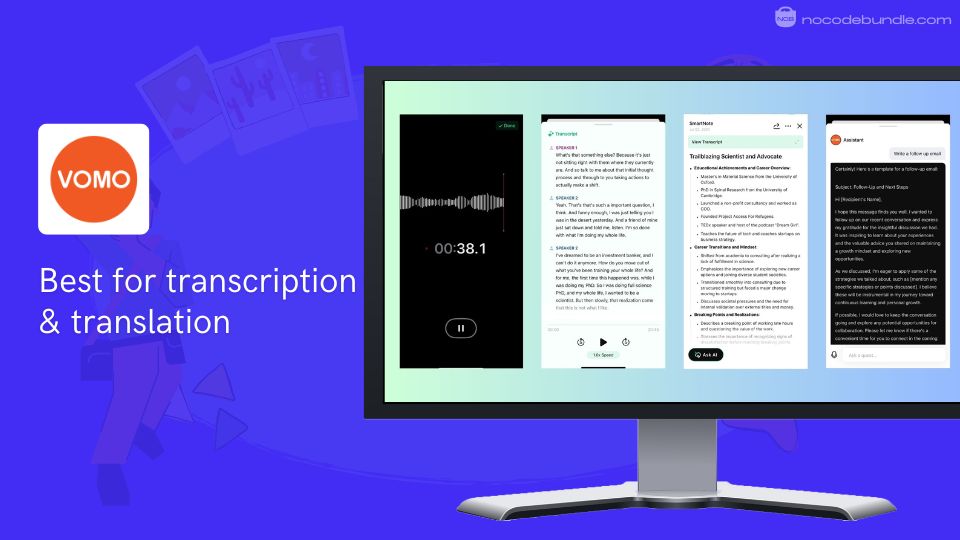
VOMO is really a transcription tool that also translates, so it sits last here. If your source is audio or video rather than text, it is the one to use.
VOMO is built for precise transcription, summarisation and translation of audio and video. We first used it to summarise YouTube videos and were impressed by how accurately it transcribed meetings and recordings, with language translation of the transcript available as a bonus. The text comes back clean, searchable and easy to edit, which saves a lot of time.
VOMO supports translation into more than 50 languages, so it fits teams working across borders without switching tools. The interactive chat that lets you ask questions about a transcript or generate a summary on the fly makes it feel like an assistant rather than a plain transcriber, and importing audio from devices is straightforward.
Smarter notes, but a changed free tier
- VOMO now applies note templates automatically (meeting, interview, lecture and more) and splits recordings into timestamped chapters with speaker labels.
- There is no per-file length limit, so a three-hour lecture or recording processes as a single file.
- Exports expanded to TXT, DOCX, PDF, SRT and Markdown, which makes subtitles and captions easier.
- Heads up: the free tier is now 30 minutes per week, not per month as before, which is actually more generous but worth noting so you plan around it.
How much does VOMO cost?
- Free: 30 minutes of transcription per week, with speaker ID, summaries and Ask AI.
- Pro (annual): about $8.33/month, billed as $99.99/year, for unlimited transcription.
- Pro (monthly): $19.99/month for the same features with no commitment.
Pricing verified on vomo.ai, October 2026. Files can run up to three hours each on Pro, and all plans include AI summaries and translation.
Which VOMO plan should you pick?
The annual Pro plan at roughly $8.33/month is the best value. It gives unlimited transcription and translation, which is ideal if you rely on these features regularly but do not need team tools. The monthly option is only worth it for a short, heavy burst of work.
Stand-out feature
Ask AI is the feature we used most. It lets you query a transcript and pull detailed summaries, so you get the key points without replaying a full recording, and you can even draft follow-up notes straight from the transcript.
What users report: the consistent praise is accurate transcription and the time saved by automatic summaries and chapters. The recurring gripe is the limited free transcription time and the occasional need to tidy a complex summary by hand, plus slower support response at times.
Pros
- Accurate transcription in 50+ languages
- AI summaries, chapters and action items
- Ask AI for quick transcript queries
- No per-file length limit
- Exports to subtitle and document formats
Cons
- Free tier capped at 30 minutes per week
- Complex summaries sometimes need manual tidying
- Support response can be slow
Should you use VOMO?
Use VOMO when your source material is audio or video and you need both a transcript and a translation. It works especially well for meetings and multilingual content. Keep the free-tier limit and occasional slow support in mind before you commit.
Recommended for: professionals transcribing meetings, creators working with multilingual audio, and students organising lectures.
Not ideal for: casual users wanting unlimited free transcription, anyone needing instant support, and people translating plain text (use DeepL or Claude instead).
Our top pick, and why not the others
After retesting all five, DeepL is still the winner, and the reasons held up a year on. For professional work where accuracy matters, its output simply reads right, especially for European languages. The document translation that keeps formatting intact is the feature that seals it for bulk jobs, and you will not get that from the chat-based tools.
Here is the honest case against each of the others as your main translator:
- Claude climbed to second and is the better choice specifically for long or technical documents, but its language coverage and dialect handling are narrower than DeepL’s.
- ChatGPT is the most versatile and can translate almost anything, but its output can read too literally, and accuracy dips on less common languages.
- QuillBot is really a writing assistant with translation attached, great for polishing, less so as a primary engine, and the price went up.
- VOMO is excellent at its job, but that job is transcription first, translation second.
If you need translations that are consistently accurate and natural, DeepL is the clear pick. Just be ready to work around its language limits and to keep a broader tool nearby for the pairs it does not cover.
The no-code stack to pair with DeepL
If you are a content creator, international marketer or professional translator, here is the no-code toolkit we would run alongside DeepL to build multilingual content without manual busywork.
A typical workflow looks like this:
- 01. DeepL for accurate document and text translation.
- 02. Notion or Airtable to organise multilingual content calendars.
- 03. Canva to create translated visuals and graphics.
- 04. Loom to record multilingual video explanations and tutorials.
- 05. Zapier to automate translation workflows between platforms.
- 06. Grammarly to polish translated copy before publishing.
This stack works because DeepL does the heavy translation lifting while the rest manage the production pipeline. The Zapier piece is the one worth setting up early: you can trigger automatic translations whenever new content lands in your Airtable base. Notion becomes your multilingual content hub, Canva keeps the visuals on-brand per market, and Grammarly catches any awkward phrasing DeepL occasionally leaves behind. Put together, it saves hours on any international content project.
Key Takeaways
5 essential decisions
- Pick DeepL for the most natural, accurate translations, as long as your language pair is well supported.
- Use Claude when the job is a long or technical document that needs consistency from start to finish.
- Reach for ChatGPT when you want one flexible tool for text, voice, images and video.
- Choose QuillBot if you need to translate and polish writing in the same place, on the annual plan.
- Use VOMO when your source is audio or video rather than text.
Frequently asked questions
What is the best AI tool for language translation in 2026?
Is there a good free AI translator?
Which AI translator is most accurate for documents?
Can AI translators handle voice and real-time conversation?
Did any of these tools change their pricing recently?
Which translator is best for less common languages?